Need help?
Do you have a question about the Kenwood GE-80 and is the answer not in the manual?
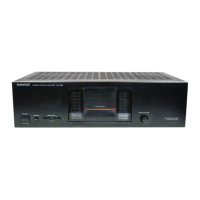
Welcome message acquainting users with the amplifier's features and benefits.
Record serial numbers for warranty and service inquiries.
Warning to prevent fire or shock hazard by avoiding exposure to rain or moisture.
Check for shipping damage and retain original packaging.
Advice on placement, temperature, ventilation, and power connection safety.
Read, retain, and follow all safety instructions and warnings provided.
Proper ventilation, heat avoidance, secure power cords, and protection from liquids.
Refer servicing to qualified personnel and avoid exposing the unit to damage.
Ensure the AC voltage selector switch matches your line voltage (110-120V or 220-240V).
Clean the cabinet with a silicone cloth or a clean dry cloth, avoiding volatile solvents.
Illustration showing connections for amplifier, equalizer, reverberation, and power monitor.
Use speakers with impedance over 8 ohms when operating two systems simultaneously.
Connect tape deck to GE-80 for playback equalization or RA-80 for recording effects.
Control sound with equalizer, record equalized sound, and listen to tape with GE-80.
Enhance sound with reverberations, control delay and time, and obtain duet effects.
Read peak power at different levels and switch between speaker systems.
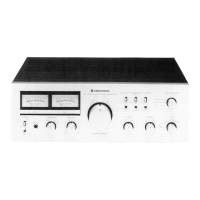
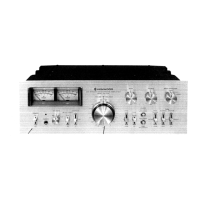
Detailed explanation of the GE-80's controls: Power Switch, Equalizer Controls, Tape Monitor, Equalizer Switch, Recording Switch, and Attenuator.
Adjust frequencies (50 Hz to 13 kHz) to shape low, mid, and high tones for desired sound.
Operate Tape Monitor, Equalizer, and Equalizer Recording switches for various audio routing and effects.
Use the attenuator switch to reduce volume by 6 dB or prevent distortion from high input signals.
Ensure secure connections, turn off power before connecting/disconnecting, and manage cords properly.
Step-by-step guide to powering on, setting tape monitor, using equalizer, and recording with or without equalization.
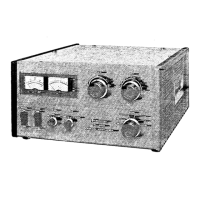
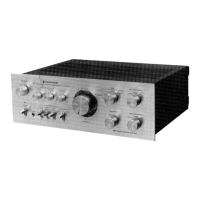
Explanation of RA-80 controls: Power, Tape Monitor, Reverberation, Recording, Effect, Attenuator, Time, and Depth controls.
Adjust reverberation time (0-2.5s or 30-100ms) and depth to enhance sound.
Use Effect switch for normal or duet sound, and Recording switch for adding reverb to tape.
Ensure secure connections, turn off power before connecting/disconnecting, and manage cords properly.
Steps to power on, set tape monitor, adjust reverberation time and depth, and control recording effects.
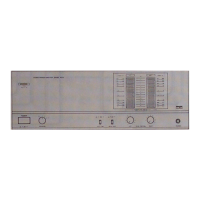
Explanation of PM-80 controls: Power, Peak Power Meter, Meter Range Switch, and Speaker Switch.
Monitor peak power with LED meter and select range (X0.1 or X1) for accurate readings.
Select desired speaker system (A, B, C, A+B, A+C) for listening.
Connect speakers observing polarity and impedance, ensure proper wire preparation.
Power on, select speaker system, and adjust volume; use meter range switch for output power indication.
Troubleshoot no sound, unilluminated indicator, or sound from one side only.
Check speaker connections, volume, tape monitor settings, and balance control.
Technical details including equalizer characteristic, frequency response, distortion, and dimensions.
Technical details including reverberation time, frequency response, distortion, and dimensions.
Technical details including meter range, accuracy, frequency response, and dimensions.


 To Next Page
 General