EasyManua.ls Logo

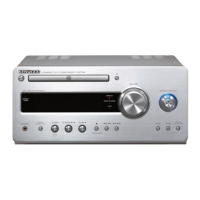
Kenwood K-323 - User Manual

Kenwood K-323
50 pages
Print Icon
To Next Page IconTo Next Page
Loading...
© B60-5795-08/00 (E)
COMPACT Hi-Fi COMPONENT SYSTEM
K-323
INSTRUCTION MANUAL
Declaration of Conformity with regard to the EMC Directive
2004/108/EC
Manufacturer:
Kenwood Corporation
2967-3 Ishikawa-machi, Hachioji-shi, Tokyo, 192-8525 Japan
EU Representative's:
Kenwood Electronics Europe BV
Amsterdamseweg 37, 1422 AC UITHOORN, The Netherlands

Table of Contents

Other manuals for Kenwood K-323

Questions and Answers

  • R
    Rachel EdwardsSep 23, 2025
    Why can’t I control my Kenwood digital audio player from the main unit or remote of the Kenwood K-323 Stereo System?
    • G
      Gabrielle SmithSep 23, 2025
      If your Kenwood digital audio player cannot be controlled from the main unit or remote control unit, connect it using the special connection cable (optional). Also, check if a compatible model is connected.
  • D
    Daniel SandovalAug 25, 2025
    How to fix noise interference with radio reception on my Kenwood K-323 Stereo System?
    • B
      Beth JacksonAug 25, 2025
      To minimize noise interference with radio reception on your Kenwood Stereo System, install the outdoor antenna away from the road, turn off electric appliances installed near the system, and position the system away from any TV set.
  • M
    Mrs. Christina Gates MDAug 25, 2025
    How to fix Kenwood K-323 if preset stations cannot be called?
    • N
      Nicholas CunninghamAug 26, 2025
      If you cannot call preset stations on your Kenwood Stereo System, try presetting the radio stations again using AUTO MEMORY. You can also manually preset stations with receivable frequencies.
  • A
    Anthony HernandezAug 27, 2025
    How to fix no sound on Kenwood K-323?
    • M
      Michele PettyAug 27, 2025
      If your Kenwood Stereo System has no sound output, try the following: * Ensure the cords are correctly reconnected. * Increase the volume. * Deactivate any muting features. * If headphones are connected, unplug them.
  • R
    rbensonAug 27, 2025
    Why can't I tune radio stations on my Kenwood Stereo System?
    • E
      Elizabeth McculloughAug 27, 2025
      If you're having trouble tuning into radio stations on your Kenwood Stereo System: * Make sure the antenna(s) are connected properly. * Select the correct tuning band (tuning mode). * Ensure you are tuning into the frequency of the desired station.
  • M
    Marcus ShahSep 15, 2025
    Why can't I activate the timer on my Kenwood K-323?
    • J
      jowensSep 15, 2025
      If the timer cannot be activated on your Kenwood Stereo System, set the time of the day (if the [STANDBY/TIMER] indicator is flashing in orange). Also, set the On time and Off timer of the program timer.
  • J
    John JohnsonSep 12, 2025
    How to fix Kenwood K-323 Stereo System malfunctions?
    • D
      Dawn SotoSep 13, 2025
      If your Kenwood Stereo System malfunctions, which results in system inoperability, erroneous display, etc, reset the system. Unplug the power plug from the mains outlet, then while pressing and holding [K] on the main unit, plug the power cord back in. 'INITIALIZE' will be displayed, indicating the unit is reset. Keep in mind that resetting the microcomputer will erase all system setups and return it to the factory-shipped condition. The system may malfunction due to unplugging and plugging of a cable while the system is ON or to an extraneous cause.
  • A
    Alexa SandersSep 14, 2025
    Why is there no CD audio output from my Kenwood K-323 Stereo System?
    • S
      sullivanrichardSep 14, 2025
      If there is no CD audio output from your Kenwood Stereo System, try pressing [CDE]. Also, try cleaning the disc.
  • R
    Reginald DoughertySep 5, 2025
    What to do if my Kenwood K-323 Stereo System has no sound output?
    • J
      justin75Sep 5, 2025
      If there is no sound coming from your Kenwood Stereo System, try the following: ensure the cords are properly reconnected, increase the volume, cancel any muting settings, and make sure headphones are unplugged.
  • T
    Thomas SnyderSep 2, 2025
    Why timer cannot be activated on Kenwood K-323?
    • R
      Robert RogersSep 3, 2025
      If the timer on your Kenwood Stereo System cannot be activated: * Ensure the time of day is set (the [STANDBY/TIMER] indicator may be flashing orange if it isn't). * Set both the On time and Off timer for the program timer.

Summary

KENWOOD K-323 INSTRUCTION MANUAL

IMPORTANT SAFETY INSTRUCTIONS

Comprehensive safety guidelines for operating the system safely and preventing hazards.

Accessories

Installation

Installation precautions

Cautions to observe when installing the system to ensure proper operation and prevent hazards.

Connections

Basic connections

Steps and guidance for connecting the AM and FM antennas and the power cord.

Component names and functions

Basic Operation

Playing music tracks

Playback Sources

Instructions for playing audio from CDs, Digital Audio Players, USB devices, and external components.

Radio Broadcasting

Guide to selecting, tuning, and managing FM/AM radio stations.

Playback Control Operations

How to use buttons for playback control, track selection, and setting playback modes.

Sound Adjustments

Enhancing the bass tone (D-BASS)

Instructions on how to adjust and enhance the bass frequencies of the audio.

Adjusting the tone or playing surround audio (TONE)

How to adjust bass/treble and enable DTS Surround Sensation for immersive audio.

Resetting the adjusted sound to the original sound (FLAT)

How to cancel sound adjustments and restore the original flat sound profile.

System Setup

Troubleshooting

Specifications

Kenwood K-323 Specifications

General IconGeneral
BrandKenwood
ModelK-323
CategoryStereo System
LanguageEnglish

Related product manuals