EasyManua.ls Logo

Kenwood K-821DV - User Manual

Kenwood K-821DV
108 pages
Print Icon
To Next Page IconTo Next Page
Loading...
K-821DV
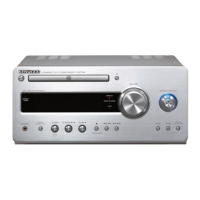
COMPACT HI-FI COMPONENT SYSTEM
INSTRUCTION MANUAL
© B60-5815-08/01 (E, X, K) GVT0295-001B
D
ecl
a
Declaration of Conformity with regard to
the EMC Directive 2004/108/EC
Manufacturer:
Kenwood Corporation
2967-3 Ishikawa-machi, Hachioji-shi, Tokyo, 192-8525 Japan
EU Representative’s:
Kenwood Electronics Europe BV
Amsterdamseweg 37, 1422 AC UITHOORN, The Netherlands
Europe only
TM
B60-5815-0801GVT0295-001BK-821DVEn.indb1B60-5815-0801GVT0295-001BK-821DVEn.indb1 10.1.254:56:28PM10.1.254:56:28PM

Table of Contents

Questions and Answers

  • J
    James MillerAug 13, 2025
    How to troubleshoot no sound on my Kenwood Stereo System?
    • C
      Christy Taylor DVMAug 13, 2025
      If your Kenwood Stereo System isn't producing any sound, there are several things you can check: * First, ensure all connections are properly made. * Next, increase the volume to a suitable level. * Also, verify that the MUTE setting is not active. * Finally, make sure no headphones are plugged into the main unit.
  • B
    burnssamuelAug 16, 2025
    Why is there no radio reception on my Kenwood K-821DV?
    • M
      Mrs. Tiffany BaileyAug 16, 2025
      If you're experiencing no radio reception on your Kenwood Stereo System: * Make sure the antennas are properly connected. * Select the correct broadcast band (AM or FM). * Ensure the radio is tuned to the frequency of the station you want to listen to.
  • L
    Lisa StewartAug 19, 2025
    What to do if there is no sound from one of the speakers on my Kenwood K-821DV Stereo System?
    • C
      Courtney FreemanAug 20, 2025
      If you're not getting sound from one of the speakers on your Kenwood Stereo System: * Check all the speaker connections. * Also, verify the volume balance for the left and right speakers is correctly adjusted.
  • C
    Christopher BowenAug 25, 2025
    How to fix interference (noise) on Kenwood Stereo System?
    • M
      Michelle MooreAug 25, 2025
      If you're experiencing interference or noise with your Kenwood Stereo System, consider these solutions: * Install an outdoor antenna away from roads. * Turn off any nearby electrical appliances that might be causing interference. * Try moving the stereo system away from your TV.
  • S
    Shaun GeorgeAug 27, 2025
    What to do if the [STANDBY/TIMER] indicator is flashing red and there is no sound on Kenwood Stereo System?
    • R
      Ryan GuzmanAug 27, 2025
      If the [STANDBY/TIMER] indicator on your Kenwood Stereo System is flashing red and there's no sound, it could be due to a short-circuited speaker cord. Unplug the power cord and then reconnect the speaker cord. If the problem persists, turn off the power to the main unit, unplug the power cord and request repairs.
  • J
    John SmithAug 31, 2025
    Why is there no sound from the headphones on my Kenwood K-821DV?
    • J
      Jacob PhillipsAug 31, 2025
      If you're not getting any sound from the headphones connected to your Kenwood Stereo System: * Make sure the headphone plug is fully and correctly inserted. * Increase the volume. * Cancel the MUTE setting.
  • D
    Daniel HallSep 4, 2025
    Why does the timer not work on my Kenwood K-821DV?
    • M
      Mark SmithSep 4, 2025
      If the timer on your Kenwood Stereo System isn't working, ensure that you have set the clock and also set a start time and end time for the program timer.
  • P
    powerswilliamSep 8, 2025
    What to do if Auto Memory and [P.CALL] don't get radio reception on Kenwood K-821DV Stereo System?
    • D
      David YoungSep 8, 2025
      If you've used Auto Memory and pressed the [P.CALL] key on your Kenwood Stereo System but still can't get radio reception, try running Auto Memory again. Also, manually preset stations with frequencies that you can receive.

Summary

Safety Precautions

Before Applying Power

Important precautions and warnings before operating the system.

IMPORTANT SAFETY INSTRUCTIONS

Read and Follow Instructions

Key safety instructions including cleaning, attachments, and water usage.

Environmental Hazards and Mounting

Safety precautions regarding lightning, heat, power lines, and appliance placement.

What the K-821 DV Can Do

Installing the System

Installation Guidelines

Notes and cautions for proper system placement and heat radiation.

Connecting the System

Main Connections

Essential connections for speakers, antennas, and power.

Connecting TV Monitor

How to connect the system to a TV using video or HDMI cables.

Connecting Other Accessories

Instructions for connecting iPod and USB devices.

Digital and Analog Audio Inputs

Connecting digital audio players, AUX devices, and digital sources.

Component Names and Functions

Procedures by Input Source

CD;DVD Operations

Detailed procedures for playing CDs and DVDs, including playback modes.

Radio Broadcast Reception

How to listen to FM/AM radio and set stations.

iPod Playback

Connecting and playing music from an iPod.

USB Device Playback

Connecting and playing audio files from USB devices.

Audio Settings

Component Settings

Maintenance

Troubleshooting Guide

Solutions for common issues with amplifiers, speakers, tuners, CD/DVD, iPod, USB.

Kenwood K-821DV Specifications

General IconGeneral
TypeMini Hi-Fi System
Tuner BandsFM, AM
DVD PlayerYes
CD PlayerYes
Remote ControlYes
FunctionsCD, DVD

Related product manuals