24
checking the cooking function
This feature allows you to check and view the current cooking settings while the microwave is
cooking.
to find out the current cooking setting
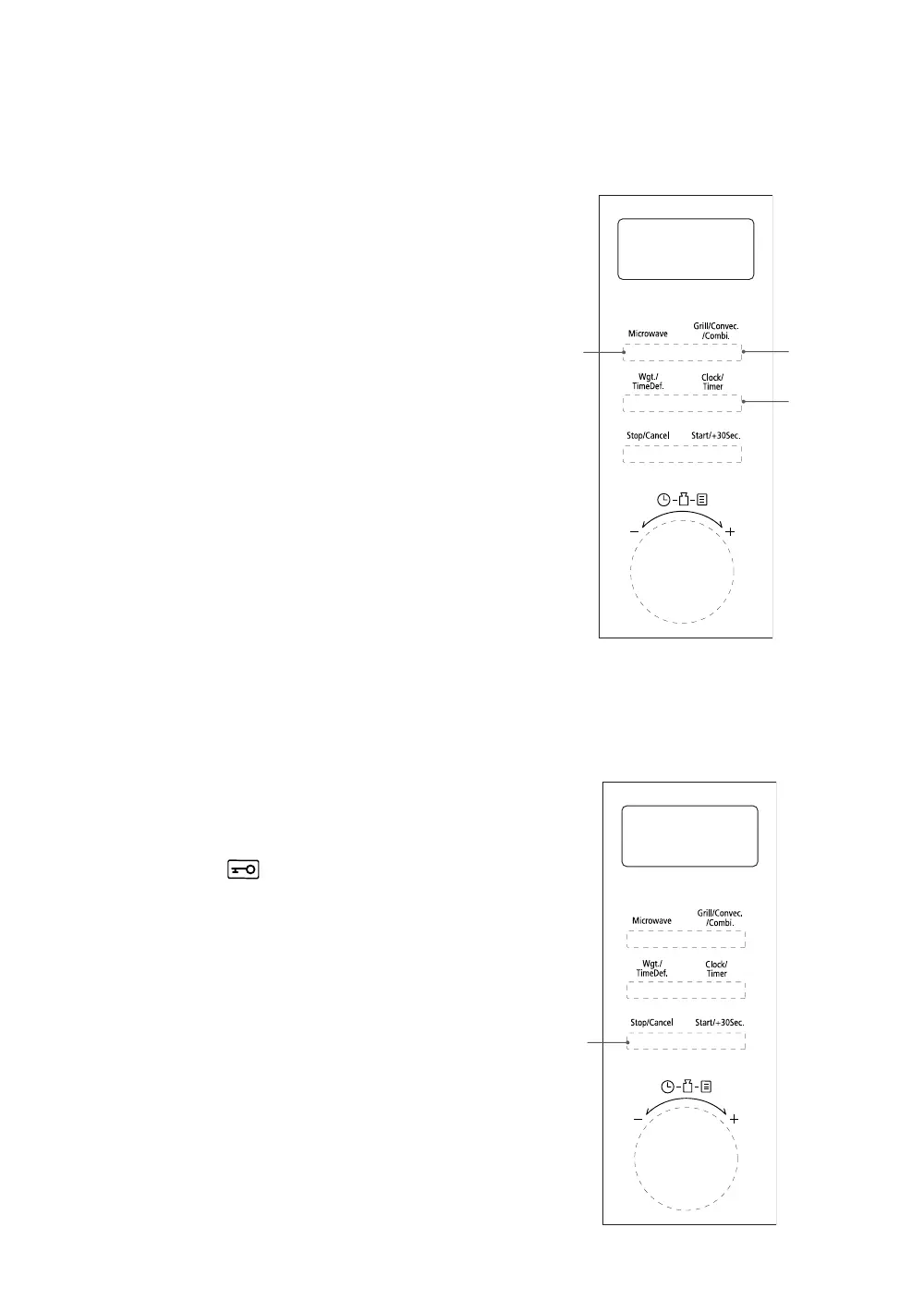
• While the microwave is cooking, press the
Microwave (1) button once or the Grill/
Convec./Combi. (2) button once and the
display will show the current cooking power. It
will last for 2-3 seconds and then return to its
original display.
to find out the current time
• Make sure the clock is set.
• While the microwave is cooking or defrosting,
press the Clock/Timer (3) button once and
the display will show the current time. The
display will last for 2 - 3 seconds and the
microwave will then return to its original
display.
3
1 2
setting the child lock
This feature prevents the microwave from operating by locking the control panel until you cancel the
lock.
Follow the steps below to set the child lock.
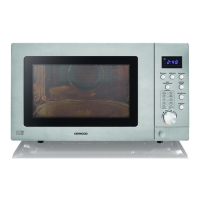
1. Press the Stop/Cancel (1) button for 3
seconds until a long tone is sound. The child
lock indicator
will appear on the display
to indicate that the microwave has set the
child lock.
2. To release the child lock, press the Stop/
Cancel (1) button again for 3 seconds until a
long tone is sound. The child lock indicator will
disappear from the display to indicate that the
microwave has released the child lock.
1
K25CSS21_IB_Final210812.indd 24K25CSS21_IB_Final210812.indd 24 12/8/2021 2:48 PM12/8/2021 2:48 PM


 To Next Page