EasyManua.ls Logo

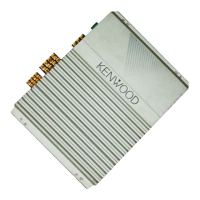
Kenwood KAC-X621 - User Manual

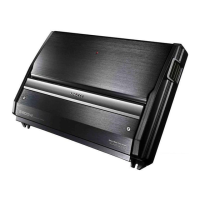
Kenwood KAC-X621
12 pages
Print Icon
To Next Page IconTo Next Page
Loading...
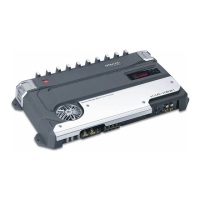
KAC-X621
KAC-PS621
KAC-X521
KAC-PS521
STEREO/BRIDGEABLE POWER AMPLIFIER
~
page 2-9
INSTRUCTION MANUAL
AMPLIFICATEUR DE PUISSANCE STEREO/COMPATIBLE
~
page 10-17
MODE D'EMPLOI
ESTERO/AMPLIFICADOR
DE
POTENCIA CONECTABLE
~
pagina 18-25
MANUAL
DE
INSTRUCCIONES
KENWOOD CORPORATION
Take
the
time
to
read through this instruction manual. Familiarity
with
installation and operation procedures
will
help you obtain
the
best performance from your
new
power
amplifier.
For your records
Record the serial number, found
on
the back of the unit,
in
the spaces
designated
on
the warranty card, and
in
the space provided below.
Refer to the model
and
serial numbers whenever you call upon your
KENWOOD dealer for information or service
on
the product.
Model KAC-X621/PS621/X521/PS521
Serial number - _
@
CHOl
© B64-2795-00/00 (KV/EV)

Questions and Answers

  • B
    Brittany CarterJul 30, 2025
    Why does my Kenwood Car Amplifier have no sound and a blown fuse?
    • J
      jade61Jul 30, 2025
      If your Kenwood Car Amplifier has no sound and the fuse is blown, it could be due to several reasons: * Disconnected input or output cables: Ensure all cables are properly connected. * Activated protection circuit: Check the connections, referring to the section on "Protection function." * Excessive volume: Replace the fuse and lower the volume. * Shorted speaker cord: Inspect the speaker cord, fix any shorts, and then replace the fuse.
  • C
    Cameron LeonardAug 3, 2025
    Why is the sound quality bad or distorted on my Kenwood Car Amplifier?
    • R
      Ronald NealAug 3, 2025
      Poor sound quality or distortion in your Kenwood Car Amplifier could stem from: * Incorrect speaker wire polarity: Verify that the + and - terminals of the speakers and wires are correctly connected. * Pinched speaker wire: Ensure that the speaker wire is not pinched by any part of the car body. * Improper switch settings: Check and correctly set the switches, consulting the "System examples" section.
  • J
    Jeffrey ReyesAug 8, 2025
    What to do if the sound does not change when adjusted with the Kenwood KAC-X621 Car Amplifier Control?
    • E
      eric03Aug 8, 2025
      If adjustments made with your Kenwood Car Amplifier Control aren't producing any sound changes: * Ensure the AMP CONT is turned "ON." * Verify that the filtered band is not being controlled by the Amplifier Control; if it is, turn the filter off.
  • S
    sonyaparkerAug 13, 2025
    What to do if the output level is too small or too large on my Kenwood KAC-X621?
    • R
      ricardohayesAug 14, 2025
      If the output level of your Kenwood Car Amplifier is either too small or too large, the input sensitivity adjusting control may not be set correctly. Adjust the control properly, referring to the "Controls" section.
  • D
    davidsonstephanieAug 19, 2025
    What to do if the set value cannot be changed by the Amplifier Control of the Kenwood Car Amplifier?
    • B
      Brenda MartinAug 19, 2025
      If you're unable to change the set value using the Amplifier Control on your Kenwood Car Amplifier, it's possible that the AMP Control of the Center Unit is being used. You should release the AMP Control mode of the Center Unit.
  • M
    mariaclarkAug 23, 2025
    Why can't the Kenwood KAC-X621 Control be operated from the Center Unit?
    • T
      Timothy BensonAug 23, 2025
      If you're unable to operate the Kenwood Car Amplifier Control from the Center Unit: * Check that the ID number for the Master amplifier is set to "0". * If you've changed the ID number of the amplifier, turn off the power switch of the Center Unit and then turn it back on.

Summary

Instruction Manual

For Your Records

Record serial number and model for service inquiries and warranty.

Safety Precautions

Safety and Compliance

General safety, regulatory warnings, and precautions for safe operation.

Protection Function Overview

Explains the unit's protection features and associated error codes.

Installation and Wiring Precautions

Guidelines for safe installation, wiring, and preventing damage.

Speaker Selection Guidelines

Recommendations for compatible speaker impedance and power ratings.

Installation

Accessories Included

Lists the items included with the amplifier for installation.

Installation Procedure

Step-by-step guide for installing the amplifier in a vehicle.

Installation Location Precautions

Advises on suitable and unsuitable locations for mounting the unit.

Connection

Wiring Warnings and Cautions

Safety warnings and notes for electrical connections.

LX-Bus Connection

How to connect the amplifier using the LX-Bus system.

Bridged Connections

Instructions for connecting speakers in bridged mode.

Controls

Amplifier Front Panel Controls

Description of all buttons, switches, and connectors on the unit.

Filter Controls (LPF;HPF)

Details on setting low-pass and high-pass filter frequencies.

Operation and Sensitivity Settings

Explains operation mode selection and input sensitivity adjustment.

Amplifier Control System

Display Mode Setup

How to select and view amplifier status items on the display.

Separate Amplifier Control

How to control individual amplifiers from a center unit.

Default Settings

Instructions for resetting amplifier settings to their factory defaults.

Control an Amp from Center Unit

Entering AMP Control Mode

Steps to access the amplifier control functions via the center unit.

Selecting and Adjusting Amp Settings

How to choose and modify amplifier parameters remotely.

Center Unit Messages

Explains error messages displayed on the center unit.

System Examples

2-Channel System Configuration

Diagrams and settings for a basic 2-channel stereo setup.

2-Channel + Subwoofer System

Wiring and setup for a system with front speakers and a subwoofer.

Tri-mode System

Explains the tri-mode setup and crossover principles.

Troubleshooting Guide

Common Problems and Solutions

Lists common issues, their possible causes, and recommended solutions.

Specifications

Audio Specifications

Technical details on power output, sensitivity, and frequency response.

Amplifier Control Specifications

EQ settings, frequency ranges, and sensitivity for amp control.

General Specifications

Details on operating voltage, current consumption, dimensions, and weight.

Online Registration

Register Product Online

Instructions for registering the Kenwood product on the official website.

Limited Warranty

Warranty Duration and Coverage

Details the warranty period and what is covered or excluded.

Obtaining Warranty Service

Steps to follow to get the product serviced under warranty.

Limitations and Exclusions

Explains limitations on implied warranties and exclusion of damages.

Kenwood KAC-X621 Specifications

General IconGeneral
BrandKenwood
ModelKAC-X621
CategoryCar Amplifier
LanguageEnglish

Related product manuals