4 English
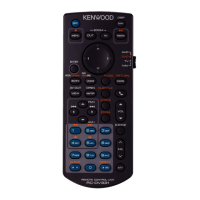
Key Name
Mode
switch
Function
11
Numeric
Keypad
AUD Allows you to enter the number to search in the direct search mode.
For details on the direct search mode, see Direct search mode.
For the Radio, HD Radio, Digital Radio and SiriusXM sources, allows you to enter the
preset number.
• If the preset number is one digit, press the number.
• If the preset numbers is two digits, press continuously the numbers within 3
seconds.
• Pressing [C] [D] within 3 seconds allows you to determine the preset number of
one digit.
DVD Press [1] [2] to fast forward/backward. Press [4] [5] to slow forward/backward.
Switches the slow playback speed each time you press this key.* (*DVD only)
12
CLEAR DVD Clears the number.
13
DIRECT − Switches to the direct search mode.
14
AUDIO DVD Switches the voice language each time you press this key.
15
RETURN DVD Displays previous screen.
16
SUBTITLE DVD Switches the subtitle language.
17
− When a call comes in, answers the call.
18
ANGLE DVD Switches the picture angle each time you press this key.
19
VOL RS
− Adjusts the volume.
20
ZOOM DVD Switches the zoom ratio (2, 3, 4, Off ) each time you press this key.
21
2 ZONE − Switches the Dual Zone function on and off.
22
R.VOL
− Adjusts volume at rear when the Dual Zone function is on.
23
ATT − Lowers the volume by pressing the key once.
Restores the previous volume by pressing the key twice.
24
V.SEL − Displays the APP (Apple CarPlay/Android Auto/Wireless Mirroring) screen.
25
DVD SETUP − Not used.
Direct search mode
Using the remote control, you can jump directly to
the desired file, track chapter, etc. by entering the
number corresponding to the content.
NOTE
• This operation cannot be performed for the USB
device and iPod.
1
Press the [DIRECT] button several times until
the desired content appears.
The available contents are different depending on
the source type.
■ DVD
Title number/Chapter number
■ VCD 1.X and 2.X (PBC OFF)
Track number
■ VCD 2.X (PBC ON)
Scene number/Track number
■ Music CD
Track number
■ Radio
Frequency value
■ HD Radio tuner
Frequency value/Channel number
■ SiriusXM
Channel number
2
Enter the number of the content you want to
play using the numeric keypad.
3
For DVD or VCD, music CD, press the [ENTER]
button.
For radio, press the [E] or [F] button.
The content corresponding to the number you
entered is played.
B5A-4040-00_KCA-RCDV340.indb 4 2021/10/04 19:24



 To Next Page