To Next Page
B
bruce43Sep 10, 2025
What does “N/A VOICE TAG” mean on my Kenwood KDC-BT358U Car Receiver?
- MMario KochSep 10, 2025
If “N/A VOICE TAG” appears on your Kenwood Car Receiver, ensure you are using the same voice as the registered voice tag.

What does “N/A VOICE TAG” mean on my Kenwood KDC-BT358U Car Receiver?
If “N/A VOICE TAG” appears on your Kenwood Car Receiver, ensure you are using the same voice as the registered voice tag.
Why is the radio reception so poor on my Kenwood KDC-BT358U?
To improve poor radio reception on your Kenwood Car Receiver: * Ensure the antenna is firmly connected. * Extend the antenna fully.
What to do if my Kenwood KDC-BT358U does not turn on?
If your Kenwood Car Receiver doesn't turn on, try resetting the unit.
What does “HF ERROR XX” mean on my Kenwood KDC-BT358U Car Receiver?
Reset the unit and try the operation again.
What does “ERROR” mean on my Kenwood KDC-BT358U?
If “ERROR” appears on your Kenwood Car Receiver, try the operation again. If it reappears, check if the device supports the function you are trying to use.
What does “STATION LIMIT” mean on my Kenwood KDC-BT358U Car Receiver?
If “STATION LIMIT” appears on your Kenwood Car Receiver, the number of registered stations has reached its limit. Retry after deleting unnecessary stations from your device.
What to do if “PLEASE EJECT” appears on my Kenwood Car Receiver?
If “PLEASE EJECT” appears on your Kenwood Car Receiver: * Reset the unit. * Press and hold M to forcibly eject the disc.
How to fix “READ ERROR” on my Kenwood KDC-BT358U?
If “READ ERROR” appears on your Kenwood Car Receiver: * Copy the files and folders onto the USB device again. * Reset the USB device or use another USB device.
What does “BT ERROR” mean on my Kenwood KDC-BT358U?
Reset the unit and try the operation again.
How to fix “iPod ERROR” on my Kenwood KDC-BT358U?
If “iPod ERROR” appears on your Kenwood Car Receiver: * Reconnect the iPod. * Reset the iPod.
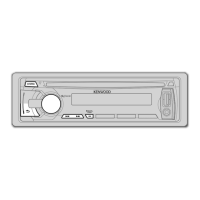
Overview of the unit's physical controls and display.
Steps for initial setup, demonstration cancellation, and clock adjustment.
Methods for searching and tuning radio stations.
How to play, pause, skip, repeat, and randomize tracks for CD, USB, and iPod.
Guidance on connecting USB devices and iPod/iPhone for playback.
Methods for selecting audio files from lists and via direct search.
How to connect the external microphone and pair Bluetooth devices.
Managing incoming/outgoing calls and adjusting phone volume.
Detailed explanation of audio settings like Fader, Balance, EQ, and Subwoofer.
Remedies for issues like no sound, unit not turning on, or display errors.
Solutions for errors related to discs, USB, iPod, and Pandora.
Troubleshooting connection issues, voice recognition, and audio playback.
Step-by-step guide for installing the unit into a vehicle dashboard.
Visual guide for connecting the unit's wires to the vehicle.
 General
| Brand | Kenwood |
|---|---|
| Model | KDC-BT358U |
| Type | Car Receiver |
| Channels | 4 |
| RMS Power Output | 22 watts |
| Peak Power Output | 50 watts |
| Bluetooth | Yes |
| USB Port | Yes |
| Auxiliary Input | Yes |
| AM/FM Tuner | Yes |
| Display | LCD |
| Remote Control | Yes |
| Wireless Audio Streaming | Yes |
| Hands-free Calling | Yes |
| Audio Streaming | Yes |
| Compatible with Android | Yes |
| Compatible with iOS | Yes |
| EQ Settings | Yes |
| Preset EQ | Yes |
| ID3 Tag Support | Yes |
| Audio Formats Supported | MP3, WMA, AAC |