EasyManua.ls Logo

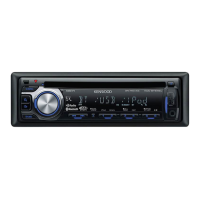
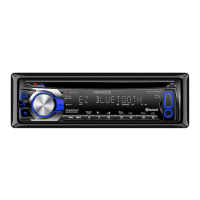
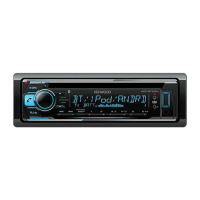
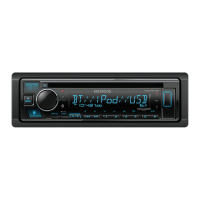
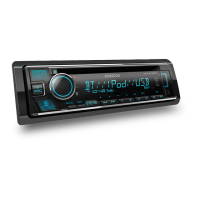
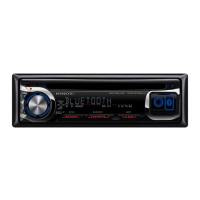
Kenwood KDC-BT640U - User Manual

Kenwood KDC-BT640U
164 pages
Print Icon
To Next Page IconTo Next Page
Loading...
Data Size: B6L (182 mm x 128 mm)
Book Size: B6L (182 mm x 128 mm)
B5A-3141-10a (EN)© 2019 JVCKENWOOD Corporation
KDC-BT640U
KDC-BT440U
CD-RECEIVER
INSTRUCTION MANUAL
AUTORADIO CD
MODE D’EMPLOI
CD-RECEIVER
BEDIENUNGSANLEITUNG
CD-RECEIVER
GEBRUIKSAANWIJZING
JS_KWD_KDC_BT640U_EN_C10a.indd 1JS_KWD_KDC_BT640U_EN_C10a.indd 1 17/10/2019 2:34:35 PM17/10/2019 2:34:35 PM

Table of Contents

Other manuals for Kenwood KDC-BT640U

Questions and Answers

  • M
    Michael AndersonSep 6, 2025
    What does “UNSUPPORTED DEVICE” mean on my Kenwood Car Stereo System?
    • J
      jennifer58Sep 7, 2025
      If “UNSUPPORTED DEVICE” appears on your Kenwood Car Stereo System: - Check whether the connected USB device is compatible with this unit and ensure the file systems are in supported formats. - Reattach the USB device.
  • I
    Isabel StewartAug 25, 2025
    How to improve poor radio reception on my Kenwood Car Stereo System?
    • A
      Aaron DuarteAug 25, 2025
      To improve poor radio reception on your Kenwood Car Stereo System: - Connect the antenna firmly. - Note that you might experience static noise while listening to the radio.
  • T
    Thomas ScottAug 25, 2025
    What to do if my Kenwood Car Stereo System does not work at all?
    • E
      Elizabeth ReynoldsAug 26, 2025
      If your Kenwood Car Stereo System does not work at all, try resetting the unit.
  • B
    Bryan ReynoldsSep 15, 2025
    What does 'MISWIRING CHECK WIRING Turn the power off, then check to be sure the terminals of THEN PWR ON' mean on my Kenwood Car Receiver?
    • C
      Crystal HendrixSep 15, 2025
      The message 'MISWIRING CHECK WIRING Turn the power off, then check to be sure the terminals of THEN PWR ON' on your Kenwood Car Receiver indicates a wiring issue. Turn the power off, then check to be sure the terminals of the speaker wires are insulated properly. After checking the wiring, turn the power on again.
  • L
    Laura NguyenSep 23, 2025
    What does 'HF ERROR XX'/'BT ERROR' mean on my Kenwood Car Receiver?
    • M
      Miss Elizabeth Wilson MDSep 23, 2025
      If your Kenwood Car Receiver displays 'HF ERROR XX' or 'BT ERROR', reset the unit and try the operation again.
  • D
    Daniel RobbinsSep 12, 2025
    What does “NO INFO”/“NO DATA” mean on my Kenwood Car Stereo System?
    • R
      russellanthonySep 12, 2025
      If “NO INFO”/“NO DATA” appears on your Kenwood Car Stereo System, the Bluetooth device cannot get the contact information.
  • E
    erichendersonSep 2, 2025
    What does “MEMORY FULL” mean on my Kenwood Car Stereo System?
    • P
      patriciabellSep 2, 2025
      If “MEMORY FULL” appears on your Kenwood Car Stereo System, you have reached the maximum storage limit of your iPod/iPhone.
  • J
    Julia MorenoSep 3, 2025
    What does “DISCONNECTED” mean on my Kenwood Car Stereo System?
    • R
      Renee ChavezSep 3, 2025
      If “DISCONNECTED” appears on your Kenwood Car Stereo System, it means the USB is disconnected from the head unit. Please make sure the device is connected properly through USB.
  • B
    Brian GraySep 23, 2025
    What does 'CHECK APP' mean on my Kenwood KDC-BT640U Car Receiver?
    • G
      Gregory BarnesSep 23, 2025
      If your Kenwood Car Receiver displays 'CHECK APP', it indicates that the Spotify application is not connected properly or the user is not logged in. To resolve this, end the Spotify application, restart it, and then log in to your Spotify account.
  • X
    xwigginsAug 29, 2025
    Why can't I hear any sound from my Kenwood Car Stereo System?
    • S
      Shane DavisAug 29, 2025
      If you cannot hear any sound from your Kenwood Car Stereo System, try these steps: First, adjust the volume to the optimum level. If that doesn't work, check the cords and connections to ensure they are properly connected.

Summary

Initial Operation Guidance

Before Use Safety and Precautions

Important safety warnings and usage guidelines before operation.

Unit Overview

Faceplate Description

Identification of buttons and features on the unit's front panel.

Getting Started

Initial Language and Demo Setup

Setting the display language and disabling the demonstration mode.

Clock and Date Configuration

Steps to set the unit's internal clock and date.

Audio Source Setup

Crossover Type Adjustment

Configuring speaker settings for optimal sound.

Media Playback Sources

Connecting USB and iPod;iPhone Devices

Procedures for connecting USB drives and Apple devices.

Media File Management

Spotify Music Streaming

Spotify Preparation and Connection

Steps to set up and connect a device for Spotify playback.

External Audio and App Integration

KENWOOD Remote Application

Controlling the unit via smartphone app.

Advanced Application Support

Amazon Alexa Operations

Basic commands and communication with Alexa.

Audio Settings and Controls

Audio Control and Subwoofer Level

Adjusting subwoofer output level and general audio controls.

Advanced Audio Configuration

Crossover Settings

Adjusting speaker crossover frequencies and slopes.

Unit Installation Guide

Wiring and Connections

Troubleshooting Common Issues

General and Radio Troubleshooting

Solutions for sound, power, and radio reception problems.

Kenwood KDC-BT640U Specifications

General IconGeneral
DIN size1 DIN
CD playerYes
Impedance40 Ω
Clock mode24h
Output power50 W
Product colorBlack
Volume controlButtons
Frequency range30 - 15000 Hz
Disc types supportedCD-R, CD-RW
Audio output channels4.0 channels
Equalizer bands quantity13
Signal-to-Noise Ratio (SNR)40 dB
USB version2.0
Bluetooth range10 m
Bluetooth version4.2
Bluetooth profilesA2DP, AVRCP, PBAP
Line outputs (RCA)2
USB ports quantity1
Display typeLCD
Display number of lines1.5 lines
On Screen Display (OSD) languagesDUT, ENG, FRE
Audio formats supportedAAC, FLAC, MP3, WAV, WMA
Cables includedDC
Operating temperature (T-T)-10 - 60 °C
FM band range87.5 - 108 MHz
LW band range153 - 279 kHz
Supported radio bandsFM, LW, MW
Preset stations quantity24
Weight and Dimensions IconWeight and Dimensions
Depth155.5 mm
Width182 mm
Height53 mm
Weight1200 g

Related product manuals