EasyManua.ls Logo

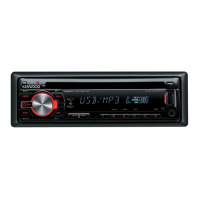
Kenwood KDC-U2063 - User Manual

Kenwood KDC-U2063
38 pages
Print Icon
To Next Page IconTo Next Page
Loading...
Data Size: B6L (182 mm x 128 mm)
Book Size: B6L (182 mm x 128 mm)
KDC-U463
KDC-U363
KDC-U263R
CD-RECEIVER
INSTRUCTION MANUAL
B5A-0139-00 (MN/M2N)© 2014 JVC KENWOOD Corporation
KDC-U263B
KDC-U263A
KDC-U2063
KDC-U2363G
KDC-U2263R
KDC-U2163B
“Made for iPod,” and “Made for iPhone” mean that an electronic accessory has been designed to connect specifically to iPod, or iPhone, respectively, and has
been certified by the developer to meet Apple performance standards. Apple is not responsible for the operation of this device or its compliance with safety and
regulatory standards. Please note that the use of this accessory with iPod or iPhone may affect wireless performance.
iPhone, iPod, iPod classic, iPod nano, and iPod touch are trademarks of Apple Inc., registered in the U.S. and other countries.
Lightning is a trademark of Apple Inc.
Pandora, the Pandora logo, and the Pandora trade dress are trademarks or registered trademarks of Pandora Media, Inc., used with permission.
Android is trademark of Google Inc.
JS_KWD_KDC_U463_MNM2N_C00_03.indd 1JS_KWD_KDC_U463_MNM2N_C00_03.indd 1 4/7/2014 9:45:49 AM4/7/2014 9:45:49 AM


Questions and Answers

  • W
    wclarkAug 16, 2025
    How to fix no sound on my Kenwood KDC-U2063 Car Receiver?
    • N
      Nicole CampbellAug 17, 2025
      If you cannot hear any sound from your Kenwood Car Receiver, try the following: First, adjust the volume to the desired level. Second, check all cords and connections to ensure they are properly connected. Lastly, clean the connectors to remove any dirt or corrosion that may be interfering with the signal.
  • A
    agonzalesAug 19, 2025
    How to stop noise from Kenwood KDC-U2063?
    • V
      vgarciaAug 19, 2025
      If your Kenwood Car Receiver is generating noise, try skipping to another track or changing the disc.
  • S
    Sally FigueroaAug 22, 2025
    How to fix “iPod ERROR” on Kenwood Car Receiver?
    • M
      Marilyn GarzaAug 22, 2025
      If your Kenwood Car Receiver displays “iPod ERROR”, try reconnecting the iPod. If that doesn't work, reset the iPod.
  • P
    pblackburnAug 25, 2025
    What to do if “MISWIRING CHECK WIRING Turn the power off, then check to be sure the terminals of THEN PWR ON” appears on Kenwood Car Receiver?
    • S
      stephendownsAug 26, 2025
      If the message “MISWIRING CHECK WIRING Turn the power off, then check to be sure the terminals of THEN PWR ON” appears on your Kenwood Car Receiver, turn the power off immediately. Check to ensure the terminals of the speaker wires are properly insulated. Then, turn the power back on.
  • J
    James FitzpatrickAug 27, 2025
    Why does my Kenwood KDC-U2063 say “NO DISC”?
    • D
      daniellebeasleyAug 27, 2025
      If your Kenwood Car Receiver displays “NO DISC”, it means the receiver does not detect a disc. Insert a playable disc into the loading slot.
  • H
    Hunter JacksonAug 30, 2025
    What to do if “ANDROID ERROR” or “NA DEVICE” shows up on Kenwood Car Receiver?
    • J
      Joseph CobbAug 30, 2025
      If your Kenwood Car Receiver displays “ANDROID ERROR” or “NA DEVICE”, try reconnecting the Android device. If the problem continues, restart the Android device.
  • J
    Joshua PonceSep 2, 2025
    Why can't I playback at [BROWSE MODE] on Kenwood KDC-U2063 Car Receiver?
    • M
      Marcia MooreSep 2, 2025
      To enable playback in [BROWSE MODE] on your Kenwood Car Receiver, ensure that KENWOOD MUSIC PLAY APP is installed on your Android device. Reconnect the Android device and configure the appropriate setting in [ANDROID SETUP]. If the problem persists, the connected Android device may not support [BROWSE MODE].
  • Y
    yolandahicksSep 5, 2025
    What to do if “NO DEVICE” or “READING” keeps flashing on Kenwood Car Receiver?
    • D
      dominicstoneSep 5, 2025
      If your Kenwood Car Receiver displays “NO DEVICE” or “READING” keeps flashing, switch off the developer options on the Android device. Reconnect the Android device. If this does not solve the problem, the connected Android device may not support [BROWSE MODE].
  • B
    Brittany HallSep 7, 2025
    What does “CONNECT ERROR” mean on my Kenwood KDC-U2063?
    • R
      Robert LawsonSep 7, 2025
      If your Kenwood Car Receiver displays “CONNECT ERROR”, it indicates that the communication is unstable.
  • S
    Steven ChungSep 10, 2025
    What does “NO SKIPS” mean on my Kenwood KDC-U2063 Car Receiver?
    • S
      Scott RichardsSep 12, 2025
      If your Kenwood Car Receiver displays “NO SKIPS”, it means the skip limit has been reached.

Summary

BEFORE USE

Maintenance

Cleaning instructions for the unit and connector.

Handling discs

Guidelines for handling optical discs.

BASICS

Faceplate Overview

Identifies and describes the main unit's controls and display.

Remote Control Operation

Details the functions and operation of the remote control.

GETTING STARTED

Initial Setup: Language & Demo

Initial setup for language and disabling the demo mode.

Setting the Clock

Instructions for setting the current time and date.

Initial System Settings

Configuring basic unit settings like audio and display options.

RADIO

Searching for Stations

How to find and tune radio stations using the unit or remote.

RADIO

Direct Access Tuning (RC-406)

Tuning radio stations directly by entering frequency using the remote.

Radio Settings

Configuration options for radio tuner and system settings.

CD; USB; iPod; ANDROID

Starting Playback

How to begin playback from different connected sources.

USB Connection and Playback

Connecting and using USB storage devices for audio playback.

iPod;iPhone Connection and Playback

Connecting and using iPod and iPhone devices for audio.

Android Connection and Playback

Connecting and using Android devices for audio playback.

CD; USB; iPod; ANDROID

Selecting Files and Folders

Navigating and selecting audio files from storage.

Quick Search Function

Methods for quickly finding audio files by character or ratio.

Android Device Setup

Configuration options for Android device connectivity and control.

Pandora Operation

Pandora Preparation

Steps to prepare your device and app for Pandora usage.

Starting Pandora Listening

How to begin listening to Pandora through the car stereo.

Creating and Saving Stations

Creating custom Pandora stations based on tracks or artists.

Searching Registered Stations

Finding and selecting existing Pandora stations.

AUX Input

AUX Preparation and Use

Enabling the AUX input and connecting an auxiliary device.

Customizing AUX Name

Customizing the name displayed for the AUX input source.

AUDIO SETTINGS

Audio Control Adjustments

Adjusting various audio parameters like levels and EQ.

AUDIO SETTINGS

Treble, Bass, and EQ Adjustments

Fine-tuning treble, bass frequencies, levels, and equalizer presets.

Subwoofer and Speaker Balance

Configuring subwoofer output, crossover, phase, and speaker balance.

Fader, Volume Offset, and Sound Reconstruction

Adjusting speaker balance, source volume levels, and sound quality.

DISPLAY SETTINGS

Color and Brightness Control

Customizing key/display colors and illumination brightness.

Display Dimming and Text Scroll

Adjusting display dimming and how text information is scrolled.

MORE INFORMATION

General Playback & Media Compatibility

Details on playable media formats and general compatibility.

USB & KENWOOD App Information

Requirements for USB devices and KENWOOD Music applications.

iPod;iPhone & Android Compatibility

Supported iPod/iPhone/Android models and OS versions.

Pandora Service & Phone Call Muting

Pandora availability and audio muting during phone calls.

TROUBLESHOOTING

General & Radio Troubleshooting

Troubleshooting common unit and radio reception problems.

Media Playback Troubleshooting

Problems related to playing media from CD, USB, iPod, and Android.

INSTALLATION; CONNECTION

Safety & Installation Precautions

Important safety measures and recommendations for unit installation.

Basic Installation Procedure

Step-by-step guide for connecting and mounting the unit.

INSTALLATION; CONNECTION

In-dash Mounting Guide

Instructions for installing the unit into a dashboard.

Alternative Installation Methods

Steps for installing without using the provided mounting sleeve.

Unit Installation Parts & Removal

List of installation parts and how to detach the unit.

INSTALLATION; CONNECTION

Wiring for Specific Models

Wiring diagrams for specific Kenwood unit models.

ISO Connector Wiring Adapters

Adapting wiring for specific European vehicle models.

INSTALLATION; CONNECTION

Wiring for Other Models

Wiring diagrams for other Kenwood unit models.

SPECIFICATIONS

Tuner & CD Player Specifications

Technical details for radio tuner and CD playback performance.

SPECIFICATIONS

USB & Audio;Auxiliary Specs

Technical details for USB, audio output, and auxiliary inputs.

General, Safety & Compliance

General specs, safety markings, and compliance declarations.

Kenwood KDC-U2063 Specifications

General IconGeneral
BrandKenwood
ModelKDC-U2063
CategoryCar Receiver
LanguageEnglish

Related product manuals