EasyManua.ls Logo

Kenwood KDC-U2263R - User Manual

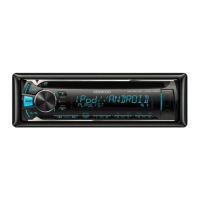
Kenwood KDC-U2263R
38 pages
Print Icon
To Next Page IconTo Next Page
Loading...
Data Size: B6L (182 mm x 128 mm)
Book Size: B6L (182 mm x 128 mm)
KDC-U463
KDC-U363
KDC-U263R
CD-RECEIVER
INSTRUCTION MANUAL
B5A-0139-00 (MN/M2N)© 2014 JVC KENWOOD Corporation
KDC-U263B
KDC-U263A
KDC-U2063
KDC-U2363G
KDC-U2263R
KDC-U2163B
“Made for iPod,” and “Made for iPhone” mean that an electronic accessory has been designed to connect specifically to iPod, or iPhone, respectively, and has
been certified by the developer to meet Apple performance standards. Apple is not responsible for the operation of this device or its compliance with safety and
regulatory standards. Please note that the use of this accessory with iPod or iPhone may affect wireless performance.
iPhone, iPod, iPod classic, iPod nano, and iPod touch are trademarks of Apple Inc., registered in the U.S. and other countries.
Lightning is a trademark of Apple Inc.
Pandora, the Pandora logo, and the Pandora trade dress are trademarks or registered trademarks of Pandora Media, Inc., used with permission.
Android is trademark of Google Inc.
JS_KWD_KDC_U463_MNM2N_C00_03.indd 1JS_KWD_KDC_U463_MNM2N_C00_03.indd 1 4/7/2014 9:45:49 AM4/7/2014 9:45:49 AM


Questions and Answers

  • J
    Jeffrey AyalaAug 17, 2025
    How to fix no sound on my Kenwood KDC-U2263R?
    • C
      Christopher MooreAug 17, 2025
      If you cannot hear any sound from your Kenwood Car Receiver, try the following: First, adjust the volume to the desired level. Second, check all cords and connections to ensure they are properly connected. Lastly, clean the connectors to remove any dirt or corrosion that may be interfering with the signal.
  • S
    Sara MorganAug 20, 2025
    How to stop noise from Kenwood Car Receiver?
    • F
      fdeanAug 20, 2025
      If your Kenwood Car Receiver is generating noise, try skipping to another track or changing the disc.
  • W
    William FergusonAug 23, 2025
    How to fix “iPod ERROR” on Kenwood Car Receiver?
    • L
      Larry HernandezAug 23, 2025
      If your Kenwood Car Receiver displays “iPod ERROR”, try reconnecting the iPod. If that doesn't work, reset the iPod.
  • B
    Brandi GarciaAug 26, 2025
    What to do if “MISWIRING CHECK WIRING Turn the power off, then check to be sure the terminals of THEN PWR ON” appears on Kenwood Car Receiver?
    • D
      David HartAug 26, 2025
      If the message “MISWIRING CHECK WIRING Turn the power off, then check to be sure the terminals of THEN PWR ON” appears on your Kenwood Car Receiver, turn the power off immediately. Check to ensure the terminals of the speaker wires are properly insulated. Then, turn the power back on.
  • S
    scookAug 28, 2025
    Why does my Kenwood Car Receiver say “NO DISC”?
    • T
      thompsonjefferyAug 28, 2025
      If your Kenwood Car Receiver displays “NO DISC”, it means the receiver does not detect a disc. Insert a playable disc into the loading slot.
  • K
    Kathleen KaufmanAug 31, 2025
    What to do if “ANDROID ERROR” or “NA DEVICE” shows up on Kenwood Car Receiver?
    • C
      Cody GatesAug 31, 2025
      If your Kenwood Car Receiver displays “ANDROID ERROR” or “NA DEVICE”, try reconnecting the Android device. If the problem continues, restart the Android device.
  • K
    Kristy JordanSep 2, 2025
    Why can't I playback at [BROWSE MODE] on Kenwood Car Receiver?
    • M
      Martin LewisSep 3, 2025
      To enable playback in [BROWSE MODE] on your Kenwood Car Receiver, ensure that KENWOOD MUSIC PLAY APP is installed on your Android device. Reconnect the Android device and configure the appropriate setting in [ANDROID SETUP]. If the problem persists, the connected Android device may not support [BROWSE MODE].
  • S
    Sierra KnoxSep 5, 2025
    What to do if “NO DEVICE” or “READING” keeps flashing on Kenwood KDC-U2263R Car Receiver?
    • A
      Andrew RiveraSep 6, 2025
      If your Kenwood Car Receiver displays “NO DEVICE” or “READING” keeps flashing, switch off the developer options on the Android device. Reconnect the Android device. If this does not solve the problem, the connected Android device may not support [BROWSE MODE].
  • M
    Mary DiazSep 8, 2025
    What does “CONNECT ERROR” mean on my Kenwood KDC-U2263R Car Receiver?
    • S
      Shane WalkerSep 8, 2025
      If your Kenwood Car Receiver displays “CONNECT ERROR”, it indicates that the communication is unstable.
  • L
    Lauren DaySep 12, 2025
    What does “NO SKIPS” mean on my Kenwood KDC-U2263R?
    • M
      Matthew PerezSep 12, 2025
      If your Kenwood Car Receiver displays “NO SKIPS”, it means the skip limit has been reached.

Summary

BEFORE USE

Safety and Handling Precautions

Essential safety advice for operation, volume, and general handling of the unit and discs.

Maintenance and Disc Care

Guidelines for cleaning the unit, connectors, and proper handling of discs.

BASICS

Unit and Remote Control Overview

Identification of the unit's faceplate controls and the functions of the remote control.

Basic Operations and Maintenance

Procedures for resetting the unit, replacing the remote battery, and performing basic operations.

GETTING STARTED

Initial Setup Procedures

Guide to setting display language, canceling demo, setting clock, and initial system configurations.

SYSTEM AND TUNER CONFIGURATION

System and Source Settings

Configuration of system parameters like key beep, alarms, source selection, and firmware updates.

Tuner Setup and Language

Settings for tuner presets, clock display, language selection, and radio band support.

RADIO OPERATION

Finding Radio Stations

Instructions for searching and storing radio stations by band and method.

ADVANCED RADIO FEATURES

Direct Access Tuning and Settings

Using direct access tuning and configuring news, regional, AF, TI, and PTY search settings.

Tuner Tuning Options

Adjusting local seek, auto memory, mono set, and understanding program types.

MEDIA PLAYBACK

Connecting and Starting Playback

Guide to connecting and initiating playback for CD, USB, iPod, and Android devices.

Playback Controls and Modes

Operations for playback, track selection, repeat, random play, and device control modes.

MEDIA NAVIGATION AND SEARCH

File Browsing and Searching

Methods for selecting files, folders, and using quick search features.

Advanced Media Functions

Using direct music search, TuneIn, and specific Android/USB settings.

PANDORA OPERATION

Pandora Setup and Listening

Steps to prepare and start Pandora playback, including app installation and device connection.

Managing Pandora Stations and Bookmarks

Creating, searching, and bookmarking content within the Pandora service.

Pandora Playback Interaction

Controlling playback and rating tracks (thumbs up/down) within the Pandora app.

AUX INPUT USAGE

Connecting and Customizing AUX

Instructions for connecting an audio player and setting a custom name for the AUX input.

AUDIO SETTINGS

Sound Level and EQ Adjustments

Customizing subwoofer levels, bass, mid, treble, and applying EQ presets.

ADVANCED AUDIO CUSTOMIZATION

Tone and Subwoofer Controls

Adjusting treble, bass, loudness, subwoofer settings, fader, balance, and sound reconstruction.

Equalizer and Preset EQ

Selecting preset equalizers and customizing bass boost and levels.

DISPLAY AND ILLUMINATION SETTINGS

Display Color and Brightness

Customizing display color, dimmer, and brightness levels for better visibility.

Text Scroll and Illumination

Configuring text scrolling behavior and button illumination.

ADDITIONAL INFORMATION

Media Compatibility and Usage Guidelines

Details on playable media, unplayable discs, USB device requirements, and software compatibility.

Device and Service Information

Information on iPod/iPhone, Android, Pandora, and KENWOOD software.

Phone Call Handling

How the unit manages incoming phone calls, including muting audio and call notification.

TROUBLESHOOTING

General and Radio Issues

Solutions for common problems like no sound, wiring errors, unit malfunctions, and poor radio reception.

Media Playback and Android Errors

Troubleshooting playback issues with media and common errors related to Android device connectivity.

ADVANCED TROUBLESHOOTING

Android and Pandora Troubleshooting

Specific solutions for Android playback errors, Pandora connection issues, and station limit errors.

INSTALLATION AND CONNECTION

Installation Safety and Warnings

Essential safety precautions and warnings before installing the unit.

Basic Installation Procedure

Step-by-step guide for safely installing the unit, including wiring and battery connection.

UNIT INSTALLATION GUIDELINES

In-Dash Mounting Instructions

Detailed steps for installing the unit into a dashboard using the mounting sleeve.

Alternative Mounting and Removal

Instructions for installation without a sleeve, parts list, and unit removal process.

WIRING CONNECTIONS

Standard Wiring Harness Diagram

Diagram and pinout for connecting the unit's wiring harness to the vehicle.

ISO Connector Wiring for European Cars

Specific wiring modifications for VW, Audi, and Opel vehicles using ISO connectors.

TECHNICAL SPECIFICATIONS

Tuner and CD Player Specifications

Detailed technical data for tuner reception (FM/AM/MW/LW/SW) and CD playback performance.

UNIT SPECIFICATIONS AND COMPLIANCE

USB, Audio, and Auxiliary Details

Technical specifications for USB, audio output, auxiliary input, and general unit parameters.

Compliance and Safety Information

Details on regulatory compliance, manufacturer information, and laser product safety.

Kenwood KDC-U2263R Specifications

General IconGeneral
Tuner TypeFM/AM
CD PlayerYes
USB InputYes
BluetoothNo
Preamp Outputs2-channel
Display TypeLCD
Pre-out voltage2.5V
RDSYes
Detachable FaceplateYes
AUX InputYes
Channels4
Remote ControlYes
Steering Wheel Control CompatibleYes
Power Output50 watts x 4 channels
Playback FormatsMP3, WMA

Related product manuals