EasyManua.ls Logo

Kenwood KDC-U3553 - User Manual

Kenwood KDC-U3553
20 pages
Print Icon
To Next Page IconTo Next Page
Loading...
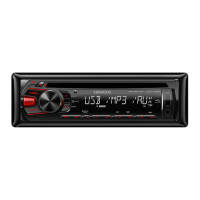
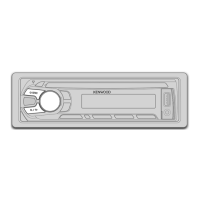
KDC-U3553
KDC-3554UGM
KDC-3554URM
CD-RECEIVER
INSTRUCTION MANUAL
GET0745-001A (MW/M2W/M0/M20)© 2011 JVC KENWOOD Corporation
Cover_KDC-U3553[M]f.indd 1Cover_KDC-U3553[M]f.indd 1 8/25/11 9:50:22 AM8/25/11 9:50:22 AM

Other manuals for Kenwood KDC-U3553

Questions and Answers

  • C
    Cody BallAug 21, 2025
    How to fix no sound on Kenwood KDC-U3553 Car Receiver?
    • L
      Lisa AllenAug 21, 2025
      If your Kenwood Car Receiver isn't producing any sound, first adjust the volume to a suitable level. If that doesn't work, check all the cords and connections to ensure they are properly connected.
  • M
    Michael JenningsAug 23, 2025
    What does “ERROR 99” mean on my Kenwood Car Receiver and how to fix it?
    • B
      Brandon MeyersAug 23, 2025
      If your Kenwood Car Receiver displays “ERROR 99”, it indicates a malfunction. Try pressing the reset button on the unit. If the error persists, it may require professional attention.
  • C
    Carrie RodriguezAug 26, 2025
    What does “NO DISC” mean on my Kenwood Car Receiver?
    • S
      Susan HerreraAug 26, 2025
      If your Kenwood Car Receiver says “NO DISC”, insert a playable disc into the loading slot.
  • D
    Denise HawkinsAug 28, 2025
    What does “TOC ERROR” mean on Kenwood KDC-U3553?
    • Z
      Zachary LindseyAug 28, 2025
      If your Kenwood Car Receiver displays “TOC ERROR”, the CD may be dirty, upside-down, or heavily scratched. Try using another disc.
  • K
    Kirsten WilliamsAug 30, 2025
    What does “NO MUSIC” mean on my Kenwood KDC-U3553?
    • J
      Javier HowardAug 30, 2025
      If your Kenwood Car Receiver displays “NO MUSIC”, the connected USB device likely contains no playable audio files.
  • K
    Kevin GilbertSep 1, 2025
    What does “IN” flashing mean on my Kenwood KDC-U3553?
    • N
      nicholasschneiderSep 1, 2025
      If your Kenwood Car Receiver displays “IN” flashing, it means the CD player isn't working right. Reinsert the disc properly. If it still doesn't work, turn off the unit.
  • D
    Destiny NicholsSep 3, 2025
    What does “NA FILE” mean on my Kenwood KDC-U3553?
    • A
      Angela TorresSep 3, 2025
      If your Kenwood Car Receiver displays “NA FILE”, the unit is trying to play an audio file that it doesn't support.
  • J
    Jennifer TranSep 5, 2025
    Why is the disc sound interrupted on my Kenwood KDC-U3553 Car Receiver?
    • K
      Karen FergusonSep 5, 2025
      If your Kenwood Car Receiver is interrupting disc sound, stop playback when driving on rough roads. You can also try changing the disc or checking the cords and connections.
  • R
    Robert MontoyaSep 7, 2025
    Why can't I play CD-R/CD-RW on my Kenwood Car Receiver?
    • N
      Nicole HowellSep 7, 2025
      If you can't play CD-R/CD-RW discs or skip tracks on your Kenwood Car Receiver, insert a finalized CD-R/CD-RW disc, ensuring it was finalized with the component used for recording.
  • R
    Rodney MorenoSep 9, 2025
    What does “COPY PRO” mean on my Kenwood KDC-U3553 Car Receiver?
    • N
      Nathaniel WatsonSep 9, 2025
      If your Kenwood Car Receiver displays “COPY PRO”, it means a copy-protected file is being played.

Kenwood KDC-U3553 Specifications

General IconGeneral
Power Output50W x 4
RMS Power Output22W x 4
TunerFM/AM
CD PlaybackYes
MP3 PlaybackYes
WMA PlaybackYes
FLAC PlaybackYes
USB InputYes
BluetoothNo
Subwoofer OutputYes
Display TypeLCD
Preout Voltage2V
AUX InputYes
Remote ControlYes
Steering Wheel Control CompatibleYes
Equalizer13-Band
Channels4
TypeSingle DIN

Related product manuals