EasyManua.ls Logo

Kenwood KDC-U30R - User Manual

Kenwood KDC-U30R
74 pages
Print Icon
To Next Page IconTo Next Page
Loading...
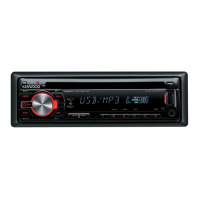
KDC-U40R
KDC-U30R
CD-RECEIVER
INSTRUCTION MANUAL
CD-RECEIVER
BEDIENUNGSANLEITUNG
РAДИОПРИЕMНИК С KOMПAKT–ДИСKAMИ
ИHCTPУKЦИЯ ПO ЭKCПЛУATAЦИИ
АВТОМАГНІТОЛА
ІНСТРУКЦІЯ З ЕКСПЛУАТАЦІЇ
GET0751-001A (E0)© 2011 JVC KENWOOD Corporation
Изделие изготовлено в Индонезии
Cover_KDC-U40R[E]2.indd 1Cover_KDC-U40R[E]2.indd 1 9/6/11 5:49:56 PM9/6/11 5:49:56 PM

Table of Contents

Questions and Answers

  • A
    angelareyesSep 16, 2025
    Why can't my Kenwood KDC-U30R Car Receiver play CD-R/CD-RW discs or skip tracks?
    • W
      William ClarkeSep 16, 2025
      If CD-R/CD-RW discs cannot be played back or tracks cannot be skipped on your Kenwood Car Receiver, insert a finalized CD-R/CD-RW. Finalize it with the component used for recording.
  • C
    Carmen ChristianAug 25, 2025
    What to do if “PROTECT” appears on Kenwood KDC-U30R Car Receiver?
    • R
      Ryan ReyesAug 25, 2025
      If the Kenwood Car Receiver displays “PROTECT” and no operations are possible, ensure the speaker lead terminals are properly covered with insulating tape. Then, reset the unit. If “PROTECT” persists, it may require professional attention.
  • T
    Terry StoneAug 25, 2025
    What does “ERROR 99” mean on my Kenwood Car Receiver?
    • K
      Kenneth JohnsonAug 26, 2025
      If your Kenwood Car Receiver displays “ERROR 99”, press the reset button. If the error persists, it indicates a malfunction requiring professional service.
  • S
    snowchristopherAug 26, 2025
    What to do if my Kenwood Car Receiver says “NO DISC”?
    • D
      David ByrdAug 27, 2025
      If your Kenwood Car Receiver displays “NO DISC”, insert a playable disc into the loading slot.
  • M
    michaelhartSep 18, 2025
    What to do if “IN” flashes on Kenwood Car Receiver?
    • E
      emmacrawfordSep 18, 2025
      If your Kenwood Car Receiver displays flashing “IN”, the CD player is not operating properly. Reinsert the disc correctly. If the issue persists, turn off the unit.
  • C
    cunninghamlaurenSep 23, 2025
    Why does Kenwood Car Receiver show different number of songs compared to iPod?
    • F
      fcoxSep 23, 2025
      Podcast files are not counted in this unit as this unit does not support the playback of podcast files.
  • C
    christinerodriguezSep 8, 2025
    How to fix “iPod ERR” on Kenwood Car Receiver?
    • C
      Colleen BennettSep 9, 2025
      If your Kenwood Car Receiver displays “iPod ERR”, try reconnecting or resetting the iPod.
  • R
    ravenwardSep 9, 2025
    What does “NA FILE” mean on Kenwood KDC-U30R Car Receiver?
    • R
      Robert ValenzuelaSep 9, 2025
      If your Kenwood Car Receiver displays “NA FILE”, it means the unit is trying to play an audio file that is not supported.
  • M
    Mr. Jeffrey JohnsonSep 3, 2025
    Why is elapsed playing time not correct on my Kenwood KDC-U30R Car Receiver?
    • S
      scottspencerSep 3, 2025
      The elapsed playing time displayed on your Kenwood Car Receiver might be incorrect due to how the tracks were recorded.
  • M
    Maria CarneySep 1, 2025
    Why do tracks not play back as intended on my Kenwood KDC-U30R Car Receiver?
    • A
      Angela SteinSep 1, 2025
      The playback order on your Kenwood Car Receiver is determined when the files are recorded.

Summary

Safety and Environmental Precautions

Unit Preparation

Faceplate Installation and Removal

Instructions for attaching and detaching the unit's faceplate securely.

System Reset Procedure

How to reset the unit to its default factory settings for troubleshooting.

Core Unit Operations

Initial Setup and Operation

Advanced Audio Settings

General Audio Adjustments

Adjustments for subwoofer level, bass, middle, treble, EQ, boost, loudness, balance, and fader.

Equalizer Pro Settings

Fine-tuning of bass, mid, and treble frequencies, Q factor, and bass extension for custom sound.

Troubleshooting Common Issues

Resolving Sound and Display Problems

Solutions for no sound, "PROTECT" errors, and incorrect display information on the unit.

Troubleshooting Unit Malfunctions

Remedies for unit malfunctions, error messages, and poor radio reception.

Unit Installation and Wiring

Installation Procedure Overview

Core procedures for physically installing the unit into the vehicle's dashboard.

Kenwood KDC-U30R Specifications

General IconGeneral
BrandKenwood
ModelKDC-U30R
CategoryCar Receiver
LanguageEnglish

Related product manuals