Need help?
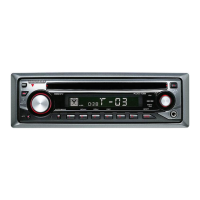
Do you have a question about the Kenwood KDV-MP5343U and is the answer not in the manual?
Covers warnings, unit reset, cleaning, lens fogging, disc handling, and incompatible discs.
Details playable discs, audio, video files, and compatibility for USB, DivX, and iPod devices.
Information on USB device usage, DivX media, and iPod/iPhone connectivity and features.
Explains DVD region codes, disc marks, regulatory marks, and guidelines for limited-period discs.
Guides on demo mode cancellation, TV system selection, language setup, and DSP configuration.
Details on power, volume, source selection, display, and tuner functions via the control panel.
Instructions for playback, search, repeat, and random modes for discs, USB devices, and iPods.
Explains how to enter and use the Function Control menu for various unit settings.
Covers settings for ZONE2, tuning modes, display options, iPod control, and file type selection.
Details on DSP settings, equalizer, bass boost, highway sound, position, speaker, DTA, and crossover.
Provides guidance on navigating and utilizing the unit's Setup Menu for various configurations.
Detailed configuration options for language, picture display, audio, DivX registration, and file types.
Instructions for manual clock adjustment and customizing displayed information for different sources.
Guides on removing/reattaching the faceplate and changing the tuner frequency step.
Covers disc insertion, USB connection, playback, search, fast forward/backward, and zoom functions.
Explains how to display and interpret status bars, control bars, and on-screen menu navigation.
Instructions for DVD menus, zoom, time search, direct search, and video CD PBC playback.
Guides on selecting files, setting playback modes like repeat and random, and using direct search.
Instructions for iPod playback, searching content, and selecting playback modes like repeat and random.
Details on searching music/video files from discs, USB, and iPods, including alphabetical search.
Explains iPod Control by Hand mode and the skip search functionality for iPod content.
Covers CD changer source selection, music search, and playback modes like repeat, scan, and random.
Guides on activating, entering, and deactivating the unit's security code for theft prevention.
Covers volume, subwoofer, balance, fader, dual zone system, AV output, and basic audio setup.
Instructions on selecting and applying various preset equalizer curves for audio playback.
Detailed steps for manual equalizer adjustments and compensating sound based on listening position.
Guides on selecting car type for sound compensation and configuring speaker size, location, and position.
Covers setting crossover frequencies for speakers and fine-tuning speaker position compensation (DTA).
Instructions for registering custom sound settings and recalling them later for various audio sources.
Explains remote control mode selection, basic operations, and battery replacement precautions.
Details on operating optional accessories (KCA-BT200/BT100) and explains key function glossary terms.
Explanation of sound features like HIGHWAY, ICON, SWPRE (Preout Switching), and ZONE2 (Dual Zone).
Provides a comprehensive list of language codes used for menu, audio, and subtitle settings.
Step-by-step guide for unit installation, including accessory lists and notes on connecting CD changers.
Provides a detailed guide for connecting wires to terminals, including AV input, USB, speakers, and power.
Instructions for removing the hard rubber frame, installing the unit in Japanese cars, and removing the unit.
Addresses issues with subwoofer, equalizer, DTA, tuner reception, disc playback, and audio file skipping.
Explains various system error codes and troubleshooting steps for USB, iPod, and region code errors.
Detailed technical specifications for FM/AM tuners, DVD player, USB interface, and audio/video formats.
Information on laser product classification, trademarks, licensing, and copyright protection technology.
 General
| Brand | Kenwood |
|---|---|
| Model | KDV-MP5343U |
| Category | Car Receiver |
| Language | English |

 To Next Page