EasyManua.ls Logo

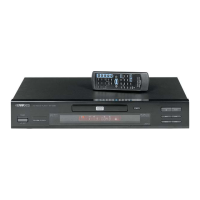
Kenwood KDV-S250P - User Manual

Kenwood KDV-S250P
168 pages
Print Icon
To Next Page IconTo Next Page
Loading...
KDV-S250P
DVD PLAYER
INSTRUCTION MANUAL
LECTEUR DE DVD
MODE D’EMPLOI
DVD-Player
BEDIENUNGSANLEITUNG
DVD-SPELER
GEBRUIKSAANWIJZING
LETTORE DVD
ISTRUZIONI PER L’USO
REPRODUCTOR-DVD
MANUAL DE INSTRUCCIONES
LEITOR DE DVD
MANUAL DE INSTRUÇÕES
© B64-4405-08/00 (K/E)
Take the time to read through this instruction manual.
Familiarity with installation and operation procedures will help
you obtain the best performance from your new DVD player.
For your records
Record the serial number, found on the back of the unit, in the spaces
designated on the warranty card, and in the space provided below.
Refer to the model and serial numbers whenever you call upon your
Kenwood dealer for information or service on the product.
Model KDV-S250P Serial number
B64-4405-0800KDV-S250P.indb1B64-4405-0800KDV-S250P.indb1 08.12.164:48:51PM08.12.164:48:51PM

Table of Contents

Question and Answer IconNeed help?

Do you have a question about the Kenwood KDV-S250P and is the answer not in the manual?

Summary

Safety Precautions

Warning: Injury and Fire Prevention

Precautions to prevent injury or fire, emphasizing vehicle installation and proper cable usage.

Caution: Machine Damage Prevention

Precautions to prevent damage to the machine, including grounding and fuse replacement.

Disc Handling and Playback

Unplayable Discs

Lists types of discs that cannot be used with the unit.

About DivX and Remote Operation

Remote Control Battery Installation

Step-by-step instructions for inserting the battery into the remote control.

Remote Control Safety Warnings

Safety precautions for using the remote control in a vehicle.

Basic Unit Operation

Powering the Unit On;Off

Instructions on how to turn the DVD player on and off.

Playing a Disc

Steps for inserting a disc and starting playback.

Playing Media Files

Guide to selecting and playing audio, picture, or video files from a disc.

Common Playback Functions

Playback Control Buttons

Explanation of Pause, Stop, Eject, Mute, Skip, and Fast Forward/Reverse controls.

Advanced Playback Modes

Disc and File Playback Features

Search Play Function

How to directly access specific scenes, titles, or playback times.

DVD and VCD Disc Specifics

Disc Menu Navigation

How to access and use DVD and Top (title) menus for settings.

Setup Menu Overview

Disc Specific Settings

Video Output Settings

Audio and System Settings

Installation Procedures

Mounting with Brackets

Instructions for installing the unit using provided brackets and screws.

Mounting with Velcro Tapes

Instructions for securing the unit using velcro tapes.

Connections and Sensor Attachment

Troubleshooting Guide

Common Operational Issues

Troubleshooting common problems like skipping, display issues, and remote control failures.

System Error Messages

Explanation of system messages and their meanings (e.g., Thermal Protect, No Disc).

Technical Specifications

DVD Section Specifications

Detailed technical specifications for the DVD playback section.

Audio;Video Output Specifications

Technical details for composite video, audio, and digital audio outputs.

General Unit Specifications

General specifications including operating voltage, current consumption, dimensions, and weight.

Safety and Regulatory Information

Radiation Safety Precautions

Safety warning regarding hazardous radiation exposure from controls or adjustments.

FCC Compliance and Notes

Information on FCC regulations, potential interference, and compliance for Class B digital devices.

EU Declaration and Disposal

CE Declaration of Conformity and information on proper disposal of electronic equipment.

Kenwood KDV-S250P Specifications

General IconGeneral
BrandKenwood
ModelKDV-S250P
CategoryDVD Player
LanguageEnglish

Related product manuals