EasyManua.ls Logo

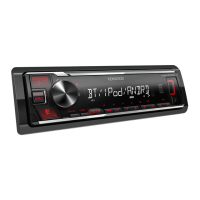
Kenwood KMM-264 - User Manual

Kenwood KMM-264
46 pages
Print Icon
To Next Page IconTo Next Page
Loading...
Data Size: B6L (182 mm x 128 mm)
Book Size: B6L (182 mm x 128 mm)
KMM-264
KMM-101RY
KMM-101GY
DIGITAL MEDIA RECEIVER
INSTRUCTION MANUAL
ЦИФРОВОЙ МЕДИА-РЕСИВЕР
ИHCTPУKЦИЯ ПO ЭKCПЛУATAЦИИ
ЦИФРОВИЙ МЕДІА-РЕСИВЕР
ІНСТРУКЦІЯ З ЕКСПЛУАТАЦІЇ
B5A-0163-00 (EN/E2N)© 2014 JVC KENWOOD Corporation
KMM-101AY
KMM-121Y
JS_KWD_KMM_264_EN_C00_1.indd 1JS_KWD_KMM_264_EN_C00_1.indd 1 30/7/2014 1:51:10 PM30/7/2014 1:51:10 PM

Questions and Answers

  • D
    danielskellyAug 15, 2025
    How to fix Kenwood KMM-264 when sound cannot be heard?
    • M
      Miranda HicksAug 15, 2025
      If you cannot hear any sound from your Kenwood Receiver, try these steps: First, adjust the volume to the optimal level. Then, check all cords and connections to ensure they are properly connected. Finally, clean the connectors to remove any dirt or debris that may be interfering with the signal.
  • S
    Samantha MitchellAug 18, 2025
    What does 'NA DEVICE' mean on Kenwood Receiver and how to fix it?
    • T
      Tina RogersAug 18, 2025
      If your Kenwood Receiver displays “NA DEVICE”, connect a supported USB device and check the connections.
  • S
    stephen35Aug 21, 2025
    Why is the radio reception poor on my Kenwood Receiver?
    • A
      Anthony MilesAug 21, 2025
      If you're experiencing poor radio reception on your Kenwood Receiver: Ensure the antenna is firmly connected. Also, make sure to pull the antenna out completely.
  • D
    Daniel PetersonAug 25, 2025
    What to do if my Kenwood KMM-264 unit does not work at all?
    • U
      uthomasAug 26, 2025
      If your Kenwood Receiver unit isn't working, try resetting it.
  • K
    Kenneth ContrerasAug 28, 2025
    What does 'iPod ERROR' mean on my Kenwood KMM-264 Receiver and how to fix it?
    • L
      Lisa SanchezAug 28, 2025
      If your Kenwood Receiver displays “iPod ERROR”, try the following: Reconnect the iPod. If the issue persists, reset the iPod.
  • D
    Daryl CarterAug 31, 2025
    What does 'NO MUSIC' mean on Kenwood Receiver and how to fix it?
    • E
      eduardozimmermanAug 31, 2025
      If your Kenwood Receiver displays “NO MUSIC”, connect a USB device that contains playable audio files.
  • A
    amandajordanSep 3, 2025
    What does 'NA FILE' mean on Kenwood KMM-264 and how to resolve it?
    • C
      Courtney HuangSep 4, 2025
      If your Kenwood Receiver displays “NA FILE”, ensure that the media contains supported audio files.
  • O
    Olivia BarkerSep 7, 2025
    What does 'READ ERROR' mean on Kenwood Receiver and how to fix it?
    • D
      Darren MoralesSep 7, 2025
      If your Kenwood Receiver displays “READ ERROR”, copy the files and folders onto the USB device again. If this does not solve the problem, reset the USB device or use another USB device.
  • K
    Kayla YatesSep 10, 2025
    What does 'COPY PRO' mean on Kenwood KMM-264 Receiver?
    • M
      Mrs. Kimberly StevensSep 12, 2025
      If your Kenwood Receiver displays “COPY PRO”, it means a copy-protected file is being played.

Summary

Health and Environmental Precautions

Getting Started

Before Use Warnings and Cautions

Important warnings and cautions to observe before operating the unit to ensure safe driving.

Initial Setup

Select Display Language and Cancel Demo

Guide to setting the display language and disabling the demonstration mode.

Set the Clock

Step-by-step instructions for setting the unit's internal clock.

Initial Settings Configuration

Details on configuring initial settings like display, tuner presets, key beep, and source selection.

Radio Functions

Search for a Station

How to tune into radio stations using automatic or manual search methods.

Media Playback

Start Playback (USB;iPod;Android)

Instructions on connecting and starting playback from USB, iPod, and Android devices.

File and Folder Navigation

How to select files, folders, and manage playback modes like repeat and random.

USB;iPod;Android Other Settings

Auxiliary Input

Display Customization

Audio Adjustments

Preset EQ and Bass Boost

Selecting equalizer presets, adjusting bass boost, and loudness levels.

Troubleshooting Common Issues

General and Radio Troubleshooting

Solutions for common problems like no sound, wiring errors, and poor radio reception.

USB;iPod;Android Troubleshooting

Solutions for issues with device recognition, playback errors, and file compatibility.

Call Management

Installation and Wiring

Installation Warnings and Cautions

Safety precautions and guidelines for installing the unit in a vehicle.

Basic Installation Procedure

Step-by-step guide for physically installing the unit into the dashboard.

Wiring Connections Explained

Detailed guide for connecting wires to the unit, including ISO connectors for specific car models.

Technical Specifications

Tuner Specifications

Detailed technical data for the FM, MW, and LW tuner sections.

Kenwood KMM-264 Specifications

General IconGeneral
BrandKenwood
ModelKMM-264
CategoryReceiver
LanguageEnglish

Related product manuals