EasyManua.ls Logo

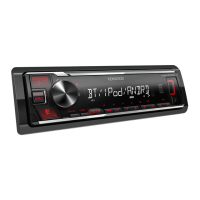
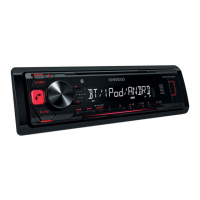
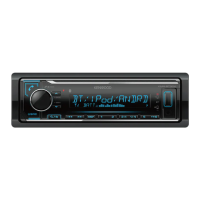
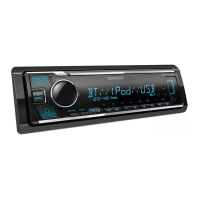
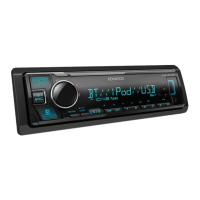
Kenwood KMM-BT240U - User Manual

Kenwood KMM-BT240U
128 pages
Print Icon
To Next Page IconTo Next Page
Loading...
Data Size: B6L (182 mm x 128 mm)
Book Size: B6L (182 mm x 128 mm)
KMM-BT522HD
KMM-BT322U
KMM-BT322
DIGITAL MEDIA RECEIVER
INSTRUCTION MANUAL
RÉCEPTEUR MULTIMÉDIA NUMÉRIQUE
MODE D’EMPLOI
RECEPTOR DE MEDIOS DIGITALES
MANUAL DE INSTRUCCIONES
For your records
Record the serial number, found on the back of the unit, in the spaces designated on the warranty card, and in the space provided below.
Refer to the model and serial numbers whenever you call upon your Kenwood dealer for information or service on the product.
Model KMM-BT522HD/KMM-BT322U/KMM-BT322/KMM-BT240U/KMM-BT222U/KMR-M322BT
Serial number
US Residents Only
Register Online
Register your Kenwood product at http://www.kenwood.com/usa/
B5A-2105-00 (KN)© 2017 JVC KENWOOD Corporation
KMM-BT240U
KMM-BT222U
KMR-M322BT
JS_KWD_KMM_BT522HD_KN_C_9.indd 1JS_KWD_KMM_BT522HD_KN_C_9.indd 1 7/7/2017 11:24:29 AM7/7/2017 11:24:29 AM


Questions and Answers

  • N
    navarromadisonAug 15, 2025
    What to do if my Kenwood KMM-BT240U says 'NO DEVICE' or 'READING' keeps flashing?
    • R
      ryanburnettAug 16, 2025
      If you see “NO DEVICE” or “READING” flashing, try these steps: first, switch off the developer options on your Android device. If that doesn't work, try reconnecting the Android device.
  • O
    oclayAug 18, 2025
    What does 'NA FILE' mean on my Kenwood Receiver?
    • C
      Chad LeeAug 18, 2025
      If you see the message “NA FILE”, it means you should make sure the media you're using contains supported audio files.
  • C
    cordovahannahAug 21, 2025
    Why is there no sound coming from my Kenwood KMM-BT240U?
    • R
      Rachael CooperAug 22, 2025
      If you can't hear any sound, first adjust the volume to the desired level. If that doesn't work, check the cords and connections to ensure they are properly connected.
  • A
    Ariel MasonAug 25, 2025
    What to do if my Kenwood KMM-BT240U Receiver says 'MISWIRING CHECK WIRING Turn the power off, then check to be sure the THEN PWR ON'?
    • N
      nlopezAug 25, 2025
      If the message “MISWIRING CHECK WIRING Turn the power off, then check to be sure the THEN PWR ON” appears, turn off the power. Check to ensure the terminals of the speaker wires are properly insulated, then turn the power back on.
  • W
    William RobinsonAug 27, 2025
    How to fix Bluetooth pairing issues on my Kenwood KMM-BT240U Receiver?
    • D
      Douglas LangAug 27, 2025
      If you're having trouble pairing a Bluetooth device, ensure that you've entered the same PIN code on both the Kenwood unit and the Bluetooth device. If the problem persists, delete the pairing information from both devices and try pairing them again.
  • K
    Kevin MccarthyAug 30, 2025
    Why is no Bluetooth device detected by my Kenwood KMM-BT240U Receiver?
    • A
      April WilliamsAug 30, 2025
      If your Kenwood Receiver isn't detecting a Bluetooth device, try searching for the device again from the Bluetooth device itself. If that doesn't work, try resetting the unit.
  • R
    rgreenSep 2, 2025
    What does 'CH LOCKED LOCK CODE?' mean on my Kenwood Receiver?
    • A
      Ashley HowellSep 2, 2025
      If your Kenwood Receiver displays “CH LOCKED LOCK CODE?”, you need to enter the correct pass code to unlock it.
  • K
    kayla66Sep 5, 2025
    What does 'ADD ERROR' mean on my Kenwood Receiver?
    • O
      oporterSep 5, 2025
      The message “ADD ERROR” indicates that creating a new station was unsuccessful.
  • J
    Jesse RasmussenSep 8, 2025
    What does 'THUMBS N/A' mean on my Kenwood KMM-BT240U Receiver?
    • V
      Veronica OrtizSep 8, 2025
      The message “THUMBS N/A” means that registration of thumbs up/thumbs down is not allowed.
  • K
    Kimberly HarrisSep 12, 2025
    What does 'NO STATIONS' mean on my Kenwood KMM-BT240U?
    • N
      Nicole CarlsonSep 12, 2025
      The message “NO STATIONS” indicates that no stations were found.

Summary

FCC and Regulatory Notices

FCC WARNING

Warning regarding radio frequency energy and potential interference.

Industry Canada and Safety Notices

IC (Industry Canada) Notice

Compliance notice for Industry Canada's licence-exempt RSSs.

CAUTION

Equipment compliance with FCC/IC radiation exposure limits and RF guidelines.

SOFTWARE LICENSE AGREEMENT

BEFORE USE

IMPORTANT

Advises reading the manual for proper use and future reference.

WARNING

Alerts to dangers of operating while distracted and battery hazards.

BASICS

Faceplate

Describes the physical controls and indicators on the unit's front panel.

Remote control (RC-406)

Details the functions and usage of the supplied remote control.

GETTING STARTED

Select the display language and cancel the demonstration

Initial setup for language and disabling the demo mode.

Set the clock and date

Guide to setting the unit's internal clock and date.

Set the initial settings

Instructions for configuring various initial settings like audio and display.

SOURCE SELECT

Options to enable or disable various source inputs like Pandora, iHeartRadio, Spotify, AUX.

FACTORY RESET

Procedure to reset unit settings to factory defaults.

HD Radio tuner

Receive an Emergency Alert message

How to receive and manage emergency alert messages via HD Radio.

RADIO

Search for a station

Steps to search for radio stations using various methods.

USB;iPod;ANDROID

Start playback

How to begin playback from connected USB, iPod, or Android devices.

Selectable source

Lists the available source options for USB, iPod, and Android devices.

Select control mode

Options to control iPod or Android devices from the unit or the device itself.

SiriusXM Radio

Start listening

Steps to connect the tuner, activate subscription, and start listening to SiriusXM.

SiriusXM Keymode

How to switch between channel and replay keymodes for SiriusXM.

SmartFavorites and TuneStart

Features for storing favorite channels and starting playback from the beginning of songs.

BLUETOOTH

BLUETOOTH - Connection

Information on supported Bluetooth profiles and codecs.

Pair and connect a Bluetooth device for the first time

Step-by-step guide to pairing a new Bluetooth device with the unit.

Make a call

Instructions for making calls using call history, phonebook, or number dial.

BLUETOOTH - Audio

Information on connecting multiple audio devices and managing them.

Settings to use KENWOOD Remote application

How to use the KENWOOD Remote app for device control via Bluetooth.

AUDIO SETTINGS

AUDIO CONTROL

Controls for subwoofer level, manual EQ, bass extend, Q factor, and preset EQ.

DTA SETTINGS

Digital Time Alignment settings for speaker delay and gain.

Determining the value for [DISTANCE] and [GAIN] of [DTA SETTINGS]

Guide to measuring speaker distances and setting DTA parameters.

DISPLAY SETTINGS

TROUBLESHOOTING

General

Troubleshooting for general issues like no sound or wiring errors.

HD Radio tuner;Radio

Solutions for poor radio reception or static noise.

USB;iPod

Troubleshooting for USB/iPod connection and playback issues.

ANDROID

Solutions for Android device connection, playback, and app issues.

Bluetooth

Solutions for Bluetooth audio interruptions, connection, and voice call issues.

INSTALLATION;CONNECTION

▲ Warning

Critical safety warnings regarding power supply and wiring.

▲ Caution

Safety advice for installation, handling metal parts, and wiring.

Basic procedure

Step-by-step guide for installing the unit, including wiring and power connection.

Installing the unit (in-dash mounting)

Instructions for installing the unit into a dashboard.

Wiring connection

Detailed diagram and explanation of the unit's wiring harness connections.

Connecting external components

How to connect external devices like microphones and tuners.

Kenwood KMM-BT240U Specifications

General IconGeneral
BluetoothYes
USB InputYes
CD PlayerNo
Radio TunerFM/AM
DIN Size1 DIN
Faceplate SecurityDetachable
AUX InputYes
RMS Power Output22W x 4
Peak Output50W x 4
MP3 PlaybackYes
WMA PlaybackYes
FLAC PlaybackYes
Android CompatibilityYes
iPhone CompatibilityYes
DisplayLCD

Related product manuals