EasyManua.ls Logo

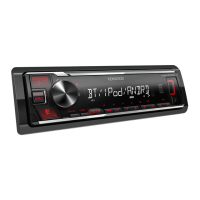
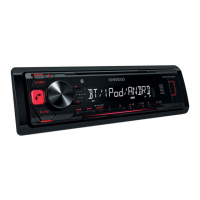
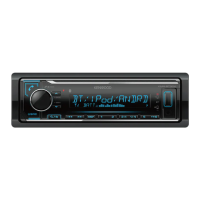
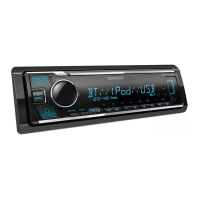
Kenwood KMM-BT222U - User Manual

Kenwood KMM-BT222U
128 pages
Print Icon
To Next Page IconTo Next Page
Loading...
Data Size: B6L (182 mm x 128 mm)
Book Size: B6L (182 mm x 128 mm)
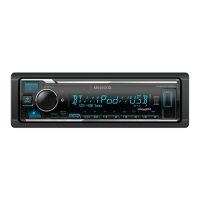
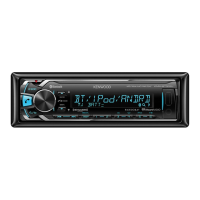
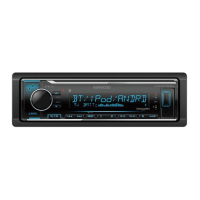
KMM-BT522HD
KMM-BT322U
KMM-BT322
DIGITAL MEDIA RECEIVER
INSTRUCTION MANUAL
RÉCEPTEUR MULTIMÉDIA NUMÉRIQUE
MODE D’EMPLOI
RECEPTOR DE MEDIOS DIGITALES
MANUAL DE INSTRUCCIONES
For your records
Record the serial number, found on the back of the unit, in the spaces designated on the warranty card, and in the space provided below.
Refer to the model and serial numbers whenever you call upon your Kenwood dealer for information or service on the product.
Model KMM-BT522HD/KMM-BT322U/KMM-BT322/KMM-BT240U/KMM-BT222U/KMR-M322BT
Serial number
US Residents Only
Register Online
Register your Kenwood product at http://www.kenwood.com/usa/
B5A-2105-00 (KN)© 2017 JVC KENWOOD Corporation
KMM-BT240U
KMM-BT222U
KMR-M322BT
JS_KWD_KMM_BT522HD_KN_C_9.indd 1JS_KWD_KMM_BT522HD_KN_C_9.indd 1 7/7/2017 11:24:29 AM7/7/2017 11:24:29 AM


Questions and Answers

  • B
    Brandon WilliamsAug 15, 2025
    What to do if my Kenwood Receiver says 'NO DEVICE' or 'READING' keeps flashing?
    • K
      Karen WilliamsAug 16, 2025
      If you see “NO DEVICE” or “READING” flashing, try these steps: first, switch off the developer options on your Android device. If that doesn't work, try reconnecting the Android device.
  • E
    Edwin HansonAug 18, 2025
    What does 'NA FILE' mean on my Kenwood KMM-BT222U?
    • C
      Christopher MitchellAug 19, 2025
      If you see the message “NA FILE”, it means you should make sure the media you're using contains supported audio files.
  • C
    Cheyenne WadeAug 22, 2025
    Why is there no sound coming from my Kenwood Receiver?
    • B
      benjamin56Aug 22, 2025
      If you can't hear any sound, first adjust the volume to the desired level. If that doesn't work, check the cords and connections to ensure they are properly connected.
  • J
    Jessica SmithAug 25, 2025
    What to do if my Kenwood KMM-BT222U Receiver says 'MISWIRING CHECK WIRING Turn the power off, then check to be sure the THEN PWR ON'?
    • T
      Tyler HernandezAug 25, 2025
      If the message “MISWIRING CHECK WIRING Turn the power off, then check to be sure the THEN PWR ON” appears, turn off the power. Check to ensure the terminals of the speaker wires are properly insulated, then turn the power back on.
  • K
    krobinsonAug 27, 2025
    How to fix Bluetooth pairing issues on my Kenwood Receiver?
    • A
      ajonesAug 28, 2025
      If you're having trouble pairing a Bluetooth device, ensure that you've entered the same PIN code on both the Kenwood unit and the Bluetooth device. If the problem persists, delete the pairing information from both devices and try pairing them again.
  • T
    Tracy GreeneAug 30, 2025
    Why is no Bluetooth device detected by my Kenwood KMM-BT222U Receiver?
    • S
      samanthachanAug 30, 2025
      If your Kenwood Receiver isn't detecting a Bluetooth device, try searching for the device again from the Bluetooth device itself. If that doesn't work, try resetting the unit.
  • D
    David MolinaSep 2, 2025
    What does 'CH LOCKED LOCK CODE?' mean on my Kenwood KMM-BT222U Receiver?
    • J
      Jennifer ParsonsSep 2, 2025
      If your Kenwood Receiver displays “CH LOCKED LOCK CODE?”, you need to enter the correct pass code to unlock it.
  • M
    Mackenzie RussellSep 6, 2025
    What does 'ADD ERROR' mean on my Kenwood Receiver?
    • L
      Laura FrySep 6, 2025
      The message “ADD ERROR” indicates that creating a new station was unsuccessful.
  • J
    James JonesSep 9, 2025
    What does 'THUMBS N/A' mean on my Kenwood Receiver?
    • S
      Sonya PetersonSep 9, 2025
      The message “THUMBS N/A” means that registration of thumbs up/thumbs down is not allowed.
  • G
    George DoughertySep 12, 2025
    What does 'NO STATIONS' mean on my Kenwood KMM-BT222U?
    • J
      Justin CalderonSep 12, 2025
      The message “NO STATIONS” indicates that no stations were found.

Summary

Before Use

Important Usage Notes

Key points for proper use and manual reference.

Safety Warnings

Safety precautions regarding operation and battery handling.

Cautionary Advice

Advice on volume settings and avoiding accidents.

HD Radio Tuner Operations

Station Search

Procedures for finding and tuning HD Radio stations.

USB, iPod, and Android Connectivity

Start Playback

Initial steps for playing media from connected devices.

Pandora Music Streaming

Pandora Setup and Listening

Installing the app, connecting, and starting Pandora playback.

Station Management

Creating, saving, searching, and deleting Pandora stations.

iHeartRadio Streaming

iHeartRadio Setup and Listening

Installing the app, connecting, and starting iHeartRadio playback.

Spotify Music Streaming

Spotify Setup and Listening

Installing the app, connecting, and starting Spotify playback.

Song and Station Management

Saving songs and searching for content on Spotify.

SiriusXM Radio Service

SiriusXM Setup and Listening

Connecting the tuner, activating, and listening to SiriusXM.

Bluetooth Connectivity

Pairing a Bluetooth Device

Steps to connect a Bluetooth device for the first time.

Audio Settings Configuration

Audio Control Adjustments

Settings for subwoofer, EQ, and sound effects.

Display Settings and Customization

Installation and Mounting

In-Dash Mounting Procedure

Steps for installing the unit into a vehicle's dashboard.

Wiring Connection Guide

Important Wiring Precautions

Safety advice for wiring and connecting the unit.

Technical Specifications

Tuner Specifications

FM/AM frequency range, sensitivity, and signal-to-noise ratio.

Bluetooth Specifications

Bluetooth version, frequency range, and supported profiles.

Audio and General Specifications

Kenwood KMM-BT222U Specifications

General IconGeneral
DIN SizeSingle DIN
Detachable FaceYes
Sub Preamp OutputYes
Auxiliary InputYes
USB InputYes
iPod/iPhone ControlYes
BluetoothYes
HD RadioNo
Satellite Radio ReadyNo
Memory Card SlotNo
NavigationNo
Remote ControlNo
Face ColorBlack
Display TypeLCD
CD PlaybackNo
MP3 PlaybackYes
WMA PlaybackYes
AAC PlaybackYes
FLAC PlaybackNo
Radio TunerAM/FM
Compatible Audio FormatsMP3, WMA, AAC
Peak Output50 watts
EQ13-Band

Related product manuals