EasyManua.ls Logo

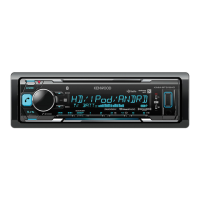
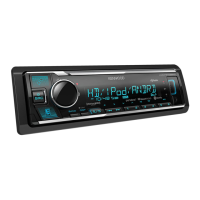
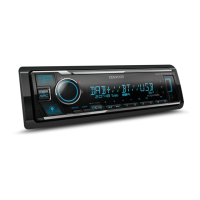
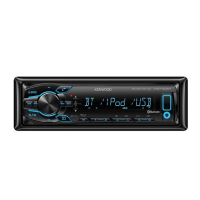
Kenwood KMM-BT515HD - User Manual

Kenwood KMM-BT515HD
38 pages
Print Icon
To Next Page IconTo Next Page
Loading...
Data Size: B6L (182 mm x 128 mm)
Book Size: B6L (182 mm x 128 mm)
For your records
Record the serial number, found on the back of the unit, in the spaces designated on the warranty card, and in the space provided below.
Refer to the model and serial numbers whenever you call upon your Kenwood dealer for information or service on the product.
Model KMM-BT515HD/ KMM-BT315U/ KMM-BT315/ KMR-M315BT
Serial number
US Residents Only
B5A-0897-30 (KN)© 2015 JVC KENWOOD Corporation
KMM-BT515HD
KMM-BT315U
DIGITAL MEDIA RECEIVER
INSTRUCTION MANUAL
KMM-BT315
KMR-M315BT
JS_KWD_KMM_BT515HD_KN_C20.indd 1JS_KWD_KMM_BT515HD_KN_C20.indd 1 10/12/2015 9:40:03 AM10/12/2015 9:40:03 AM

Questions and Answers

  • B
    Brent FloydAug 16, 2025
    How to fix Kenwood KMM-BT515HD when no sound is heard?
    • M
      Margaret WilliamsAug 16, 2025
      If you can't hear any sound from your Kenwood Car Receiver, try these steps: First, adjust the volume to make sure it's at an audible level. Next, check all the cords and connections to ensure they are properly connected. Clean the connectors to remove any dirt or corrosion. If the problem persists, reset the unit. As an additional step, turn the power off, then verify that the terminals of the speaker wires are correctly insulated, and then turn the power back on.
  • M
    marcus70Aug 19, 2025
    How to fix “READ ERROR” on Kenwood KMM-BT515HD?
    • T
      tanner77Aug 19, 2025
      If your Kenwood Car Receiver displays “READ ERROR”, try copying the files and folders onto the USB device again. If the problem continues, reset the USB device or try using a different USB device.
  • J
    James SmithAug 22, 2025
    What to do if setting/deleting the remote control ID is unsuccessful on my Kenwood KMM-BT515HD?
    • D
      Daniel RodriguezAug 22, 2025
      If you are having trouble setting or deleting the remote control ID on your Kenwood Car Receiver, turn the power off, then turn it back on, and try the operation again.
  • J
    Jonathan NguyenAug 25, 2025
    Why can't I control the connected Bluetooth audio player with my Kenwood KMM-BT515HD Car Receiver?
    • K
      kevin51Aug 26, 2025
      If you cannot control the connected Bluetooth audio player with your Kenwood Car Receiver, check whether the connected Bluetooth audio player supports Audio/Video Remote Control Profile (AVRCP).
  • W
    William AllenAug 27, 2025
    What does “NO MUSIC” mean on my Kenwood KMM-BT515HD?
    • M
      Mrs. Kelli TorresAug 27, 2025
      If your Kenwood Car Receiver displays “NO MUSIC”, it means you should connect a USB device that contains playable audio files.
  • M
    michaelnicholsAug 30, 2025
    What to do if my Kenwood KMM-BT515HD says “NO DEVICE”?
    • R
      robert36Aug 30, 2025
      If your Kenwood Car Receiver shows “NO DEVICE”, connect a USB device and then change the source to USB again.
  • F
    Frederick DelgadoSep 2, 2025
    Why does “READING” keep flashing on my Kenwood Car Receiver?
    • P
      pamelaperezSep 2, 2025
      If “READING” keeps flashing on your Kenwood Car Receiver, avoid using too many hierarchical levels or folders on your device.
  • A
    Allison DunnSep 4, 2025
    Why does “LOADING” appear when I enter search mode on my Kenwood Car Receiver?
    • K
      Katie ReevesSep 4, 2025
      If “LOADING” appears when you enter search mode on your Kenwood Car Receiver, it may take some time to load. Try again later.
  • A
    Ashley MartinSep 7, 2025
    Why is the elapsed playing time not correct on my Kenwood KMM-BT515HD Car Receiver?
    • S
      Stephanie HaneySep 7, 2025
      The incorrect elapsed playing time on your Kenwood Car Receiver is caused by how the files are recorded.
  • B
    bgillSep 12, 2025
    Why are correct characters not displayed on my Kenwood KMM-BT515HD Car Receiver?
    • C
      Charles StanleySep 12, 2025
      Your Kenwood Car Receiver can only display uppercase letters, numbers, and a limited number of symbols.

Summary

BEFORE USE AND MANUAL GUIDE

GETTING STARTED WITH YOUR UNIT

HD RADIO TUNER OPERATION

Station Search and Tuning Methods

Methods for searching and tuning HD Radio stations and channels.

RADIO OPERATION AND SETTINGS

FM;AM Station Search and Tuning

Procedures for searching and tuning standard FM and AM radio stations.

USB;IPOD;ANDROID DEVICE CONNECTION

Starting Playback Automatically

Automatic source switching and playback initiation for connected devices.

USB;IPOD;ANDROID DEVICE MANAGEMENT

PANDORA MUSIC INTEGRATION

IHEARTRADIO MUSIC INTEGRATION

Station Search and Management

Finding registered stations, bookmarking songs, and deleting stations.

SIRIUSXM RADIO SETUP AND LISTENING

SiriusXM Station Search and Storage

Finding and storing SiriusXM channels and categories.

SIRIUSXM RADIO OPERATION

Channel Selection and Tuning Methods

Methods for selecting channels, manual tuning, and rapid channel changes.

SIRIUSXM RADIO ADVANCED FEATURES

SiriusXM Settings Configuration

Adjusting channel lock, code settings, and other SiriusXM preferences.

BLUETOOTH DEVICE CONNECTION

Pairing and Connecting Bluetooth Devices

Steps for initial pairing and automatic connection of Bluetooth devices.

BLUETOOTH CALL MANAGEMENT

Receiving Incoming Calls and Settings

Handling incoming calls, answering, rejecting, and auto-answer settings.

BLUETOOTH CALL HANDLING AND QUALITY

Managing Multiple Calls and Volume

Holding calls, switching between active calls, and adjusting phone volume.

BLUETOOTH MAKING CALLS

Initiating Calls via Various Methods

Making calls via call history, phonebook, or direct number dialing.

BLUETOOTH AUDIO AND TESTING

Bluetooth Audio Playback Guide

Playing music wirelessly via Bluetooth audio connection.

AUDIO SETTINGS AND ADJUSTMENTS

Subwoofer and Equalizer Adjustments

Configuring subwoofer levels and manual/preset equalization.

Bass Boost and Loudness Control

Enhancing bass response and adjusting loudness for low-volume listening.

AUDIO SETTINGS - ADVANCED CONTROLS

Speaker Size and Crossover Frequency Settings

Selecting speaker sizes and setting crossover points for optimal sound.

DISPLAY SETTINGS AND CUSTOMIZATION

Dimmer and Brightness Control

Adjusting display illumination levels and setting dimmer schedules.

TROUBLESHOOTING GUIDE

General and Radio Reception Issues

Solutions for common problems like no sound, power issues, and poor radio reception.

USB;iPod and Android Device Issues

Troubleshooting steps for device detection, file playback, and errors.

TROUBLESHOOTING - APPLICATION ISSUES

Pandora and iHeartRadio Operation Issues

Resolving problems related to Pandora and iHeartRadio playback and connectivity.

SiriusXM Radio Connectivity Problems

Troubleshooting common errors and connection problems with SiriusXM.

TROUBLESHOOTING - BLUETOOTH ISSUES

Bluetooth Connectivity and Call Problems

Addressing problems with device detection, pairing, calls, and audio playback.

TECHNICAL SPECIFICATIONS

INSTALLATION AND CONNECTION

Installation Warnings and Precautions

Safety guidelines and cautions for installing the unit in a vehicle.

WIRING CONNECTIONS - KMM-BT515 HD

KMM-BT515 HD Wiring Harness Diagram

Diagram and instructions for connecting the KMM-BT515HD wiring harness.

WIRING CONNECTIONS - KMM-BT315 U;BT315;M315 BT

KMM-BT315 U;BT315;M315 BT Wiring Harness Diagram

Diagram and instructions for connecting the KMM-BT315U/BT315/M315BT wiring harness.

REGULATORY AND SAFETY INFORMATION

SOFTWARE LICENSE AGREEMENT

General Provisions and License Terms

Defines the terms and conditions for using the embedded software.

Kenwood KMM-BT515HD Specifications

General IconGeneral
DIN SizeSingle DIN
Faceplate SecurityDetachable Faceplate
Subwoofer Preamp RCA OutputYes
Preamp Voltage4 Volts
Display TypeLCD
Display ColorVariable Color
Bluetooth CompatibilityYes
HD RadioYes
Memory Card SlotNo
iPod CompatibilityYes
Android CompatibilityYes
Pandora ControlYes
Spotify ControlYes
Steering Wheel Control CompatibleYes
Remote ControlYes
Wireless RemoteNo
CEA-2006 CompliantYes
TunerAM/FM
Built-in MicrophoneYes
Peak Power Output50 watts x 4 channels
RMS Power Output22 Watts x 4
Satellite Radio ReadyYes
USB InputFront
AUX InputFront
Audio Formats SupportedMP3, WMA, AAC
Preamp RCA Outputs3 Sets (Front, Rear, Subwoofer)

Related product manuals