EasyManua.ls Logo

Kenwood KMM-BT407DAB - User Manual

Kenwood KMM-BT407DAB
144 pages
Print Icon
To Next Page IconTo Next Page
Loading...
Data Size: B6L (182 mm x 128 mm)
Book Size: B6L (182 mm x 128 mm)
B5A-3548-00 [EN]© 2020 JVCKENWOOD Corporation
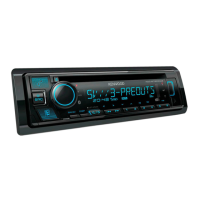
KDC-BT950DAB
KDC-BT450DAB
CD-RECEIVER
INSTRUCTION MANUAL
AUTORADIO CD
MODE D’EMPLOI
CD-RECEIVER
BEDIENUNGSANLEITUNG
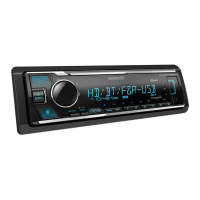
KMM-BT407DAB
KMM-DAB307
DIGITAL MEDIA RECEIVER
INSTRUCTION MANUAL
RÉCEPTEUR MULTIMÉDIA NUMÉRIQUE
MODE D’EMPLOI
DIGITAL-MEDIA-RECEIVER
BEDIENUNGSANLEITUNG
JS_KWD_KDC_BT950DAB_EN_C00.indd 1JS_KWD_KDC_BT950DAB_EN_C00.indd 1 2/6/2020 12:24:06 PM2/6/2020 12:24:06 PM

Table of Contents

Other manuals for Kenwood KMM-BT407DAB

Questions and Answers

  • T
    Thomas BrooksSep 13, 2025
    What does 'Connecting' mean on Kenwood KMM-BT407DAB Car Receiver?
    • M
      Matthew ReeseSep 13, 2025
      If “CONNECTING” appears on your Kenwood Car Receiver, and you are connected via USB input terminal, the device is connecting to the head unit, please wait. If you are connected via Bluetooth, the Bluetooth is disconnected, please check Bluetooth connection and make sure both the device and unit are paired and connected.
  • S
    Selena Austin MDAug 25, 2025
    Why is the radio reception poor on my Kenwood KMM-BT407DAB Car Receiver?
    • C
      cookjacquelineAug 25, 2025
      If you are experiencing poor radio reception with your Kenwood Car Receiver, ensure the antenna is firmly connected.
  • T
    tleeAug 25, 2025
    Why is the Bluetooth connection unstable on my Kenwood Car Receiver?
    • D
      David ThomasAug 26, 2025
      If the Bluetooth connection between your Bluetooth device and the Kenwood Car Receiver is unstable, delete the unused registered Bluetooth devices from the unit.
  • J
    Jennifer LunaSep 23, 2025
    What does 'Not Support' mean on Kenwood KMM-BT407DAB?
    • M
      Mrs. Adrienne MooreSep 23, 2025
      If “NOT SUPPORT” appears on your Kenwood Car Receiver, the connected phone does not support Voice Recognition feature or phonebook transfer.
  • K
    Katie MillerSep 14, 2025
    What does 'USB Hub is not supported' mean on Kenwood KMM-BT407DAB?
    • K
      Kelly GarciaSep 14, 2025
      If “USB HUB IS NOT SUPPORTED” appears on your Kenwood Car Receiver, note that this unit cannot support a USB device connected via a USB hub.
  • C
    Collin KochSep 23, 2025
    What does 'HF ERROR XX'/'BT ERROR' mean on Kenwood Car Receiver?
    • E
      edward61Sep 23, 2025
      If “HF ERROR XX”/“BT ERROR” appears on your Kenwood Car Receiver, reset the unit and try the operation again.
  • H
    Heather VillarrealSep 6, 2025
    What does 'Unresponsive Device' mean on Kenwood Car Receiver?
    • H
      hilldaltonSep 6, 2025
      If “UNRESPONSIVE DEVICE” appears on your Kenwood Car Receiver, make sure the USB device is not malfunctioning and reattach the USB device.
  • K
    Kristin SpearsSep 7, 2025
    Why are correct characters not displayed on Kenwood KMM-BT407DAB Car Receiver?
    • D
      Dr. Heather StricklandSep 7, 2025
      The Kenwood Car Receiver can only display uppercase letters, numbers, and a limited number of symbols. Depending on the display language you have selected, some characters may not be displayed correctly.
  • K
    Kathy CarrilloSep 23, 2025
    What does 'Switching NG' mean on Kenwood KMM-BT407DAB Car Receiver?
    • A
      April ThompsonSep 23, 2025
      If “SWITCHING NG” appears on your Kenwood Car Receiver, the connected phones might not support phone switching feature.
  • H
    hooverstevenAug 31, 2025
    What does 'Unsupported Device' mean on Kenwood Car Receiver?
    • K
      Kathleen LopezAug 31, 2025
      If “UNSUPPORTED DEVICE” appears on your Kenwood Car Receiver, check whether the connected USB device is compatible with this unit and ensure the file systems are in supported formats. You can also try reattaching the USB device.

Summary

Before Use

Basics

Faceplate Layout and Controls

Identifies and explains the buttons, knobs, and display elements on the unit's faceplate.

Getting Started

Initial Setup: Language, Crossover, Demo

Guides through initial setup of display language, crossover type, and demo mode cancellation.

Digital Radio

Analog Radio

CD;USB;iPod

Playing CDs, USB Devices, and iPod;iPhone

Guides on inserting CDs, connecting USB/iPod devices, and managing playback.

Spotify

AUX

KENWOOD Remote Application

Bluetooth

Connecting and Pairing Bluetooth Devices

Guides on connecting the microphone and pairing mobile devices via Bluetooth for the first time.

Mobile Phone and Audio Operations

Covers mobile phone functions, call management, voice quality, and audio playback via Bluetooth.

Audio Settings

Equalizer and Sound Customization

Explains how to select equalizers and adjust various audio settings for sound customization.

Display Settings

Installation;Connection

Installation Parts and Basic Procedures

Lists required parts and outlines basic steps for mounting the unit in a vehicle.

Unit Mounting, Wiring, and Antenna Installation

Provides details on in-dash mounting, removal, wiring, ISO connectors, and DAB antenna setup.

Connecting Components and Antenna Placement

Instructions for connecting external amplifiers, DAB antenna, and determining antenna installation positions.

Troubleshooting

General Troubleshooting Issues

Addresses common problems like no sound, wiring errors, device errors, and display issues.

Troubleshooting CD, USB, iPod, and Spotify Issues

Provides solutions for playback errors, device connection problems, and Spotify application issues.

Troubleshooting Bluetooth Connectivity and Performance

Offers solutions for Bluetooth detection, pairing, sound quality, and connection stability problems.

Kenwood KMM-BT407DAB Specifications

General IconGeneral
BrandKenwood
ModelKMM-BT407DAB
CategoryCar Receiver
LanguageEnglish

Related product manuals