Need help?
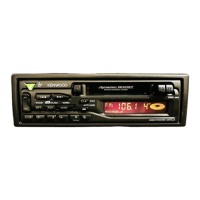
Do you have a question about the Kenwood KRC-S200 and is the answer not in the manual?
Guidance on protecting hearing from loud noise and understanding decibel levels.
Notice regarding radio frequency energy and potential interference.
Precautions against injury, fire hazards, and proper wiring.
Important information for connecting specific CD changer models.
Instructions for cleaning the unit, faceplate terminals, and tape head.
Proper handling of cassette tapes to prevent damage and ensure playback.
Overview of primary buttons for power, source selection, and volume.
Details buttons and indicators related to radio tuning functions.
Explanation of cassette playback, fast forward, rewind, and eject.
Explanation of disc changer playback and control operations.
Description of clock display and related buttons.
Continuation of power, mode switching, and volume adjustments.
Procedures for auto seek tuning and manual frequency adjustment.
Storing and recalling favorite radio stations using preset buttons.
Automatically storing available radio stations.
Enhancing FM stereo reception by switching to mono.
Loading, playing, stopping, and ejecting cassette tapes.
Fast forward, rewind functions and switching to tuner during tape play.
Playing discs, fast forwarding, reversing, and searching for tracks.
Locating specific discs within the disc changer.
Functions for repeating tracks/discs and scanning through them.
Playing tracks from a disc in a random sequence.
Randomly plays tracks from all loaded discs in the changer.
Adjusting bass, treble, balance, and fader for sound quality.
How to view and adjust the current time on the unit.
Explanation of the DSI indicator and detachable faceplate for security.
List of accessories provided for installing the unit.
Step-by-step instructions for physically installing the unit.
Diagram for connecting power, speakers, antenna, and disc changer.
Instructions for preparing the unit with its mounting sleeve and removing the frame.
Steps to detach the unit from the vehicle dashboard.
How to properly attach the faceplate to the main unit.
Solutions for no power, low volume, or no sound.
Fixes for button malfunctions, sound distortion, and poor radio reception.
Addressing issues with disc loading, playback, and general errors.
Understanding specific error messages displayed by the system.
Detailed performance data for tuner, audio, and cassette sections.
Explanations for specific troubleshooting error codes.
 General
| Brand | Kenwood |
|---|---|
| Model | KRC-S200 |
| Category | Car Receiver |
| Language | English |


 To Next Page