EasyManua.ls Logo

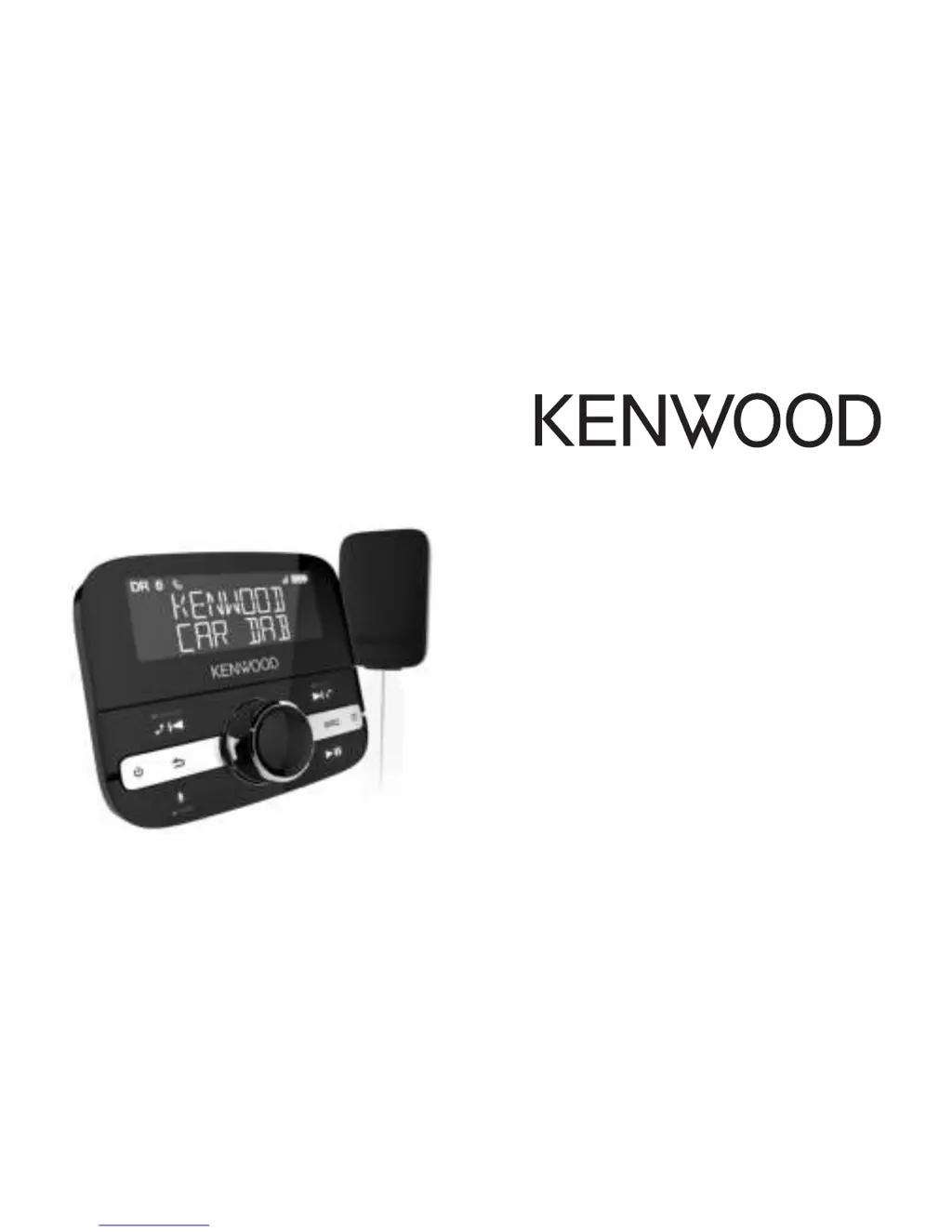
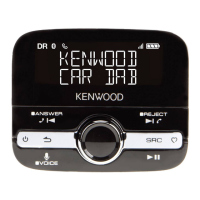
Kenwood KTC-500DAB - User Manual

Kenwood KTC-500DAB
25 pages
Print Icon
To Next Page IconTo Next Page
Loading...
KTC-500DAB

Questions and Answers

  • M
    Matthew ParksSep 3, 2025
    What to do if my Kenwood KTC-500DAB wireless controller is unresponsive?
    • R
      rmillerSep 4, 2025
      If the wireless controller for your Kenwood Receiver is unresponsive or the screen is blank, the batteries in the controller may be dead. Try replacing the batteries. If that doesn't work, the software might have stopped working; try removing and then reinserting the batteries.
  • J
    janet48Sep 18, 2025
    Why can't people hear me on hands-free calls with my Kenwood KTC-500DAB?
    • K
      Kristin ClarkSep 18, 2025
      If the other person can't hear you when making hands-free calls with your Kenwood Receiver, it could be due to the microphone not being fully connected or being too far away from you. Ensure the microphone is fully connected. Also, move the microphone as close to you as possible.
  • Z
    zatkinsonSep 16, 2025
    Why is the antenna light flashing on my Kenwood KTC-500DAB?
    • G
      Gary MercadoSep 16, 2025
      If the status light on the antenna of your Kenwood Receiver is flashing, it means that the controller has lost connection with the antenna. To fix this, you need to pair the controller with the antenna. Use a paperclip to press the reset button on the antenna until the status light on the antenna flashes slowly. Then, place the controller within 50cm of the antenna, and press and hold the specified buttons together. If the controller does not connect within 30 seconds, repeat these steps.
  • A
    Anthony Gutierrez Jr.Sep 14, 2025
    What causes distorted sound on my Kenwood KTC-500DAB with auxiliary cable?
    • M
      Mark AllenSep 14, 2025
      If you are experiencing distorted sound when your KTC-500DAB is connected with an auxiliary cable, the gain setting may not be correct. Try setting the gain setting to 'LOW' or switch to FM transmission.
  • D
    Danielle RobertsSep 12, 2025
    Why is my Kenwood KTC-500DAB wireless controller unresponsive?
    • K
      kylegutierrezSep 12, 2025
      If the wireless controller for your Kenwood Receiver is unresponsive or the screen is blank, the batteries in the controller may be dead, or the software may have stopped working. Try replacing the batteries in the controller. If that doesn't work, remove and then reinsert the batteries.
  • D
    dianemurraySep 12, 2025
    What to do if my Kenwood KTC-500DAB Receiver keeps losing digital radio signal?
    • M
      Mark EdwardsSep 12, 2025
      If your Kenwood Receiver keeps losing digital radio signal, it may be due to traveling through areas with weak DAB signal, incorrect installation, or interference. You can check DAB coverage in your area. Also, check the installation to ensure it is correct. Try switching off other devices like satellite navigation systems or dashboard cameras to see if the signal improves. Using the supplied 12V power adapter can also help, as other adapters may cause interference.
  • L
    lopezkathrynSep 9, 2025
    Why is there no sound coming from my Kenwood KTC-500DAB Receiver?
    • M
      Michael MullenSep 9, 2025
      If you can't hear any sound from your Kenwood Receiver, there are several potential causes. First, ensure the auxiliary cable is firmly connected to your vehicle's audio system, or that you're tuned to the correct FM frequency. Also, verify that your vehicle's audio system is set to the correct input source (FM radio or auxiliary input). If using Bluetooth, make sure your KTC-500DAB is connected to your mobile device and that the volume is turned up on both your vehicle and your mobile device.
  • B
    brownchristianSep 7, 2025
    How to fix 'Antenna Connecting' message on Kenwood Receiver?
    • E
      ethan87Sep 7, 2025
      If the wireless controller for your Kenwood Receiver displays 'ANTENNA CONNECTING' or 'CHECK POWER TO ANTENNA', it could be due to the antenna not being connected to the power supply or the controller not being paired correctly. Try removing and reinserting the power adapter from the 12V socket. If the antenna has power, its status light will illuminate for 5 seconds, and the controller should connect within 30 seconds. If that doesn't work, you may need to pair the controller with the antenna by pressing the reset button on the antenna with a paperclip, then placing the controller within 50cm of the antenna and pressing and holding the specified buttons simultaneously.
  • R
    Robert AdamsSep 5, 2025
    Why can't the other person hear me when I make hands-free calls on my Kenwood KTC-500DAB Receiver?
    • K
      Karen CarrSep 5, 2025
      If the other person can't hear you when making hands-free calls with your Kenwood Receiver KTC-500DAB, check that the microphone is fully connected. Also, ensure that the microphone is positioned as close to you as possible.
  • S
    Samuel SullivanAug 20, 2025
    Why does my Kenwood KTC-500DAB Receiver keep switching off by itself?
    • D
      David AlvarezAug 21, 2025
      If your Kenwood Receiver KTC-500DAB keeps switching off by itself, the auto standby mode may be activated. If this is occurring too frequently, you can adjust the auto standby setting.

Summary

Safety

Safety Instructions

Read and follow all operating instructions and warnings for safe product use.

Symbols and Explanations

Explains symbols used on the product and within the manual for user understanding.

Overview

Whats in the Box

Lists all components included with the KTC-500DAB package for user verification.

Controls

Device Controls Overview

Details the functions of each physical control button and dial on the wireless controller.

Display Icons

Wireless Controller Display Icons

Explains the meaning of various icons displayed on the wireless controller screen.

Getting Started

Installation Steps

Outlines the sequential steps required to install the KTC-500DAB in a vehicle.

Vehicle Requirements

Lists necessary vehicle specifications for compatibility and proper installation of the device.

Optimizing DAB Signal Reception

Provides tips and best practices for achieving the best possible DAB signal quality.

Antenna Installation Location

Recommends optimal placement for the antenna on the vehicle's windscreen.

Microphone and Antenna Connections

Guides on how to properly connect the microphone to the antenna.

Antenna Positioning and Mounting

Details the process for positioning and securely mounting the DAB antenna.

Microphone Positioning

Explains how to position the microphone for optimal voice capture.

Antenna Cable Connection

Illustrates how to connect the antenna cable and power adapter to the vehicle.

Wireless Controller Installation

Provides instructions for mounting the wireless controller bracket and unit.

Initial Device Setup and Power On

Guides on the first-time power-on and initial setup procedure for the device.

Powering the Device On and Off

Explains how to turn the KTC-500DAB on, off, and put it into standby mode.

Digital Radio

Listening to Digital Radio

Instructions on how to tune into and listen to digital radio stations.

Managing Radio Presets

Details how to store and listen to favourite digital radio stations using presets.

Bluetooth

Pairing with Mobile Devices

Guides on wirelessly connecting a mobile device via Bluetooth for audio streaming and calls.

Mobile Device Audio Playback

Instructions for playing music stored on a mobile device via Bluetooth.

Making and Receiving Calls

Explains how to use the device for hands-free calling via Bluetooth.

Using Mobile Devices Personal Assistant

Guides on accessing your mobile device's voice assistant through the KTC-500DAB.

Settings

Audio Output Configuration

Allows selection of audio connection type (AUX or FM) and gain settings.

Automatic Standby Setting

Configures the device's automatic standby timer for power saving.

Radio Tuning and Settings

Covers radio-specific settings like autotuning for DAB stations.

Alternative Station Selection

Configures automatic tuning to stronger signals for weak-signal stations.

Traffic Announcement Control

Enables or disables automatic playback of traffic announcements.

Display Language Settings

Allows the user to change the display language of the wireless controller.

Information Display Customization

Lets users choose what information (station name, quality) is shown on the display.

Screen Brightness Adjustment

Allows manual adjustment of the wireless controller screen brightness.

Software Update Information

Provides guidance on how to update the device's software for improvements.

Troubleshooting

Antenna Connection Issues

Addresses problems related to antenna connection or power supply to the antenna.

Antenna Status Light Issues

Solves problems concerning the antenna's status light being constantly lit or flashing.

Audio Playback Problems

Resolves issues like no sound, distorted audio, or inability to hear during calls.

Connectivity and Signal Issues

Troubleshoots problems with losing DAB signal or Bluetooth connectivity.

Device Power and Operation Issues

Addresses unexpected device power-offs or unresponsive controllers.

Mobile Device Pairing Problems

Helps resolve issues when connecting to a mobile device via Bluetooth.

Wireless Controller Responsiveness

Solves problems with an unresponsive or blank wireless controller screen.

Correct Disposal of Product

Product and Battery Disposal

Provides instructions for the proper disposal of the product and its batteries.

Approvals

Regulatory Approvals and Compliance

Lists the regulatory compliance information and certifications for the device.

Specifications

Technical Specifications

Details the technical properties of the KTC-500DAB, including radio, power, and Bluetooth.

Kenwood KTC-500DAB Specifications

General IconGeneral
DIN size-
Output power- W
Product colorBlack
Disc types supportedNo
Firmware upgradeableYes
Audio output channels- channels
Bluetooth profilesA2DP, AVRCP, HFP, HID, MAP, PBAP, SSP
USB ports quantity1
FM band range87.6 - 107.9 MHz
Supported radio bandsDAB, DAB+, FM
Display typeLCD
Storage temperature (T-T)-40 - 85 °C
Operating temperature (T-T)-20 - 60 °C

Related product manuals