EasyManua.ls Logo

Kenwood NX320 - User Manual

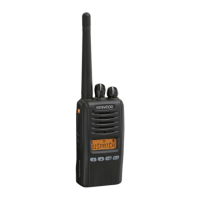
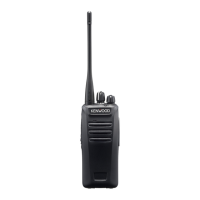
Kenwood NX320
2 pages
Print Icon
To Next Page IconTo Next Page
Loading...
USER
LOG
OFF
USER
LOG
ON
YOUR
USER
NAME
USER
PANIC
ALARM
OPTIONAL FUNCTIONS
Helpdesk for any problems or assistance, phone
0 8 7 0 2 4 0 5 5 3 8
Operating Instructions for the
Kenwood NX320
Switch on and adjust volume
End of day, user log off
2 seconds
1 seconds
2 seconds
Press to talk,
wait for
audio tone
Release to
listen
Audio Tone:
Cycle through 3
volume levels:
(i) High
(ii) Low
(iii) Off
User Group Selection:
Where available, turn to
change and select User Group.
Scan Button:
Where available,
press to turn
scan on, press
again to scan
off.
Panic
Alarm
IN SHORT PHRASES:
STORE NAME
LOCATION
INCIDENT
DIRECTION
Sex / Nationality
Hair / Colour
Age / Build
Clothes / Colour
Carrying
Peculiarities
Question and Answer IconNeed help?

Do you have a question about the Kenwood NX320 and is the answer not in the manual?

Kenwood NX320 Specifications

General IconGeneral
BrandKenwood
ModelNX320
CategoryTwo-Way Radio
LanguageEnglish

Related product manuals