EasyManua.ls Logo

Kenwood TH-78A - User Manual

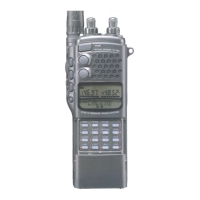
Kenwood TH-78A
72 pages
Print Icon
To Next Page IconTo Next Page
Loading...
imiaiihenaed
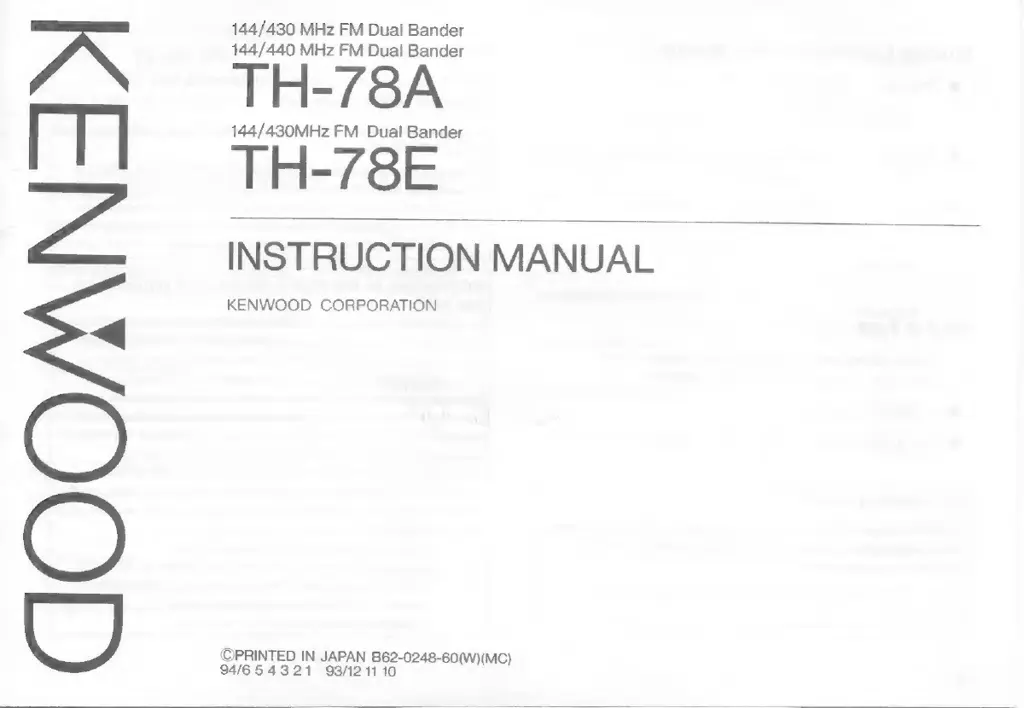
144/430
MHz
FM
Dual
Bander
144/440
MHz
FM
Dual
Bander
TH-78A
144/430MHz
FM
Dual
Bander
TH-78E
INSTRUCTION
MANUAL
KENWOOD
CORPORATION
©PRINTED
IN
JAPAN
Eee
0248-60(W)(MC)
94/654321
93/121

Other manuals for Kenwood TH-78A

Questions and Answers

  • A
    Ashley TurnerJul 30, 2025
    How to fix no sound from the speaker on Kenwood Transceiver?
    • C
      Christopher LandryJul 30, 2025
      If there is no sound from the speaker and no signal can be received on your Kenwood Transceiver, it could be due to several reasons: * The squelch might be closed. To resolve this, turn the SQL control counterclockwise. * If you're using a TSU-7, CTCSS might be active. Deactivate it by pressing the F key, then the 3 key. * DTSS might be operating. Turn it off by pressing the F key, then the 2 key. * Paging might be active. Disable it by pressing the F key, then the 1 key.
  • S
    smithwilliamAug 6, 2025
    What to do if memory cannot be backed up on Kenwood Transceiver?
    • M
      Mary McintoshAug 6, 2025
      If the memory on your Kenwood Transceiver cannot be backed up, it may be because the battery voltage is low. Try recharging the battery. Also, ensure the battery case is properly installed; if it was removed, reinstall it.
  • E
    evanlopezAug 15, 2025
    Why won't the indicators light up on my Kenwood Transceiver when I turn it on?
    • M
      Mr. Brent BernardAug 15, 2025
      If the indicators don't light up and you hear no receiver noise when turning on the Kenwood Transceiver, the issue might be due to low voltage. Try recharging or replacing the battery. If you're using an optional DC cable, inspect the cable and connections for any issues. Also, check the power supply fuse; if it's blown, identify the cause and replace it.
  • T
    Tracy GonzalesAug 22, 2025
    Why no control works on my Kenwood Transceiver?
    • M
      Michael WilsonAug 22, 2025
      If no control works on your Kenwood Transceiver, it may be because the LOCK is ON. To unlock it, press the F key, then press the M key. Alternatively, T.ALT might be ON. To turn it off, press the F key, then press the 5 key.

Summary

Models Covered

TH-78 A (U.S.A.;Canada)

Covers TH-78A models for U.S.A. and Canada with CTCSS unit.

TH-78 A (Other Markets)

Covers TH-78A models for other markets.

TH-78 E (U.K.;Europe)

Covers TH-78E models for U.K. and European markets.

Attention (U.S.A. only)

User Notices

FCC Warning

Warns about potential radio frequency interference from equipment modifications.

FCC Digital Device Information

Details compliance with FCC rules for Class B digital devices and interference mitigation.

The Battery Pack

Receiver Operation

Getting Started

Instructions for initial setup, connecting battery and antenna, and powering on.

Tuning Control and Volume Control

Explains the dual function of tuning and volume controls for VHF/UHF bands.

Selecting a Frequency

Describes methods for selecting frequencies, including keyboard entry.

Programmable VFO Tuning Limits

Explains how to set custom tuning ranges for the VFO.

Transmitter Operation

Using the Memory

Scanning

Scan Options

Details available scan types like Memory Scan, Band Scan, MHz Scan, etc.

Repeater Operation

Transmitter Offsets

Explains standard offset frequencies for repeater communication.

The Dual Tone Squelch System (DTSS)

DTSS Code

How to select and store DTSS codes (000-999).

Using the DTSS Function

Steps to activate and use the DTSS squelch system.

Paging

Setting Paging Codes

Procedure to program individual and group paging codes.

Sending Pages (Calling)

Instructions for initiating a page to individual or group members.

Receiving Pages (Wait)

How to receive and respond to pages, including individual and group calls.

Message Transmission and Reception

Enhanced Receiver Functions

The Tone Alert System

Provides an audible alarm for transmitting on monitored frequencies.

Power Saver Features

The Battery Saver Mode

Activates a battery saver circuit after a period of inactivity.

Automatic Power Off (APO)

Automatically powers off the transceiver after a set period of inactivity.

Duplex Operation

Enabling Duplex Operation

Instructions to activate duplex mode for simultaneous receive/transmit.

Maintenance

Troubleshooting

Indicators Not Lighting;No Receiver Noise

Addresses issues with power indicators and receiver noise.

No Sound;No Signal Received

Troubleshooting steps for lack of audio or signal reception.

No Control Works

Solutions for when transceiver controls are unresponsive.

Memory Channel Recall Issues

Steps to resolve problems with recalling memory channels.

Memory Backup Failure

Addresses issues with backing up memory data.

Specifications

Kenwood TH-78A Specifications

General IconGeneral
Frequency Range144-148 MHz / 430-450 MHz
ModulationFM
Channels200
Supply7.2 VDC
Antenna ConnectorBNC
Receiver Sensitivity0.16 μV (12 dB SINAD)
Channel Steps5, 10, 12.5, 15, 20, 25 kHz

Related product manuals