EasyManua.ls Logo

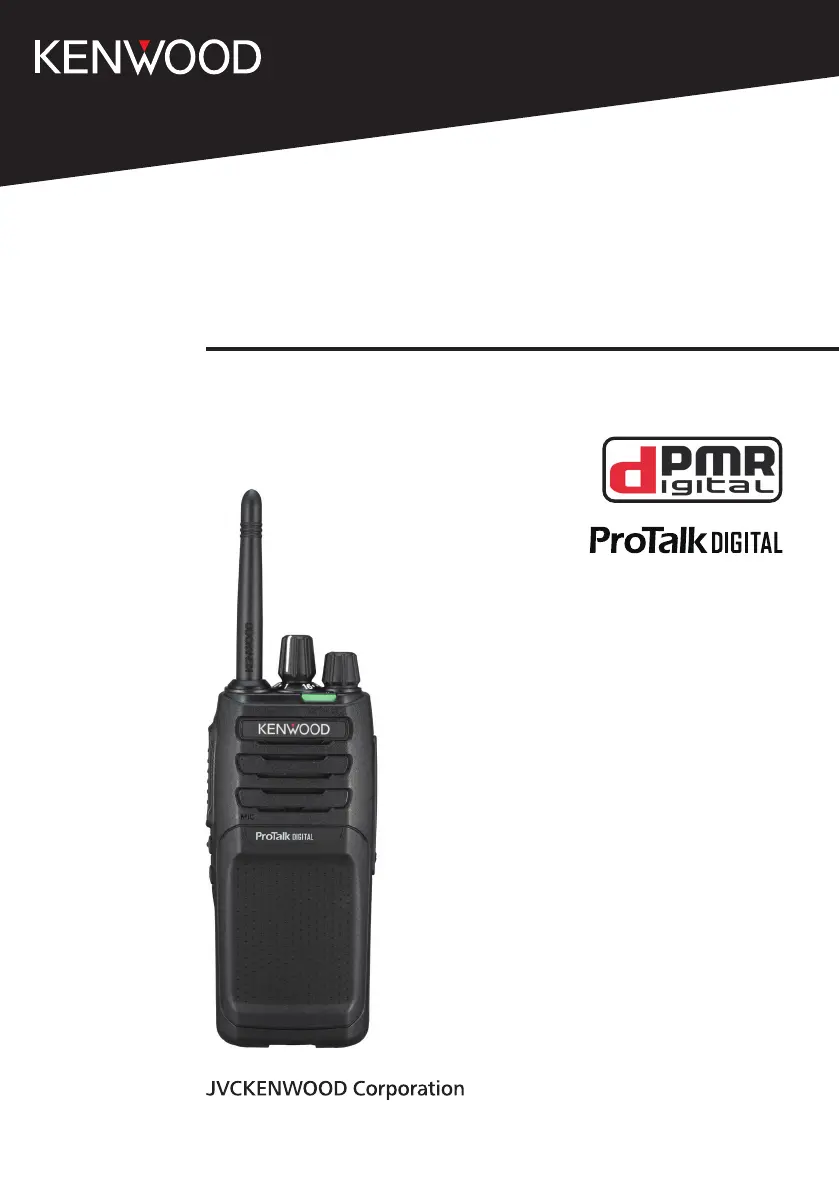
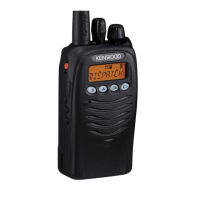
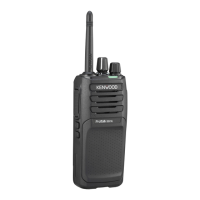
Kenwood ProTalk DIGITAL TK-3701D - User Manual

Kenwood ProTalk DIGITAL TK-3701D
31 pages
Print Icon
To Next Page IconTo Next Page
Loading...
USER MANUAL
TK-3701D
B5A-3234-00_EN

Questions and Answers

  • B
    Brenda ThomasJul 28, 2025
    What to do if I can't hear other members on my Kenwood Two-Way Radio?
    • C
      Charlene BeckJul 28, 2025
      If you cannot communicate with other members of your group using your Kenwood Two-Way Radio, ensure you are using the same frequency and QT/DQT or Common ID settings. Also, check if other group members are using Privacy Talk and turn on your transceiver’s Privacy Talk. Finally, make sure you are within range of the other transceivers.
  • J
    Jennifer AliAug 3, 2025
    How to fix Kenwood ProTalk DIGITAL TK-3701D if it will not turn on?
    • S
      Shane BoydAug 3, 2025
      If your Kenwood Two-Way Radio will not turn on, the battery pack may be dead. Recharge or replace the battery pack. Alternatively, the battery pack may not be installed correctly. Remove the battery pack and install it again.
  • R
    rwebbAug 8, 2025
    How to stop hearing other voices on my Kenwood Two-Way Radio channel?
    • M
      Monica Stephenson DDSAug 8, 2025
      If you are hearing voices other than your group members on your Kenwood Two-Way Radio channel, change the QT/DQT or Common ID settings. Ensure all group members change the settings on their transceivers to match the new QT/DQT or Common ID setting.
  • A
    Angela JamesAug 14, 2025
    Why does my Kenwood ProTalk DIGITAL TK-3701D battery die quickly after charging?
    • E
      Emma MartinezAug 14, 2025
      If your Kenwood Two-Way Radio battery dies shortly after charging, the battery pack life is finished and it may need replacing.
  • R
    robert28Aug 21, 2025
    What to do if I cannot enter setup mode on my Kenwood ProTalk DIGITAL TK-3701D Two-Way Radio?
    • M
      Michael ReynoldsAug 21, 2025
      These operations may not be available depending on dealer settings, consult your dealer.

Summary

PREPARATION

INSTALLING;REMOVING THE BATTERY PACK

Instructions for attaching and detaching the battery pack.

CHARGING THE BATTERY PACK

INSTALLING THE BELT CLIP

INSTALLING THE CAP OVER THE SPEAKER; MICROPHONE JACKS

INSTALLING THE SPEAKER; MICROPHONE OR HEADSET

ORIENTATION

BASIC OPERATION

POWER ON

Instructions for turning the transceiver on.

ADJUST THE VOLUME

How to control the audio volume level.

SELECT A ZONE

Procedure for selecting an operating zone.

SELECT A CHANNEL

Method for choosing a radio channel.

MAKE A CALL

Steps to initiate a transmission.

RECEIVE VOICE

POWER OFF

SELF-PROGRAMMING MODE

SELF-PROGRAMMING FLOW

ZONE SELECTION

FREQUENCY SETUP

QT;DQT SETUP (ANALOGUE)

COMMON ID SETUP (DIGITAL)

CHANNEL CONFIRMATION MODE

BUTTON FUNCTION PROGRAMMING MODE

PROGRAMMABLE FUNCTIONS

Calling Alert

Tones to identify yourself to party members during calls.

Button Lock

Feature to lock or unlock transceiver buttons.

Monitor

Deactivates signaling to hear all signals.

Monitor Momentary

Temporarily deactivates signaling to hear all signals.

Scan

Scan Temporary Delete

Scrambler

Squelch Off

Squelch Off Momentary

Zone

VOICE OPERATED TRANSMISSION (VOX)

VOX Type

Explains VOX and Semi-VOX transmission modes.

VOX Function Setup

Steps to activate VOX and set the VOX Gain level.

SECOND PTT FUNCTION

SECOND PTT OPERATION

Details on using the second PTT function for different channels.

Second Channel Scan

How to scan the second channel.

BACKGROUND OPERATIONS

TIME-OUT TIMER (TOT)

Prevents extended channel use with a timer.

BATTERY SAVER

Reduces power consumption during idle periods.

LOW BATTERY WARNING

Alert for low battery status.

BUSY CHANNEL LOCKOUT (BCL)

Prevents transmission on an occupied channel.

VOICE ANNOUNCEMENT

Audio announcements for settings and status changes.

ALL RESET MODE

TROUBLESHOOTING GUIDE

SPECIFICATIONS

Kenwood ProTalk DIGITAL TK-3701D Specifications

General IconGeneral
BrandKenwood
ModelProTalk DIGITAL TK-3701D
CategoryTwo-Way Radio
LanguageEnglish

Related product manuals