EasyManua.ls Logo

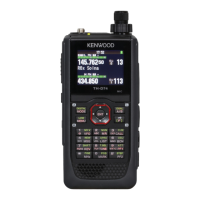
Kenwood TH-D72A - Service Manual

Kenwood TH-D72A
97 pages
Print Icon
To Next Page IconTo Next Page
Loading...
SERVICE MANUAL
This product uses Lead Free solder.
This product complies with the
RoHS
directive for the European market.
© 2010-11 PRINTED IN JA PAN
B51-8944-00
(
N
)
277
TH-D72A/D72E
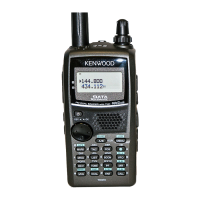
144/440 (430) MHz FM DUAL BANDER
Whip antenna
(T90-1087-05)
Knob (PTT)
(K29-9457-03)
Button knob
(MONI/LAMP)
(K29-9460-03)
Button knob (Cross)
(K29-9464-03)
Packing (Chassis)
(G53-1843-11)
Knob (Volume)
(K29-9458-03)
Knob (Encoder)
(K29-9459-13)
Cap (SP/MIC)
(B09-0736-03)
Plastic cabinet assy
(A02-4092-13)
Front glass
(B10-2797-12)
CONTENTS
DISASSEMBLY FOR REPAIR ......................2
CIRCUIT DESCRIPTION ..............................4
SEMICONDUCTOR DATA .........................12
COMPONENTS DESCRIPTION .................16
TERMINAL FUNCTION .............................18
PARTS LIST ...............................................20
EXPLODED VIEW ......................................35
PACKING ....................................................36
TROUBLE SHOOTING ..............................37
ADJUSTMENT ..........................................39
PC BOARD
TX-RX UNIT (X57-784X-XX) (A,B/3) ....56
TX-RX UNIT (X57-784X-XX) (C/3) ........60
INTERCONNECTION DIAGRAM ..............64
SCHEMATIC DIAGRAM ............................66
BLOCK DIAGRAM .....................................82
LEVEL DIAGRAM ......................................84
OPTIONAL ACCESSORIES
BT-15 (Battery Case) .............................86
PB-45L (Li-ion Battery Pack) .................86
SPECIFICATIONS ......................................87

Other manuals for Kenwood TH-D72A

Questions and Answers

  • A
    Andrea SmithSep 14, 2025
    What to do if I cannot transmit any APRS data with my Kenwood Transceiver?
    • L
      Lisa ChangSep 14, 2025
      If you cannot transmit any APRS data with your Kenwood Transceiver: * Ensure the Beacon is ON by pressing [BCON]. * Adjust the squelch level so it opens only when signals are present. * Activate the data band by pressing [A/B] or [DUAL] if it's blanked. * Switch ON the built-in TNC by pressing [TNC]. * Ensure you're not in Packet mode by pressing [TNC] twice so that only “ ” appears.
  • T
    Terri RodriguezAug 25, 2025
    What to do if most keys don't function on my Kenwood Transceiver?
    • Z
      Zachary FordAug 25, 2025
      If most keys and the Tuning control do not function on your Kenwood Transceiver, it could be because one of the Lock functions is ON, so unlock all of the Lock functions. Also, the transceiver might be in Channel Display mode, so with the transceiver power OFF, press [PTT] + [A/B] + Power ON to exit Channel Display mode.
  • E
    erica39Aug 25, 2025
    How to fix packet operation issues on Kenwood TH-D72A?
    • S
      sloanravenAug 26, 2025
      Packet operation results in no connects with other stations. The squelch is open. Select the correct squelch level so that the squelch is opened only when signals are present. You did not select the same transfer rate as the target station. Use HBAUD command to select the appropriate transfer rate.
  • B
    bduncanAug 26, 2025
    How to resolve signal interference in full duplex mode on Kenwood TH-D72A?
    • M
      marie19Aug 26, 2025
      When transmitting in full duplex mode, another signal is being received at the same time. You are receiving the transmitted signal of your station. Change your settings to a transmit frequency that does not receive the signal, or change the receive frequency. Example frequency setting: Transmit frequency of 146.000 MHz and receive frequency of 439.600 MHz.
  • B
    Bonnie FordSep 15, 2025
    Why can't I select the exact desired frequency on my Kenwood TH-D72A Transceiver?
    • M
      Michael WashingtonSep 15, 2025
      To select the exact desired frequency on your Kenwood Transceiver, expand the frequency range in Menu No. 130 (Prog.VFO).
  • M
    mckenziehallSep 23, 2025
    How to turn off DTMF Lock on Kenwood Transceiver?
    • B
      burkesusanSep 23, 2025
      If DTMF tone cannot be transmitted on your Kenwood Transceiver, DTMF Lock may be ON. Access Menu No. 181 (DTMF Keys) and select “Off.”
  • T
    Terry SaundersSep 7, 2025
    How to enable DTMF tone on Kenwood TH-D72A?
    • D
      Dr. Bryan RodriguezSep 7, 2025
      If the DTMF tone cannot be transmitted on your Kenwood Transceiver, it might be because DTMF Lock is ON. To fix this, access Menu No. 181 (DTMF Keys) and select “Off.”
  • J
    Jennifer CortezSep 8, 2025
    Why doesn't scan resume on my Kenwood TH-D72A Transceiver?
    • N
      ntaylorSep 8, 2025
      If the Scan function on your Kenwood Transceiver does not resume scanning after detecting a signal, it is because you have selected “Seek” for Menu No. 150 (Scan Resume). To change this, select either “Time” (Time- Operated) or “Carrier” (Carrier-Operated) for Menu No. 150 (Scan Resume).
  • K
    Karina DavisSep 2, 2025
    What to do if nothing appears on the display of my Kenwood TH-D72A?
    • J
      Jim WhiteSep 2, 2025
      If nothing appears on the display or it's blinking when you switch on your Kenwood Transceiver, it could be due to several reasons: * The battery pack might be discharged. Try recharging or replacing it. * There might be an issue with the DC cable or connection. In this case, replace the cable. * The power supply fuse could be open (blown). Investigate what caused it and replace the fuse.
  • C
    charlesmorenoAug 31, 2025
    Why does my Kenwood TH-D72A Transceiver transmit without pressing PTT?
    • K
      Katie MckenzieAug 31, 2025
      If your Kenwood Transceiver transmits without pressing [PTT], the VOX function is likely ON. To resolve this, access Menu No. 131 (VOX) and select “Off.”

Summary

DISASSEMBLY FOR REPAIR

How to Remove the Case Assembly

Step-by-step instructions for removing the radio's case assembly.

How to Remove the PCB

Procedures for removing control and RF PCBs from the chassis.

How to Remove the GPS Module

Instructions for removing the GPS module from the chassis.

Precautions for Reassembly

Important notes for correctly reassembling the radio components.

CIRCUIT DESCRIPTION

Outline and Frequency Configuration

Overview of the transceiver and its frequency setup.

Receiver System

Details the receiver circuitry for both bands.

UHF Receiver Circuit

Details the UHF receiver circuits for both bands A and B.

Transmitter System

Explains the transmitter circuitry, APC, and thermal protection.

VCO-PLL Circuit

Describes the oscillator and phase comparator circuits.

Power Supply Circuit

Details the DC-IN, battery charging, and protection circuits.

AF Signal System

Covers reception and transmission AF signal processing.

COMPONENTS DESCRIPTION

TX-RX Unit Components

Lists and describes components for the TX-RX unit.

MCU and IC Component Details

Lists and describes major MCUs and ICs used in the unit.

TERMINAL FUNCTION

TX-RX Unit (A;3) Control Terminals

Lists terminal functions for the control section.

TX-RX Unit (C;3, A;3) TX-RX;Control Terminals

Lists terminal functions for TX-RX and control connections.

Interface Connector Terminal Functions

Details terminal functions for FPC, PTT, COM, and USB ports.

PARTS LIST

Capacitors and Resistors

Lists standard capacitors and resistors with their specifications.

Chip Components

Details specifications for chip capacitors and resistors.

EXPLODED VIEW

TX-RX Unit Assembly Diagram

Exploded view diagram of the main TX-RX unit with part numbers.

PACKING

Accessory Packing Illustration

Illustrates how accessories are packed with the radio.

TROUBLE SHOOTING

Built-in GPS Operation Check

Guides on checking the built-in GPS operation after repair.

Radio Operation Check Procedure

Step-by-step procedure to check radio operation.

GPS Cold Start and Data Display

Explains GPS cold start times and location data screen details.

ADJUSTMENT

Firmware Update and Test Equipment

Procedures for firmware updates and lists required test equipment.

Service Setup Mode Operations

Explains how to enter and use the service setup mode for adjustments.

Transmission and VCO Adjustments

Procedures for adjusting transmission frequency, APC, max deviation, and balance.

Deviation, VOX, and BPF Adjustments

Procedures for adjusting deviation, VOX gain, and BPF settings.

OPTIONAL ACCESSORIES

Battery Pack and Case

Information on optional battery pack and case accessories.

SPECIFICATIONS

General and Transmitter Specifications

Lists general and transmitter specs like frequency and power.

Receiver Specifications

Lists receiver specs including sensitivity, selectivity, and circuitry.

Kenwood TH-D72A Specifications

General IconGeneral
TypeHandheld Transceiver
GPSYes
APRSYes
DisplayLCD
Memory Channels1000
PC ConnectivityUSB
Weather AlertYes
VOXYes
WaterproofNo
Frequency Range144-148 MHz, 430-450 MHz
ModulationFM
Power Output5W
BatteryLi-ion 7.4V 1800mAh

Related product manuals