EasyManua.ls Logo

Kenwood TS-480SAT - Service Manual

Kenwood TS-480SAT
158 pages
Print Icon
To Next Page IconTo Next Page
Loading...
© 2003-11 PRINTED IN JAPAN
B51-8667-00
(
N
)
694
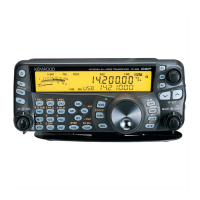
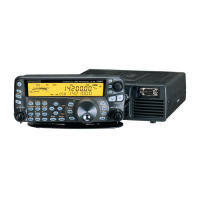
HF / 50MHz ALL MODE TRANSCEIVER
TS-480HX/480SAT
SERVICE MANUAL
DISASSEMBLY FOR REPAIR .................................. 2
CIRCUIT DESCRIPTION ........................................... 3
COMPONENTS DESCRIPTION ............................. 14
SEMICONDUCTOR DATA ..................................... 20
PARTS LIST ............................................................ 27
EXPLODED VIEW................................................... 50
PACKING ................................................................ 54
ADJUSTMENT ....................................................... 55
INTERCONNECTION DIAGRAM ........................... 76
PC BOARD / SCHEMATIC DIAGRAM
RF UNIT (X44-327X-XX) .................................... 78
FINAL UNIT (X45-365X-XX) (A/3)..................... 86
FINAL UNIT (X45-365X-XX) (B/3) ..................... 93
FINAL UNIT (X45-365X-XX) (C/3) ..................... 96
FINAL UNIT (X45-366X-XX) (A/3)..................... 98
FINAL UNIT (X45-366X-XX) (B/3) ................... 105
FINAL UNIT (X45-366X-XX) (C/3) ................... 108
DISPLAY UNIT (X54-3410-00) (A/3, B/3, C/3)
....... 110
TX-RX UNIT (X57-663X-XX) (A/2, B/2) .......... 116
SUB UNIT (X58-4900-XX)................................ 128
TERMINAL FUNCTION ........................................ 129
BLOCK DIAGRAM ................................................ 134
LEVEL DIAGRAM ................................................. 136
ACCESSORIES ..................................................... 140
SPECIFICATIONS ................................................. 141
Knob
(K29-9270-03)
Knob (Main dial)
(K21-1105-03)
Knob ring
(K29-9264-04)
Knob
(K29-9266-03)
Knob
(K29-9267-03)
Cabinet (Lower)
(A01-2190-02)
Knob
(K29-9265-03)
Knob
(K29-9267-03)
Panel assy
(A62-1076-03)
Key top
(K29-9263-02)
Stand
(J09-0409-03)
Microphone
(T91-0638-05)
Cabinet (Upper)
(A01-2189-02)
Panel
(A62-1079-01)
Foot
(J02-0441-05) x 4
CONTENTS


Other manuals for Kenwood TS-480SAT

Questions and Answers

  • L
    Laura ShortSep 23, 2025
    Why a message cannot be recorded on Kenwood Transceiver?
    • A
      Angela MosesSep 23, 2025
      If a message cannot be recorded/played back or no announcement can be heard on your Kenwood Transceiver, confirm the connector of VGS-1 is securely connected to the transceiver. Perform the Full reset.
  • C
    Charles StephensAug 23, 2025
    Why Kenwood Transceiver has poor receive sensitivity?
    • C
      Crystal HamiltonAug 25, 2025
      If you're not receiving signals or the receive sensitivity seems poor on your Kenwood Transceiver, first, turn the SQL control counterclockwise. Ensure the Attenuator function is off by pressing [ATT/PRE/ ANT1/2] until “ATT” and “PRE” disappear, and release the Mic [PTT]. Also, check if the correct antenna connector (ANT 1 or ANT 2) is selected and the preamplifier is on.
  • C
    Chad PittsAug 25, 2025
    What does 'HELLO' message mean on Kenwood Transceiver during transmission?
    • J
      Joseph SanchezAug 26, 2025
      If your Kenwood Transceiver displays the 'HELLO' message and reverts to reception mode when you try to transmit, check the antenna connection and correct it if necessary. Reduce the SWR of the antenna system. Ensure the input voltage is within 11.7 to 15.8 V DC, or use a 12 to 16 V battery. Use a DC power supply with a current rating of more than 20.5 A at 13.8 V DC; for the TS-480HX, two DC power supplies are required to transmit.
  • T
    Tracy ParsonsAug 27, 2025
    What to do if Kenwood Transceiver does not respond to key combinations?
    • M
      Melissa WellsAug 27, 2025
      If your Kenwood Transceiver isn't responding correctly to key combinations or control adjustments, ensure you are following the procedures precisely. Check if the Frequency Lock function is ON and, if so, switch it OFF by pressing [MENU/ F.LOCK] for 1 second. If problems persist, perform a Partial Reset, and if necessary, a Full Reset.
  • C
    cynthia20Aug 27, 2025
    How to unlock frequency on Kenwood Transceiver?
    • D
      David SanchezAug 27, 2025
      If you cannot change the frequency on your Kenwood Transceiver, the Frequency Lock function or Lock All function may be ON. Press [MENU/ F.LOCK] for 1 second to turn the Frequency Lock function OFF. The “ ” icon should disappear.
  • S
    Sean WalkerSep 15, 2025
    What does “PA ERROR” message mean on Kenwood TS-480HX Transceiver?
    • J
      Julia GonzalezSep 15, 2025
      If “PA ERROR” and “CHECK” in Morse code sounds, then the transmission stops on your Kenwood TS-480HX transceiver, let the transceiver cool down for a while, then perform the Full reset.
  • P
    patriciareevesSep 12, 2025
    Why attempts at controlling the Kenwood Transceiver with the computer have failed?
    • M
      Michael MillerSep 13, 2025
      If attempts at controlling the Kenwood Transceiver with the computer have failed, check the cable and cable connections. Use the same parameters in the terminal program and the transceiver. Check Menu No. 56.
  • K
    Kevin RoachSep 14, 2025
    What does “TEMP–HI” message mean on Kenwood Transceiver?
    • U
      usmithSep 14, 2025
      If “TEMP–HI” appears and “CHECK” in Morse code sounds on your Kenwood Transceiver, stop transmitting and let the transceiver cool down for a while.
  • K
    Kayla SantosSep 5, 2025
    What to do if AT does not finish successfully on Kenwood Transceiver?
    • J
      John HansonSep 5, 2025
      If the AT does not finish successfully on your Kenwood Transceiver adjust the antenna system to lower the SWR.
  • C
    Connie McdonaldSep 2, 2025
    Why are received signals unintelligible on my Kenwood Transceiver?
    • D
      deborah28Sep 2, 2025
      If received signals are totally unintelligible on your Kenwood Transceiver, select the correct modulation mode by pressing [MODE] or [MODE] for 1 second.

Summary

Disassembly for Repair

How to Remove the Torque Changeover Lever

Step-by-step instructions for removing the torque changeover lever from the unit.

How to Mount the Torque Changeover Lever

Instructions for correctly mounting the torque changeover lever onto the unit.

Circuit Description

Reference Signal Generator

Explanation of the reference signal generation circuit and its role in PLL frequency control.

LO1;LO2;CAR

Description of the local oscillators (LO1, LO2) and carrier generation circuits.

From detection to AF output

Explanation of the AF signal processing path from detection to audio output.

Transmitter Circuit

Overview of the transmitter circuit, including power output types and unit differences.

Components Description

RF Unit (X44-327 X-XX)

Detailed description of components within the RF unit, including their functions and conditions.

Final Unit (X45-365 X-XX) (A;3)

Detailed component list and function description for the Final Unit (A/3).

Semiconductor Data

Main Microcomputer: HD64 F2338 VFC25 (TX-RX Unit IC204)

Pin assignments, I/O functions, and specification details for the main microcomputer.

Parts List

RF UNIT (X44-327 X-XX)

Comprehensive list of parts used in the RF unit, including part numbers and descriptions.

Final Unit (X45-365 X-XX)

Comprehensive list of parts used in the Final Unit, including part numbers and descriptions.

Exploded View (Main Body Upper Side)

Packing

Adjustment

Required Test Equipment

List of essential test equipment required for performing adjustments on the transceiver.

Preparation

Initial settings for knobs and switches as per service manual requirements.

Updating the Firmware

Instructions and requirements for updating the transceiver firmware using a PC.

Interconnection Diagram

PC Board

RF UNIT (X44-327 X-XX)

Component placement diagram for the RF unit's main circuit board.

TX-RX UNIT (X57-663 X-XX)(A;2) 0-11: KH 0-12: KS 2-71: EH 2-72: ES

Component layout for the TX-RX unit, detailing connections and part locations.

100 W FINAL UNIT (X45-365 X-XX) (A;3) 0-11: KS 2-71: ES

Component placement diagram for the 100W Final Unit (A/3), showing the layout of components.

Block Diagram

Level Diagram (RX Section)

Level Diagram (TX Section)

Accessories

Specifications

General

General specifications including mode, memory channels, supply voltage, and operating environment.

Transmitter

Detailed transmitter specifications including frequency range, output power, and modulation characteristics.

Receiver

Detailed receiver specifications including circuit type, sensitivity, selectivity, and audio output.

Terminal Function

RF UNIT (X44-327)

Detailed pin functions and descriptions for the RF unit's connectors.

TX-RX UNIT (X57-663 A;2)

Terminal functions for the TX-RX unit, covering various input/output signals and control lines.

SUB UNIT (X58-490)

Terminal functions for the sub unit, detailing connections to other main units.

Kenwood TS-480SAT Specifications

General IconGeneral
Antenna Impedance50 ohms
Supply Voltage13.8 V DC ±15%
Current Drain (Receive)1.5 A
Antenna ConnectorSO-239
Operating Temperature-10°C to +50°C
ModesSSB, CW, AM, FM, FSK
Antenna TunerBuilt-in
Current Drain (Transmit)20.5 A
Power Output100 watts
RF Output Power100 watts

Related product manuals