EasyManua.ls Logo

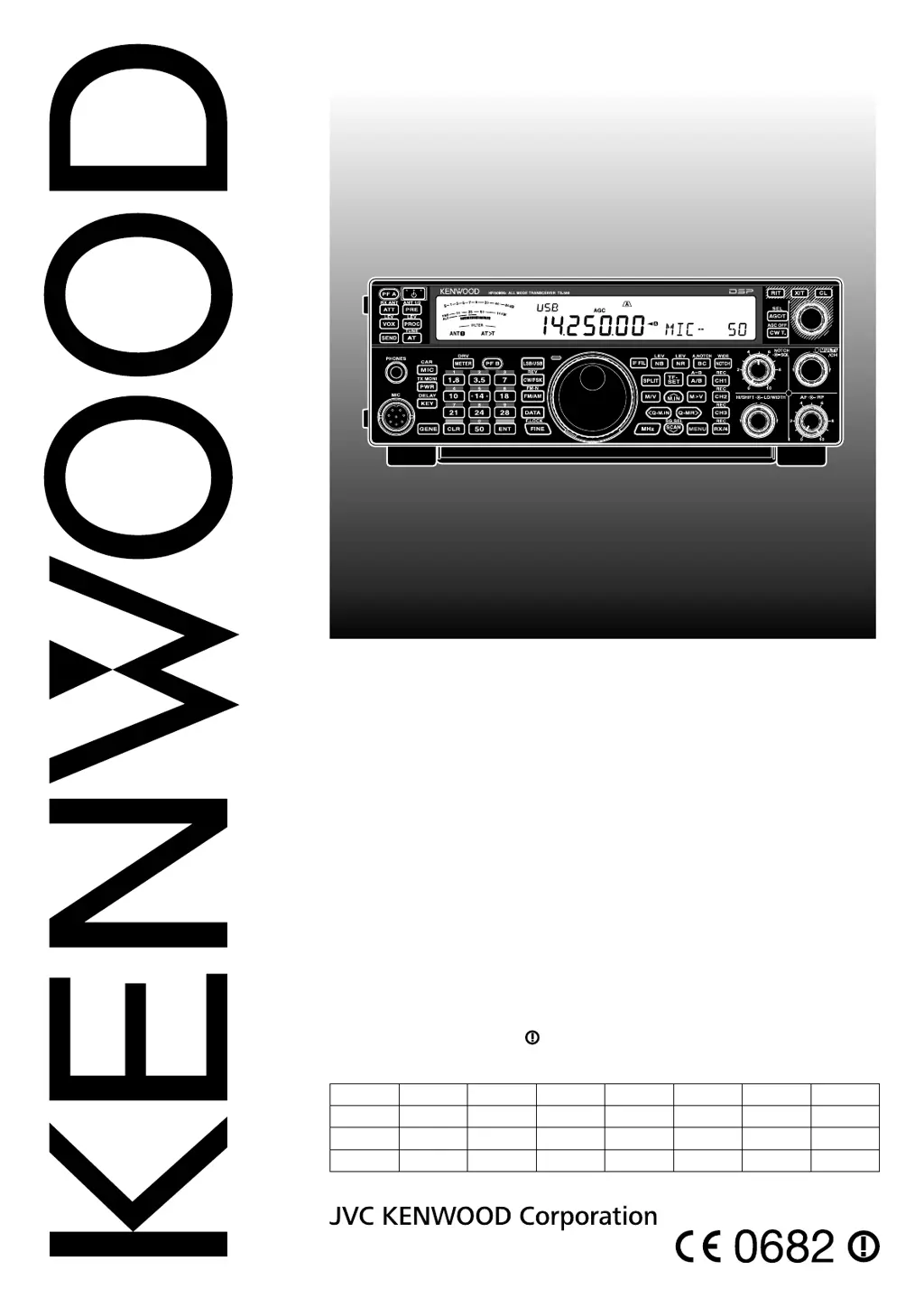
Kenwood TS-590S - User Manual

Kenwood TS-590S
92 pages
Print Icon
To Next Page IconTo Next Page
Loading...
© B62-2243-30 (K, E)
09 08 07 06 05 04 03
HF/ 50 MHz ALL MODE TRANSCEIVER
TS-590S
INSTRUCTION MANUAL
NOTIFICATION
This equipment complies with the essential requirements of Directive 1999/5/EC.
The use of the warning symbol
means the equipment is subject to restrictions of use
in certain countries.
This equipment requires a licence and is intended for use in the countries below.
AT BE DK FI FR DE GR IS
IE IT LI LU NL NO PT ES
SE CH GB CY CZ EE HU LV
LT MT PL SK SI BG RO
ISO3166

Table of Contents

Other manuals for Kenwood TS-590S

Questions and Answers

  • D
    Douglas SimpsonSep 18, 2025
    What does it mean when “TEMP-HI” appears on my Kenwood TS-590S?
    • C
      Cynthia MooreSep 18, 2025
      If “TEMP-HI” appears and “CHECK” in Morse code sounds, a sensor in the transceiver has detected high temperature. Stop transmitting and let the transceiver cool down for a while. Contact a Kenwood authorized service center to clean the internal air filters.
  • L
    Lauren WilliamsAug 25, 2025
    Why is my Kenwood Transceiver not receiving signals?
    • J
      Jessica StevensonAug 25, 2025
      If you're experiencing poor receive sensitivity on your Kenwood Transceiver, consider the following: * Ensure the SQL control is not fully clockwise; turn it counterclockwise. * Check if the Attenuator is ON; if so, switch it OFF by pressing [ATT (RX ANT)]. * Release MIC [PTT] if it's pressed. * Review 'DSP FILTERS' and ensure the IF filter bandwidth is correctly set. * Verify the correct antenna connector (ANT 1 or ANT 2) is selected by pressing and holding [PRE (ANT 1/2)]. * Ensure the pre-amplifier is ON by pressing [PRE (ANT 1/2)]. * If an internal DSP error occurs, restart the transceiver. If the issue continues, consult Kenwood authorized Service Center.
  • M
    Megan TorresAug 25, 2025
    Why can't I transmit with my Kenwood TS-590S?
    • I
      ivalenciaAug 26, 2025
      If you're unable to transmit with your Kenwood Transceiver, even when pressing MIC [PTT], consider these potential causes: * Ensure the microphone plug is fully inserted into the MIC connector after turning the power OFF and checking for foreign objects. * Verify the Transmit Inhibit function is OFF by changing Menu No. 60 to OFF. * Select the correct voice mode instead of CW or FSK. * Adjust the DSP TX filter bandwidth settings in Menu Nos. 25, 26. * Ensure the correct antenna connector (ANT 1 or ANT 2) is selected by pressing and holding [PRE (ANT 1/2)].
  • M
    Michael WrightAug 26, 2025
    Why is my Kenwood TS-590S display showing incorrect digits?
    • A
      Alexander KennedyAug 26, 2025
      If your Kenwood Transceiver isn't functioning normally after being switched on, with incorrect or missing digits on the display, check the following: * Ensure the input voltage is within the range of 13.8 V DC ±15% (11.7 ~ 15.8 V DC). Correct the input voltage or use a 12 ~ 16 V battery. * If the microprocessor has malfunctioned, review 'MICROPROCESSOR RESET', and then perform a VFO Reset. If the problem persists, perform a Full Reset.
  • M
    Megan McfarlandSep 19, 2025
    What does “DSP ERR x” mean on my Kenwood TS-590S Transceiver?
    • T
      Terrance ClarkSep 22, 2025
      If “DSP ERR x” appears (where x is a number from 0 ~ 3), an internal DSP error has occurred. Restart the transceiver by turning the power OFF and then back ON. If the problem persists, consult Kenwood authorized Service Center.
  • C
    Charles ChapmanSep 23, 2025
    Why can't I record or playback messages on my Kenwood TS-590S Transceiver?
    • R
      Ray LopezSep 23, 2025
      If a message cannot be recorded/ played back or no announcement can be heard, there may be a communication error between the transceiver and the VGS-1. Confirm that the connector of the VGS-1 is securely connected to the transceiver. Perform the Full reset. If the problem persists, contact a Kenwood authorized service center for repairs (with the VGS-1 attached).
  • G
    georgederekSep 9, 2025
    Why won't my Kenwood Transceiver Memory Scan start?
    • S
      smithmarkSep 9, 2025
      If Memory Scan won't start on your Kenwood Transceiver, consider these potential causes: * Adjust the SQL control to just eliminate background noise. * Unlock at least 2 memory channels. * Store data in at least 2 memory channels.
  • M
    Morgan GriffithSep 12, 2025
    Why is Program Scan not working on my Kenwood Transceiver?
    • K
      kathryn33Sep 12, 2025
      If Program Scan won't start on your Kenwood Transceiver, it may be because the start and end frequencies are identical. Store different start and end frequencies.
  • T
    Tamara BergSep 3, 2025
    Why does Kenwood TS-590S output power seem low in SSB mode?
    • M
      michael67Sep 3, 2025
      If the transceiver output power seems to be low in SSB mode, apply a continuous single tone (1 kHz) to the microphone audio input to measure the RF output power. The PEP will be the same as this RF output level.
  • A
    Allen Shelton MDSep 1, 2025
    Why does Kenwood TS-590S output power decrease after short time?
    • J
      Joshua WalkerSep 1, 2025
      If your Kenwood Transceiver's output power decreases after a short operating time: * Contact a Kenwood authorized service center to clean the air filters, as they may be congested with dust. * Relocate the transceiver to ensure adequate airflow for cooling.

Kenwood TS-590S Specifications

General IconGeneral
Receiver TypeDouble conversion superheterodyne
IF DSPYes
DisplayLCD
Power Supply13.8V DC
ModesSSB, CW, AM
RF Output Power100 W
IF Rejection80 dB or more
Image RejectionMore than 70 dB
Weight7.4 kg
Current Consumption20.5 A (Transmit), 1.5 A (Receive)

Related product manuals