V3.0 | 01.06.2020 | Page 7
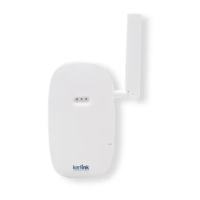
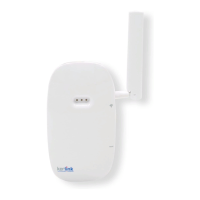
Applicave soware means embedded soware running on the Wirnet™ iFemtoCell-evoluon
like KERLINK Small Private Network (SPN) or Kerlink « common » packet forwarder or any another
Packet Forwarder (soware that forwards LoRa packets received to a server).
Please contact your reseller to know the LEDs behavior if the applicave soware installed on the
Wirnet™ iFemtoCell-evoluon is not the one ocially provided by KERLINK.
To generate a soware reset of the product : press the reset On/O buon during 1s.
To turn o the gateway : press the reset On/O buon during 5s.
To turn on the gateway : do a short press on the reset On/O buon.
To press the buons, a tool with a 1mm diameter must be used.
For more informaon on the « Quick start of Wirnet™ iFemtoCell-evoluon Gateway, please
consult the Kerlink Wiki:
hp://wikikerlink.fr/wirnet-productline/doku.php?id=playground:quickstart:quickstart_ifevo
6.4 Connecon to the Web interface of the Gateway
The Wirnet productline embeds a web interface to allow to easily manage the gateways:
• Trigger soware upgrade/update,
• Congure the backhaul connecvity,
• Trigger acons on the gateway: Turn-o, reboot, factory reset …
The generic syntax to access to this web interface is: hp://klk-<type_GW>-<serial>/
This means:
• for the Wirnet iFemtoCell: hp://klk-wifc-03002e/
• for the Wirnet iFemtoCell-evoluon: hp://klk-fevo-03002e/
• for the Wirnet iStaon: hp://klk-wiis-03002e/
• for the Wirnet iBTS: hp://klk-lpbs-03002e/
Note that if your computer is on the same local network, you can also use directly the IP address
of your gateway in a browser to connect to the Web interface.
The default credenals are:
Login: admin
Password: pwd4admin
For security reasons, it is strongly recommended to change the default passwords.
6.5 Connecon in SSH to the Gateway
If you want to connect to the gateway as “root”, please enter login/password (root / pdmk-
$serialno) of the Gateway.
Note about “Default password”: To prevent Web robots to aack the gateway with standard login/



 To Next Page