20 TALJG_A/TALSG_A/TPLJG_A/TPLSG_A-BA-e-2011
3.2 Operating controls
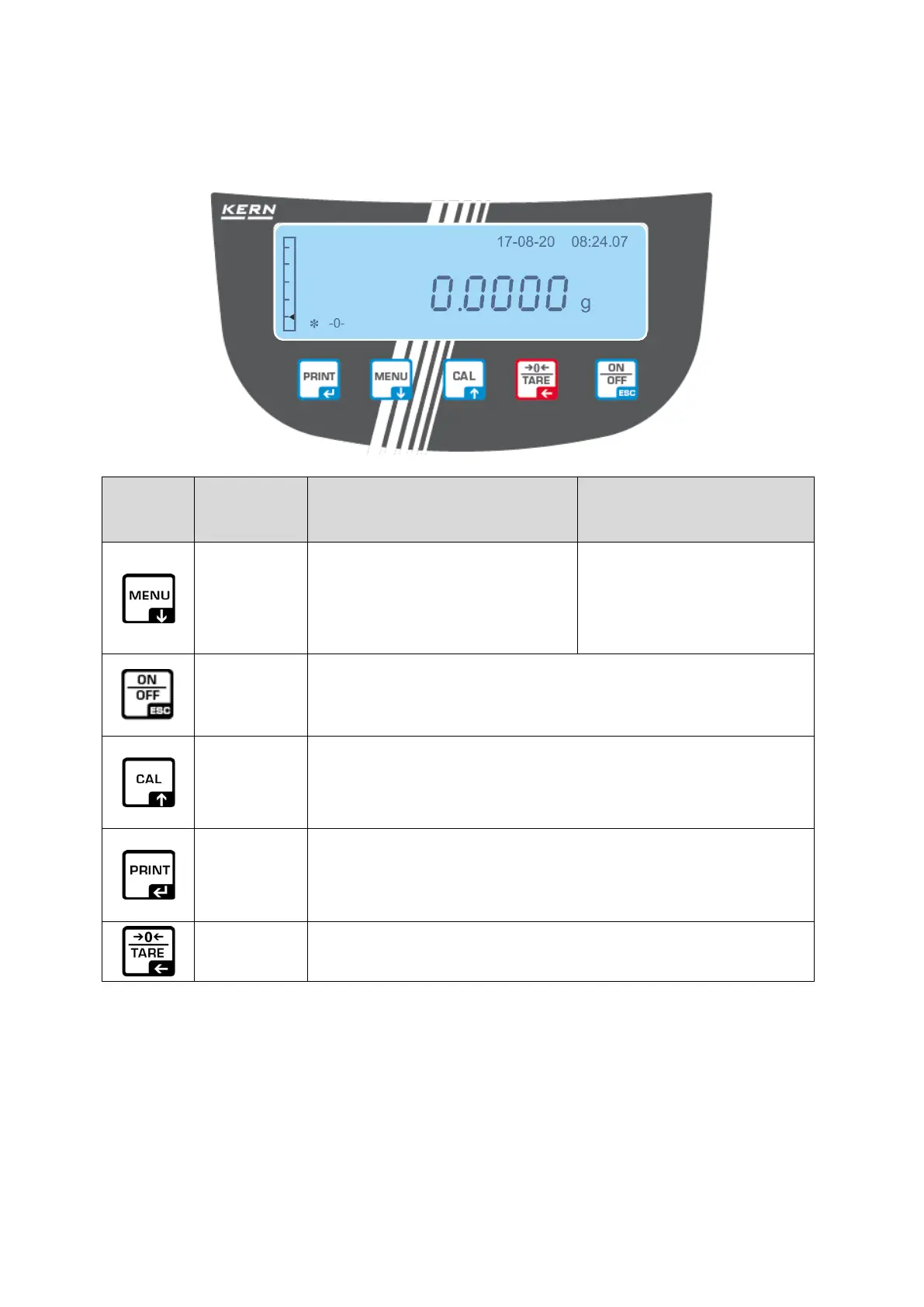
3.2.1 Keyboard overview
the button until the
MENU
button
• Displaying the main /
application menu
• Menu item selection —
scrolling forward
• Displaying the setup
menu
• Leaving the setup
menu
ON/OFF
button
• Switching on/off
• Leaving the main / application menu,
return to the weighing mode
CAL button
• Adjustment
• Menu item selection — scrolling backward
PRINT
button
• Weight data transfer via the interface
• Setting confirmation/saving
TARE
button
• Taring
• Resetting


 To Next Page