32 MLS_C-BA-e-1330
05 Report printout
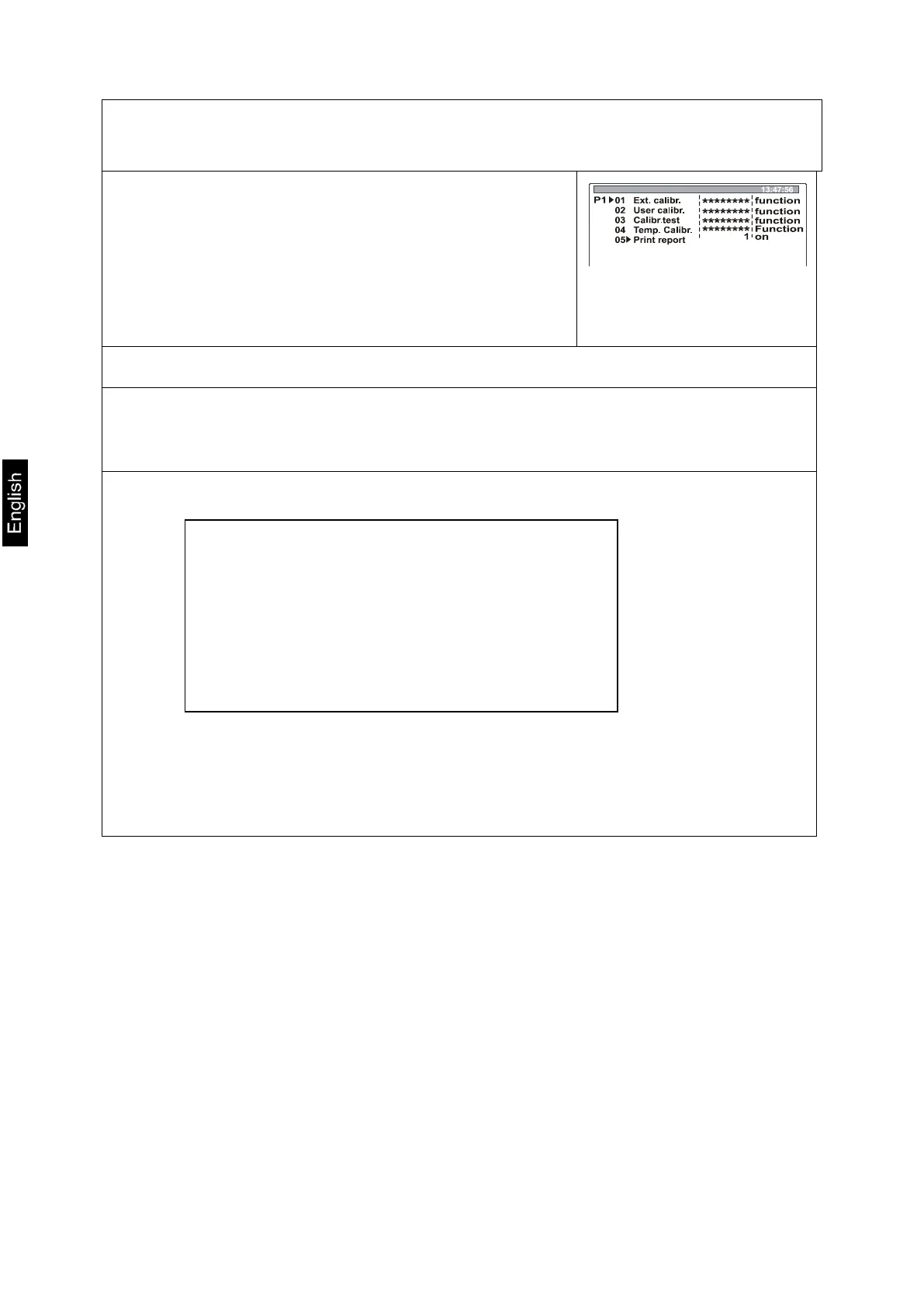
This menu point is used to enable the function for printing your adjustment data.
Press the arrow keys ( ), to select “05 Print report“
Press the -key; the current menu item blinks.
Press the arrow keys ( ), to select the desired
settings:
0 Report printout disabled
1 Report printout enabled
Confirm by pressing the PRINT key.
Return to weighing mode:
Press the ESC-key repeatedly until the query ”SAVE?“ appears. Confirm query by
pressing the PRINT-key or reject it by pressing the ESC-key.
If Report printout is enabled you will receive a protocol for your adjustment data
after each adjustment.
The content of this
printout depends on
the data defined in P2
GLP (See chpt. 8.2)
***Protocol of external calibration***
Person in charge of calibration : external
Diff.. : -0.0624 g
Signature………………………….


 To Next Page