EasyManua.ls Logo

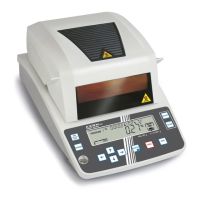
KERN DBS 60-3 - User Manual

KERN DBS 60-3
91 pages
Print Icon
To Next Page IconTo Next Page
Loading...
Operating instructions
Electronic Moisture Analyser
PCE Americas Inc.
711 Commerce Way
Suite 8
Jupiter
FL-33458
USA
From outside US: +1
Tel: (561) 320-9162
Fax: (561) 320-9176
info@pce-americas.com
www.pce-instruments.com/english
www.pce-instruments.com
PCE Instruments UK Ltd.
Units 12/13
Southpoint Business Park
Ensign way
Hampshire / Southampton
United Kingdom, SO31 4RF
From outside UK: +44
Tel: (0) 2380 98703 0
Fax: (0) 2380 98703 9
info@pce-instruments.com
KERN DBS
Version 1.1
03/2013
GB
DBS-BA-e-1311

Table of Contents

Other manuals for KERN DBS 60-3

Questions and Answers

  • T
    Tammy CohenAug 2, 2025
    What to do if nothing appears on the display of my KERN Measuring Instruments?
    • D
      Daniel ClarkAug 2, 2025
      If nothing appears on the display, several issues could be the cause. First, check if the power supply voltage is lower than the rating and correct it. Next, inspect the power cord (S17) and replace it if defective. Also, the power board assembly (B4), the main board assembly (B2) or the power supply inlet (B11) might be defective and need replacement. Finally, check the fuse (S18) and replace it if it's blown.
  • L
    leontraceyAug 8, 2025
    Why does the display of my KERN Measuring Instruments not change from 'CHK' after turning it on?
    • J
      Joseph ConwayAug 8, 2025
      If the display remains on 'CHK' after powering on, it could be due to several reasons. First, ensure proper cable alignment of the unit assembly (1), re-clamping the cable with correct alignment as shown in Fig.27, and ensure the Cable and Ferrite core of the unit assembly (1) do not touch the detector assembly (U11) (Fig.23). Second, check the Pt-Ni band (U17) and reconnect it properly. Finally, the OPF (U1) might be damaged, requiring replacement of the unit assembly (1).
  • B
    Benjamin PetersonAug 14, 2025
    What to do if keys do not function on KERN Measuring Instruments?
    • A
      Ann ChaneyAug 14, 2025
      If the keys are not functioning, it could be due to a defective main board assembly (B2), which would need to be replaced. Alternatively, the case assembly (S2) might not be fastened properly; refasten it to resolve the issue.
  • L
    Lisa KleinAug 20, 2025
    How to reset a forgotten password on KERN Measuring Instruments?
    • T
      Thomas MannAug 20, 2025
      To reset a forgotten password, input 9999 as the password, then press the '?' key and 'ENTER' key simultaneously for 3 seconds. This will reset the password to 9999.
  • J
    Jennifer LeblancAug 26, 2025
    Why does part of displayed numbers or symbols not appear on my KERN Measuring Instruments?
    • K
      Kenneth KnightAug 26, 2025
      If parts of the numbers or symbols on the display are missing, the main board assembly (B2) is likely defective and needs to be replaced.

Summary

Technical Data

Appliance Overview

Basic Information (General)

Proper Use

Guidelines for the intended and correct application of the moisture analyzer.

Improper Use

Identifies actions and conditions that constitute incorrect usage of the device.

Danger Information

Critical safety warnings and potential hazards associated with the appliance's operation.

Hazard Information Sticker

Explains specific hazard symbols and warnings found on the appliance.

Unpacking, Setup and Commissioning

Mains Connection

How to safely connect the appliance to the power supply.

Adjustment

Adjust Balance

Step-by-step guide to calibrate the balance for accurate measurements.

Adjust Temperature

Instructions for calibrating the temperature measurement functionality.

Moisture Analysis

Start Drying

Step-by-step guide to initiate a drying process for sample analysis.

Drying Parameters

Adjust

Adjusting drying modes and their associated parameters.

Drying Modes

Details on different drying modes (AUTO, TIME, RAPID, SLOW, STEP).

Drying Mode AUTO

Configuration for the automatic drying mode with Delta M criterion.

Drying Mode TIME

Configuration for time-controlled drying mode.

RAPID Drying Mode

Settings and usage for the rapid drying mode with preheating.

SLOW Drying Mode

Configuration for the slow drying mode, suitable for heat-sensitive samples.

STEP Drying Mode

How to set up and use the step-by-step drying process.

Print, Store and Call-up Measurement Results

General Information Concerning Moisture Analysis

Preparing a Sample

Detailed instructions on how to prepare samples for accurate analysis.

Service, Maintenance, Disposal

Cleaning

Instructions on how to clean the different parts of the moisture analyzer.

Instant Help

Error Messages

Explanations of error codes and their corresponding remedies.

KERN DBS 60-3 Specifications

General IconGeneral
CategoryMoisture Analyzer
Readability [d]0.001 g
Reproducibility at 2g sample0.2%
Reproducibility at 10g sample0.05%
Minimum sample weight0.5 g
Maximum sample weight60 g
Heating typeHalogen
Drying time displayYes
Halogen quartz glass heaterYes
Power supply220 V - 240 V AC, 50 Hz
Weighing range60 g
Readability0.001 g
MaterialStainless steel
InterfaceRS 232
Heating programsStandard
Switch-off criteriaAutomatic, manual
Overall dimensions202 x 336 x 157 mm
Net weight4.2 kg
Temperature range50 °C - 200 °C

Related product manuals