Need help?
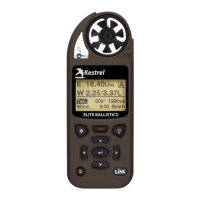
Do you have a question about the Kestrel 5700 Elite and is the answer not in the manual?
Choose your Kestrel device from the app's list to establish a wireless connection.
 General
| Connectivity | Bluetooth |
|---|---|
| Water Resistance | IP67 |
| Drop Test | MIL-STD-810G |
| Data Logging | Yes |
| Ballistics Calculator | Yes |
| Humidity Range | 0 to 100% RH |
| Measurement Functions | Wind speed, temperature, humidity, pressure, altitude |
| Display | Monochrome LCD |
| Wind Speed Range | 0 to 60 m/s (0 to 134 mph) |
| Temperature Range | -29 to 70°C (-20 to 158°F) |
| Temperature Accuracy | ±1 °C |
| Humidity Accuracy | ±3% RH |
| Barometric Pressure Accuracy | ±1.5 hPa |
| Altitude Range | -500 to 9000 m |
| Altitude Accuracy | ±15 m (±50 ft) |
| Battery Life | 400 hours |
| Operating Temperature | -10 to 55 °C |
| Storage Temperature | -30 to 60 °C |
| Battery Type | 2 x AA Lithium |
| Dimensions | 5.0 x 1.9 x 1.1 in (127 x 48 x 28 mm) |

 To Next Page