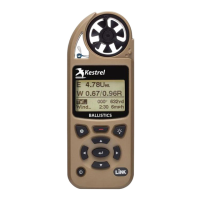
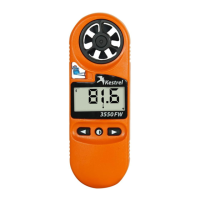
Need help?
Do you have a question about the Kestrel Elite and is the answer not in the manual?
Ensuring accurate readings by understanding environmental changes and sensor stabilization.
Emphasizes using care and good judgment for safety, health, and property decisions.
Guidelines to reduce the risk of injury or death when using the device for environmental measurements.
Details safety precautions for handling and storing lithium batteries, including warnings about ingestion.
Instructions for setting reference values for barometric pressure measurements.
Process to obtain accurate muzzle velocity by combining user input and shot results.
Steps for connecting Kestrel to various devices via Bluetooth or USB.
Procedure for pairing Kestrel with new LINK-compatible devices like range finders.
Instructions for connecting Kestrel to computers using a USB cable for data transfer and firmware updates.
 General
| Measurement Parameters | Wind speed, temperature, humidity, dew point, heat stress index |
|---|---|
| Wind Speed Accuracy | +/- 3% or +/- lowest significant digit, whichever is greater |
| Temperature Range | -20 to 158°F (-29 to 70°C) |
| Barometric Pressure Range | 300 to 1100 hPa (8.85 to 32.5 inHg) |
| Barometric Pressure Accuracy | +/- 1.5 mbar |
| Connectivity | Bluetooth |
| Water Resistance | IP67 (waterproof to 1m for 30 minutes) |
| Operating Temperature | -29 to 70°C (-20 to 158°F) |

 To Next Page