20
PLAY LIST
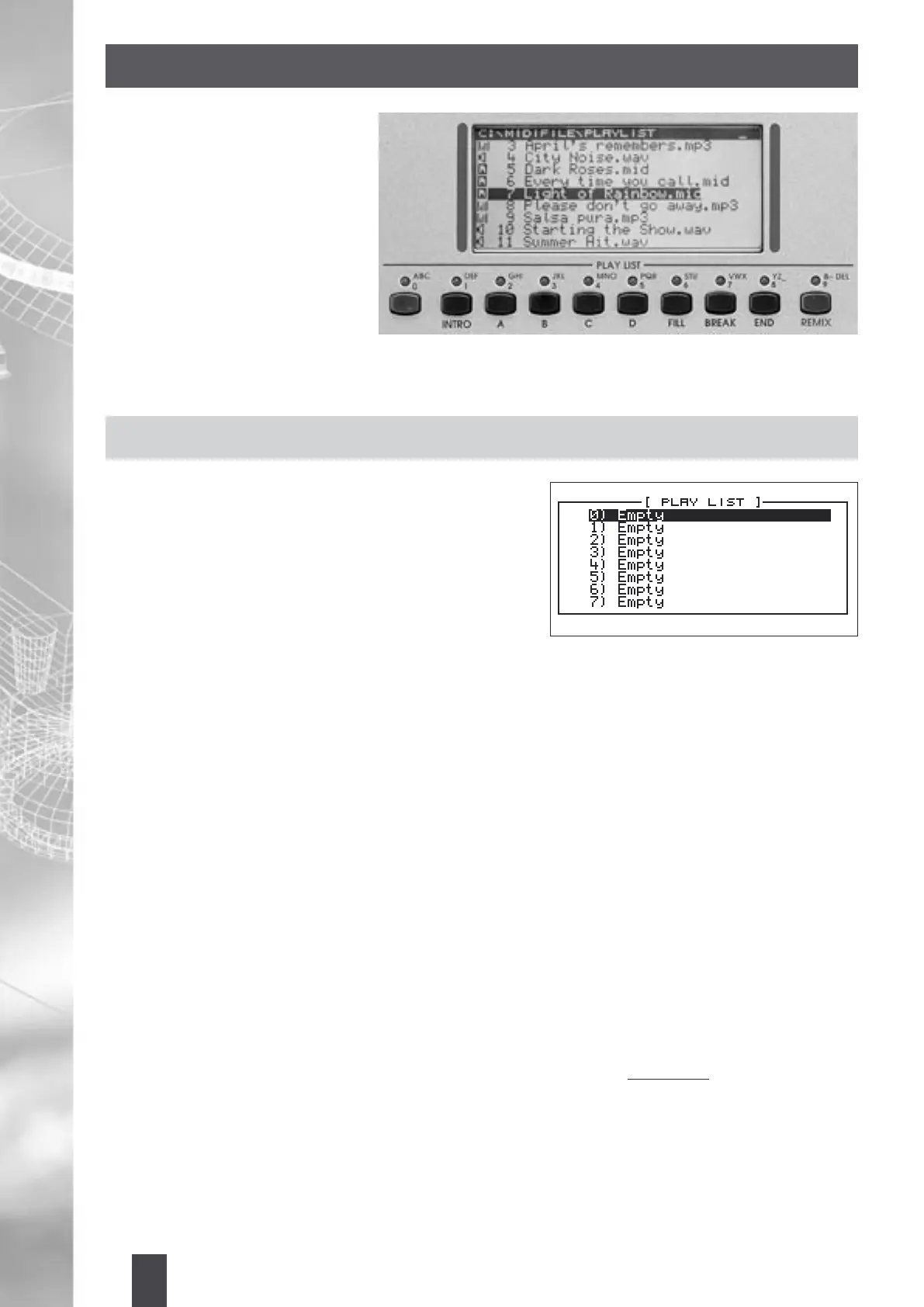
The Play List feature allows you
to automatically call up as many
as 10 Songs instantly and you
can select which Songs you want
to go to by directly pressing the
associated Play List buttons (0-9)
or using the Cursor keys or Alpha
Dial wheel to select the Songs from
the screen. You can either set up a
Play List instantly as you perform in
real time, or create one and store
for later recall and use.
The Play List can be made up of a combination of Wave, MP3 or MIDI Files.
CREATING A PLAY LIST
To create a Play List:
1. Press the Play List button.
2. Next press Edit to get into the Play List Menu.
3. Select “Create” and press Enter. The locations 0-9 are
the locations where Songs can be stored (currently, these
should come up as Empty). The Play List button should
start ashing denoting the Edit Mode.
4. Now press any of the Folder buttons (Wave, MIDI File,
DJ Loop... MP3) and select a Song you want assigned to
location “0”. As soon as you press Enter, the Play List location “0” lights up denoting that this location has
now been lled with the Song that was just selected.
5. Proceed and select Songs for the next 9 locations. If at anytime you wish to view the Songs in the Play List,
simply press the Play List button again and the screen will display the Songs. The corresponding locations
will light up to denote that they are being lled with the Songs you are selecting.
6. You can now play them instantly by selecting the corresponding Play List buttons (0-9) associated to the
Song and pressing Start/Pause to play the Song. You can press the Edit button once more to Remove a
selected Song or Insert a Song into the current highlighted location.
This is considered as an instant Play List. Even though this list is retained in memory even when you move to
other functions and back, if you do not save this list, it will be lost once the MIDJAY is turned OFF.
If you want to save this list permanently for future recall and use:
1. Press the Edit button and select “Save” and press Enter.
2. Now give the Play List a name by using the alphabetical Play List buttons [ABC, DEF...] and press Enter
to save it. The next time, you can recall the Play List for future use as shown below.
A Play List File resides within the Hard Disk and here is how it can be recalled:
1. Press the Play List button (corresponding light should light up and “C:\Play List” directory should be
displayed on the top of the screen).
2. Select either one of the Play List Files (... .pls) within this directory using either the Cursor keys or Alpha Dial.
3. Press Enter to load the File. The Play List lights (0-9) all light up and are directly linked with the Songs
displayed on the screen (which are numbered accordingly).
4. You can start playing the Songs either by pressing the Start/Pause button to start the highlighted Song
or directly pressing the Play List buttons (0-9) to start the associated or corresponding Song, and then
scrolling to the desired Song (using the Cursor keys or Alpha Dial) and pressing Enter to start playback.


 To Next Page