34
DISK
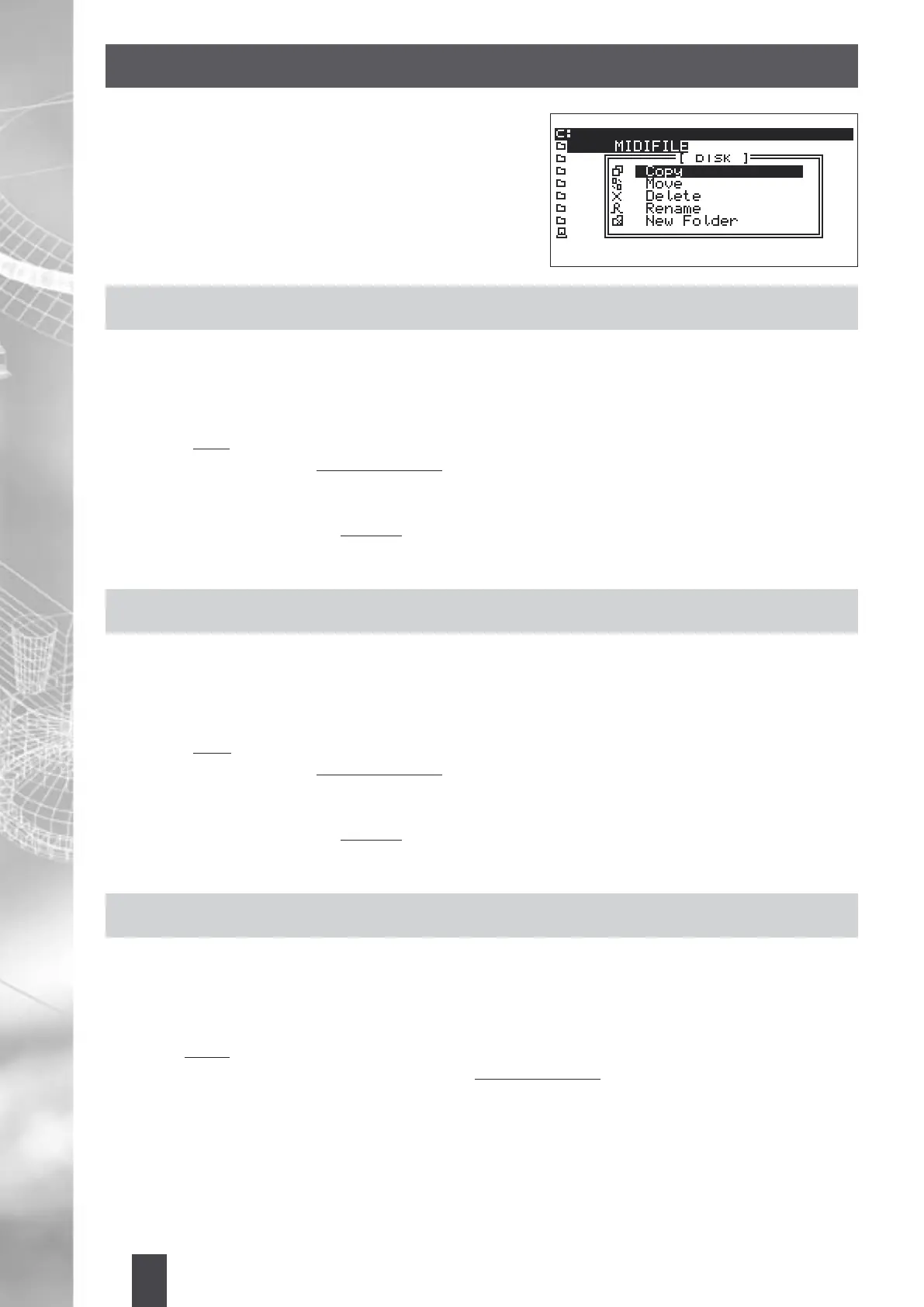
The MIDJAY Disk control is similar to that used by common
PC-based programs. This type of control allows you to Copy,
Move, Delete, Rename, and, furthermore, it allows you to
create New Folders.
COPYING FILES FROM FLOPPY DISKS TO HARD DISK
1. Insert the Floppy Disk in the drive. The Files contained in the Disk will be immediately displayed.
2. Press Disk.
3. Select the Files, one by one, and press Enter. (An arrow appears next to the selected Files).
4. Press Edit.
5. Select “Copy” and press Enter.
6. Then conrm with OK in “Destination Folder”.
7. Select the destination Folder and press Enter.
8. If you want to enter in a sub-directory within a Folder, select it and then press Enter.
9. Press Edit again and select “Execute”.
10. Then press Enter. The Files will be copied to the Hard Disk.
MOVING FILES AMONG DIFFERENT FOLDERS TO THE HARD DISK
1. Choose the Folder from which you intend to move the Files; enter its content by pressing Enter.
2. Press Disk.
3. Select the Files, one by one, and press Enter. (An arrow appears next to the selected Files).
4. Press Edit.
5. Select “Move” and press Enter.
6. Then conrm with OK in “Destination Folder”.
7. Select the destination Folder and press Enter.
8. If you want to enter in a sub-directory within a Folder, select it and then press Enter.
9. Press Edit again and select “Execute”.
10. Then press Enter. The Files will be copied to the Hard Disk.
DELETING FILES ON HARD DISK / FLOPPY
1. Choose the Folder in which you intend to delete the Files; enter its content by pressing Enter.
2. Press Disk.
3. Select the Files, one by one, and press Enter. (An arrow appears next to the selected Files).
4. Press Edit.
5. Select “Delete” and press Enter.
6. The “Delete File” icon appears with the message “ARE YOU SURE?”
7. Press OK to conrm or Cancel to void the deletion.


 To Next Page