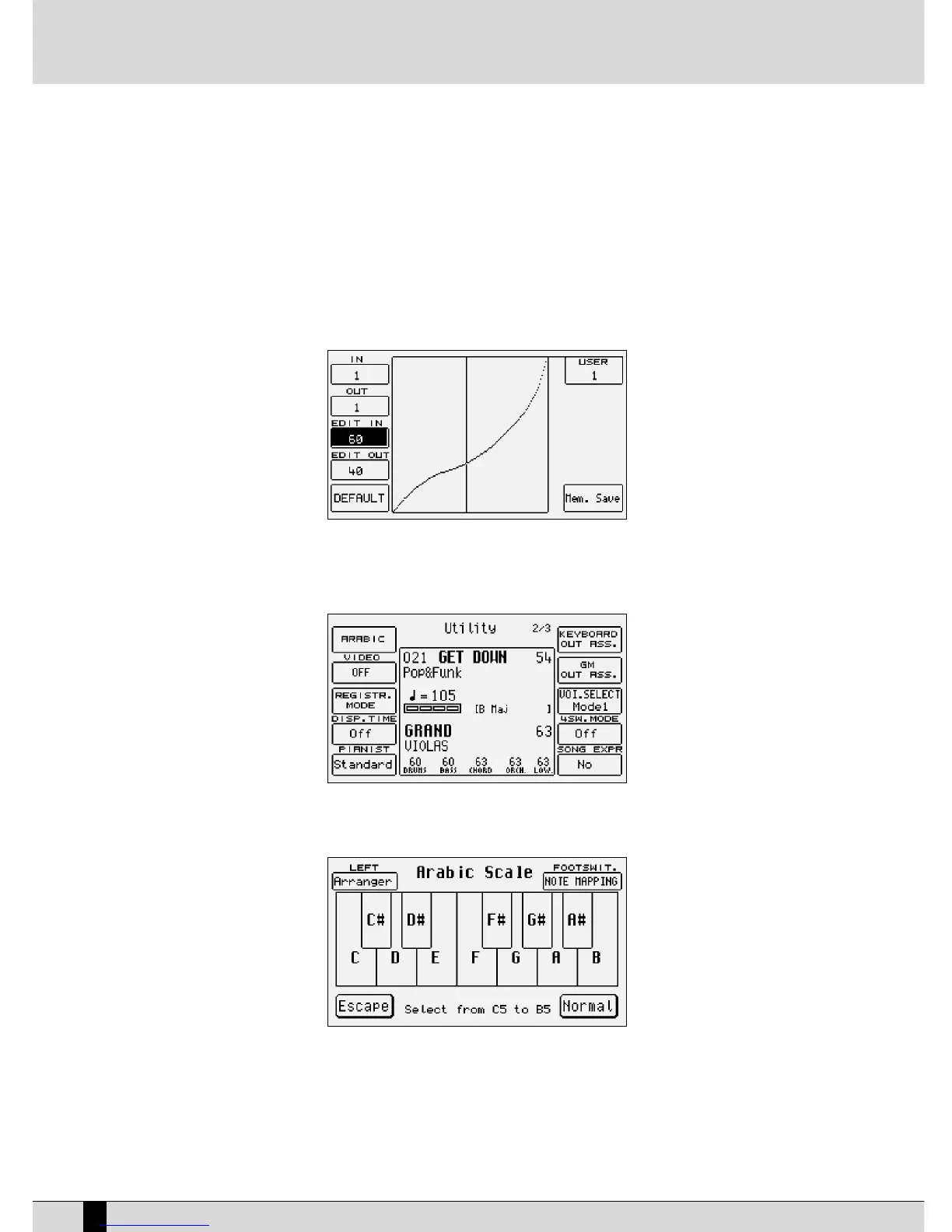
in real time. The parameters available are the following:
F1 Key In: This indicates the velocity value acknowledged by the keys of the keyboard or entered using the VALUE
+/- push buttons.
F2 Key Out: This indicates the output value of the velocity according to the response curve. It is a purely informa-
tive parameter.
F3 Edit In: The dynamics curve is split up into twelve sections, each of which bears ten velocity values. By select-
ing a section using the VALUE +/- push buttons you can modify its response using Edit Out.
F4 Edit Out: The value that can be changed using the VALUE +/- push buttons defines the increase or decrease that
will be applied proportionally to the ten velocity values within a section.
F5 Default: This resets the initial curve.
F6 Curve: This calls up one of the five User curves.
F10 Mem. Save: This saves the User curve modified in Flash RAM.
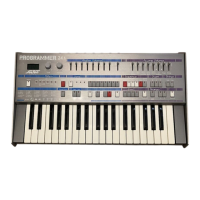
UTILITY, PAGE 2/3
From the initial page of the Utility menu access is gained to the second page by pressing PAGE +. The parameters available are the following:
F1 Arabic:
This calls up a new page to create tunings suitable for the countries using the Arabic scale, which is kept even in the
case of transposition. A scale is shown in the middle of the display, the notes of which are selected using the octave
keys from C5 to B5. Once the note is selected a box appears indicating a value of –50 Cent (a fourth of a tone) that can
be modified precisely using the VALUE +/- push buttons. By pressing the same key again the modification is cancelled
and the tuning returns to the original one. The parameters available are the following:
F1 Left: This establishes whether the intervals of the Arabic scale are operational also on the Arranger and
Lower parts or otherwise. If set as No the Arabic scale is not cut-out from the whole Left part.
F5 Escape: This returns to the initial page of the Utility menu.
SD1 Owner’s Manual
100


 To Next Page