Owner’s Manual SD1
19
HOW TO LOAD A STYLE FROM DISK
Thanks to the built-in hard disk the SD1 facilitates the use of any Styles that are not saved in the memory but are stored as files on the hard
disk, either by loading them from folders created by the user or by using a preferential folder with the Master Folder enabled. As default set-
ting the SD1 utilises the Styles stored in the memory and called up by enabling the CUSTOM STYLE push button. The Styles on hard disk can be
called up in two different ways: Single Style is used to load a Style simply by entering the number without therefore changing the page of the
display in use and Block Style on the other hand sends to the Disk menu and is used to select a desired number of Styles (compatibly with the
RAM free) to be loaded all together so that they are immediately called up with Single Style. Another advantage of the Block Styles, which will
be explained in the Disk section, lies in the possibility to load the preferred styles from the hard disk when turning on.
To load a Style with SINGLE STYLE
●
Activate the push button SINGLE RAM STYLE (you will notice that the CUSTOM STYLE push button will be automatically disabled).
●
Enter the number of the Style to be loaded using the numeric keypad: STYLES push buttons
The advantage of using Single Style, without going through the various menus, lies in the possibility to book a Style after that currently used
by the Arranger without having to stop the automatic accompaniment.
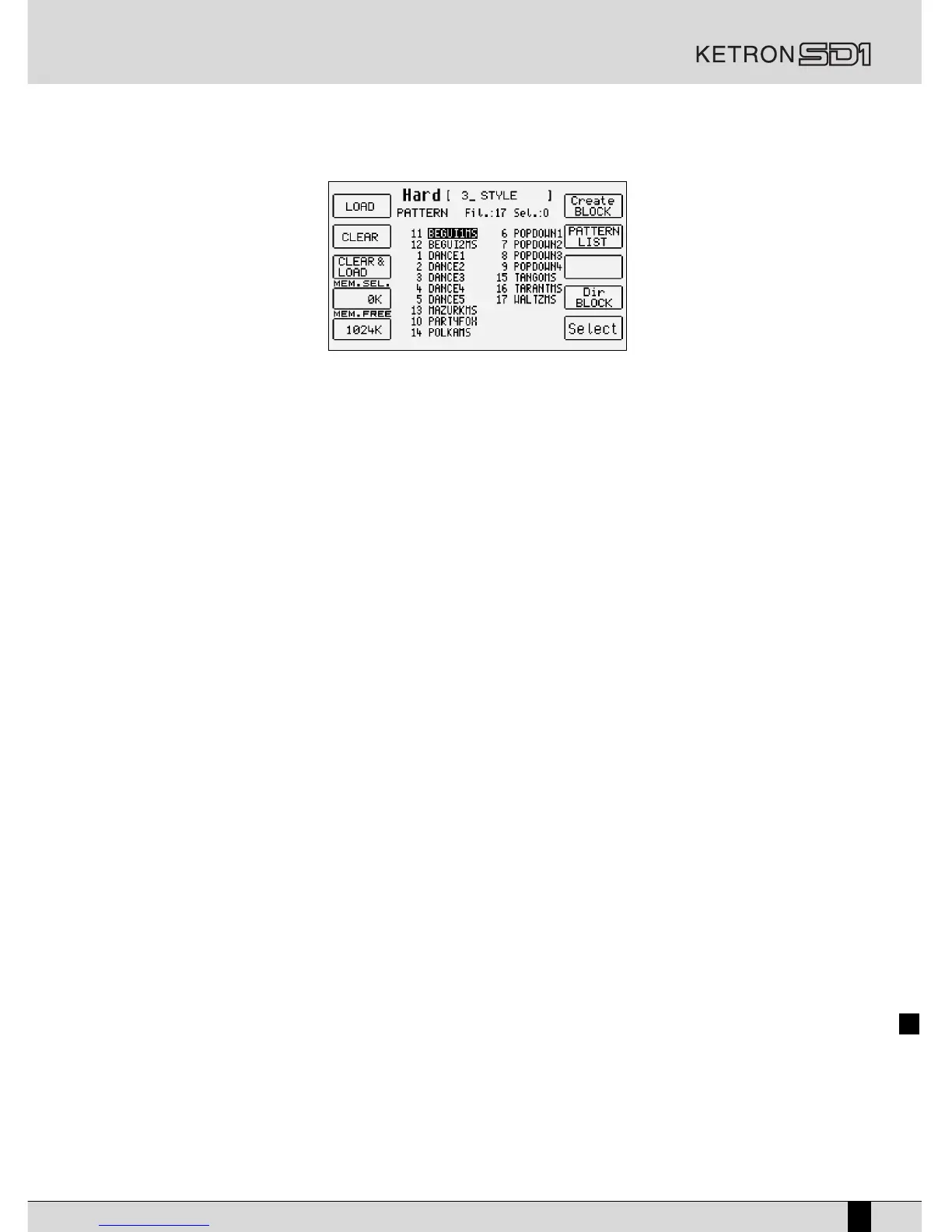
To load a Style with BLOCK/LIST RAM STYLE
●
Activate this push button: BLOCK/LIST RAM STYLE
●
Any pages that follow can be displayed using the CURSOR +/- push buttons
●
Find the Style desired using the VALUE +/- push buttons
●
Select the Style to be loaded using the F10 Select function
●
Select the next Styles to be loaded using the F10 Select function
●
Confirm loading in memory using the F1 Load function
●
To exit from this page press this push button again: BLOCK/LIST RAM STYLE or press the EXIT push button.
A third alternative is offered again in the BLOCK/LIST RAM STYLE page and is used to display the list of 33 patterns all together to find that
desired.
●
Enable this push button: BLOCK/LIST RAM STYLE
●
Select the F7 Pattern List function
●
Scroll the pages that follow using the PAGE +/- push buttons
●
Select the Style in the page using the CURSOR +/- push buttons
●
Confirm loading using the F10 Load function
●
To load the Style desired, without selecting it you can also directly enter the number using the numeric keypad: STYLES push buttons
●
To exit this page press this push button again: BLOCK/LIST RAM STYLE
●
In alternative, to exit press the EXIT push button
It is obviously possible to control many other aspects of the Arranger, amongst which the timbres to be assigned to the right hand or the set-
tings for the single accompaniment tracks. For the time being however you can already have fun and meet your basic requirements. You will
find detailed information in the sections dedicated to the following:
- Arranger
- Style
- Registration
- Timbres
- MIDI
- Disk


 To Next Page