Keysusedtoaccesssomeoperatingmenustosettheoperatingmodesoftheinstrument
anditsparameters.
Keysusedtoselect/de-selectthethreeinternalvoicesoftheinstrumentandcontrollable
viaMidiIn2Voiceport.
Keyusedtoquicklychangethetransposer.
Value+/-keysusedtochangetheparametersandthesoundssetontheMidiparts.
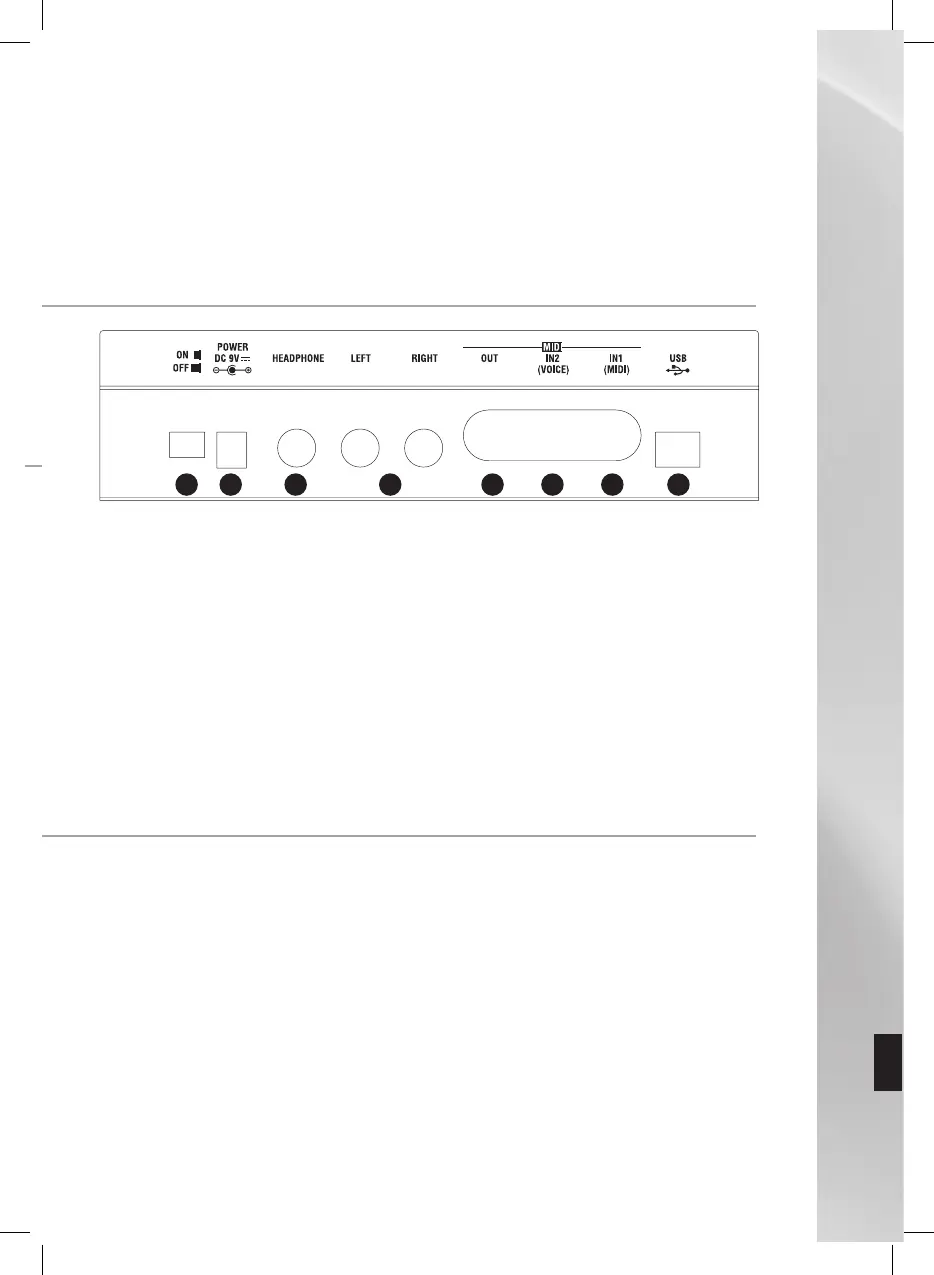
Thefollowingconnectionsareavailableatthebackoftheinstrument:
ON/OFFbutton.
Connectionfortheindependent9Voltpoweradaptor(suppliedwiththeinstrument).
Connectionforheadphonestolistendirectlytowhatisplayedontheinstrument.
AudiostereooutputsforconnectingaMixeroranamplifiersystem.
connectionforsendingMIDIdatatoanindependentinstrument.
connectionforconnectingindependentMIDIdevices,suchasaMaster
Keyboard,MidiAccordion,etc.
connectiontosimultaneouslycontrol16MIDIchannelsonasequencerorother
independentMIDIdevice.
connectionforconnectingtheinstrumenttoapersonalComputerorotherdevice
equippedwithMasterUSBconnection.
Indefaultconditions,worksasifithadtwocompletelyseparatesoundgenerators.Using
theport,youcansimultaneouslycontrolsixteenMIDIchannelsandassignoneofthe
512soundsofthebuilt-inwavetableforeachofthem.Atthesametime,usingthe
port,youcancontrolthethreedifferentVoicesoftheinstrumentcalled
.Fromtheinstrument’spanelorviaMIDIProgramchange,youcanassignoneofthe
128soundavailableontheinstrumentforeachoftheafore-mentionedvoices.
Thethreevoices,whichcanbecontrolledviathechannelsoftheport,can
beactivatedandcontrolledusingthethreebuttonsonthefrontpaneloftheinstrument
andcalledrespectively.ThecorrespondingLEDofeachoftheafore-
mentionedbuttonsshowsthestatusofthepart.
Inparticular:



 To Next Page