INTRODUCTION
CongratulationsforhavingpurchasedthenewKetronsoundmodule.Thisinstrument
willenableyoutoplaylivewithawiderangeofsoundsandtoplaybackyourMidifileswith
excellentacoustics.Thankstothetwoportsandtothebuilt-inUSBconnection,
iseasilyconnectedtoanyMIDIdevice(MasterKeyboard,MidiAccordions,MIDIguitarsetc.),
oritcanbeconnecteddirectlytoanypersonalcomputerthathasUSBconnections.The32
soundpartsinsidetheinstrumentcanbeusedinvariousways.Forexample,youcanplay
twomidifilessimultaneouslyorplayoneofthemanysoundoftheinstrumentfrom
anindependentmasterkeyboardwhileplayingamidifileintheotherMIDIportavailable.
offers 64 set bythe manufacturer and another 64 that can be completely
programmedbytheuser.Eachsoundmaycompriseamaximumofthreedifferent
voicesandtheavailabilityofnumerouseditandcontrolparameters.
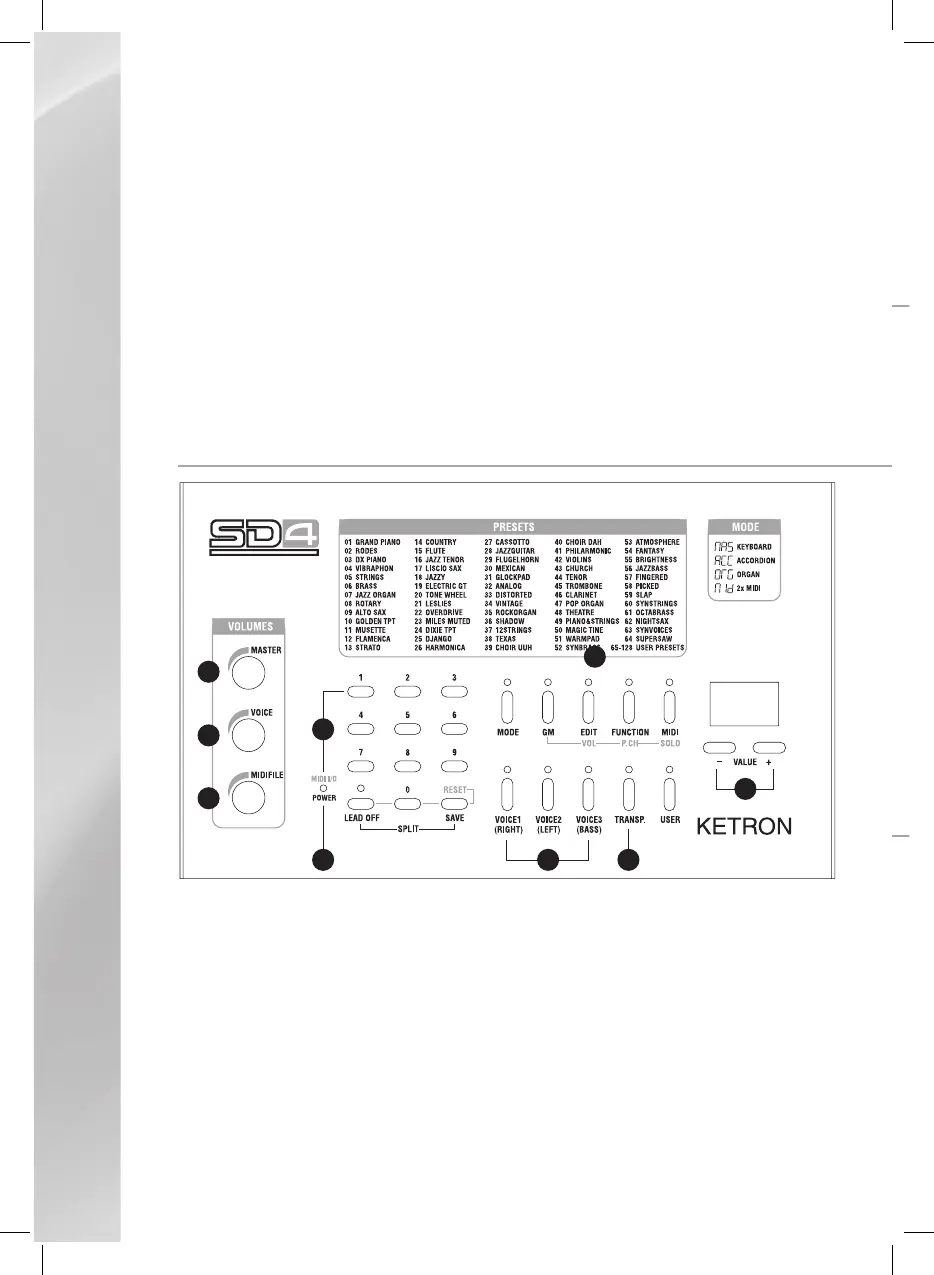
TheSD4instrumenthasacompletecontrolpanelthatisusedtoselectandcontrolallofits
functionsandsoundresources.
VolumeMaster.Itcontrolstheglobalvolumeoftheinstrument.
VolumeVoice.ItcontrolsthevolumeoftheMIDIsectiondedicatedtoplayingthethree
internalvoices,relatedtoMidiIn2port(Voice).
VolumeMidifile.Itcontrolstheglobalvolumeofthesectiondedicatedtoplayingmidifiles
orothermidisequencesandrelatedtoMidiIn1port.
Numericalkeypadusedtomanuallysettheinstrument’sparameters.
LEDthatindicatestheoperatingstatusoftheinstrument(On/Off)andtheMidiactivityof
theinputports.



 To Next Page