itmeansthatthepartselectedisinEditmode.Inthiscase,the
displayshowsthenumberofthesoundselectedand,byenteringanumber
onthenumericalkeypadorbypressingthekeys,youcanchangethecurrent
sound.
itmeansthatthesectionisnotenabled(nosoundwillbegenerated
fortherelatedvoice).
,itmeansthatthesectionisenabled.
Ifall3voicesaredisabled,thedisplaywillshowthreedashes“---”to
pointoutthattheinstrumentisdisabled.Alltheoperatingparametersofthedevicecanbe
customizedandsavedinoneoftheavailable.WhenSD4isswitchedon,italways
loadstheparametersrelatedto.Indefaultconditions,issetin
operatingmode.ByconnectingaMidikeyboardontheport,you
canthereforestarttoplaywiththebuilt-invoicesoftheinstrument.
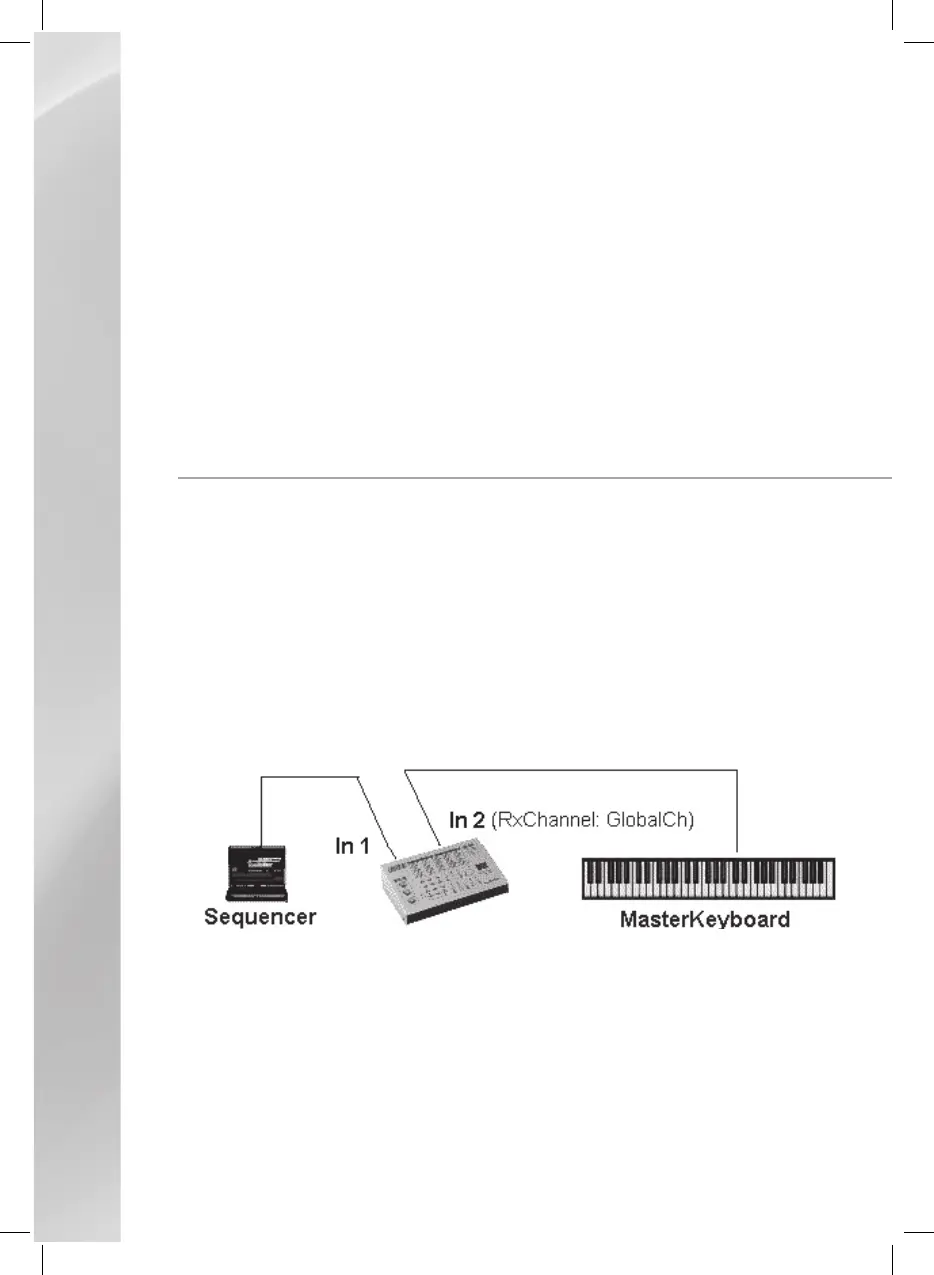
workswithtwoseparateMidiinputportsand,basedontheoperatingmodeselected,
theseportscanbeusedtoconnectindependentSequencers(toplayMidifilesorotherMIDI
sequences)ortoconnectMIDIaccordions,Masterkeyboards,etc.withwhichyoucancontrol
thethreevoicesoftheinstrument.Tomakeeasiertouse,KETRON
haspre-arranged4differentpresetoperatingmodes.
Here’sashortdescriptionoftheinstrument’soperatingmodes.
Inthismode,theportisusedtoplayMidifileswhiletheportisusedto
connectaMasterkeyboard.ThereceivingchannelontheMIDIIN2portistheMIDI
channel(defaultsetting:1).
Dependingonthesplitpoint,usingthemasterkeyboardyoucancontroloneormore
voicesof.Byactivatingtheindividualvoicesusingthecorrespondingkeysonthe
panelofSD4thesplitpointissetautomatically.Forexample,if
youactivatejustonevoice,themasterkeyboardwillplaythroughoutitsfullextension,
whereasifyouactivateat least2voices,the splitpoint willbe setautomatically.To
changethesplitpoint,pressthe“”and“”keystogetheratthesametime
andselectthenoteusingthemasterkeyboardorthe“”keys.
Inthismode,theportisusedtoplayMidifiles,whiletheportisused



 To Next Page