Style
https://www.ketron.it/images/ketron/Manuali_HTML/SD90/english/06_style.html[13/05/2020 12:37:48]
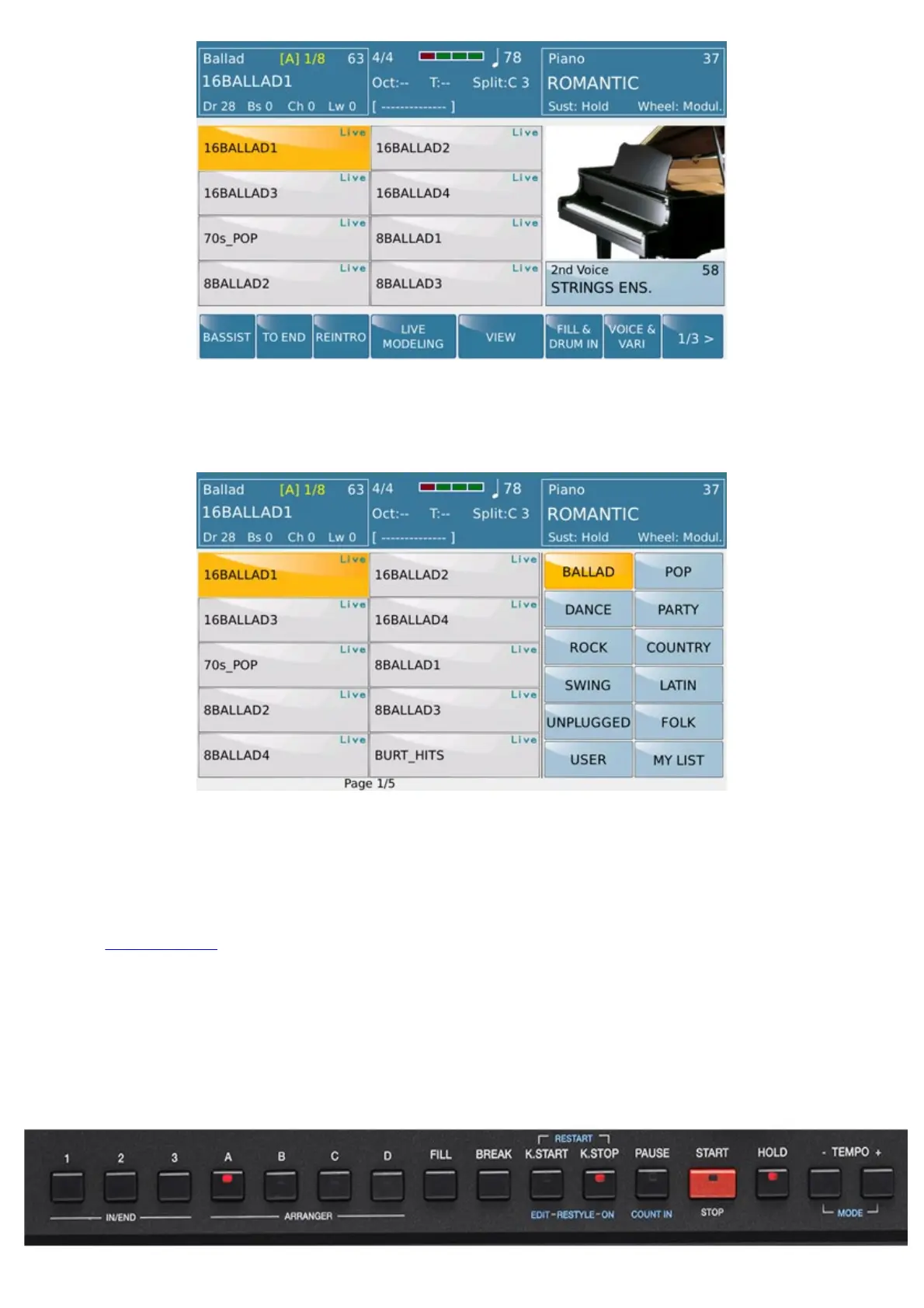
Once selected on the upper-left of the display (Style menu selection area) you can access to the selection of individual
styles. Styles family or single Styles can be selectend also by pressing EXIT button.
Display show on the right column of the main categories of automatic accompaniment such Ballad, Pop, Dance etc ...
including selection for
USER andMY LISTmenu BALLAD Category is selected as default .
USER folder is the location where you are going to Save Styles which will be modified.
The folder
MY LIST is menu where you can allocate Styles used frequently.Thus just to avoid frantic searching in
the various families of styles.
On the right are displayed Styles belonging to the selected category. 8 BEAT 1 is selected as default.
Down here the direct access buttons for the Style and Arranger management plus and other functions available also from
the Touch screen display:



 To Next Page