Arranger Setting
https://www.ketron.it/images/ketron/Manuali_HTML/SD90/english/13_arranger_setting.html[13/05/2020 13:42:00]
-
: Opens the page to adjust the harmonic tracks of the automatic accompaniment.
- PIANIST & BASSIST: Provides access to a page on which you may set the control mode of Arranger
via the keyboard.
- LOWER: Opens the page to adjust the Lower track, namely the section of the keyboard on the left of the split
point.
- BALANCE: Adjusts the volume of the entire Arrangement selected o which mean Balance volume with the
VOICE section
- EDIT: Open EDIT page of Arrange Section
- DRUM BOOST: Apply Boost (increase in volume) to the Drum part.
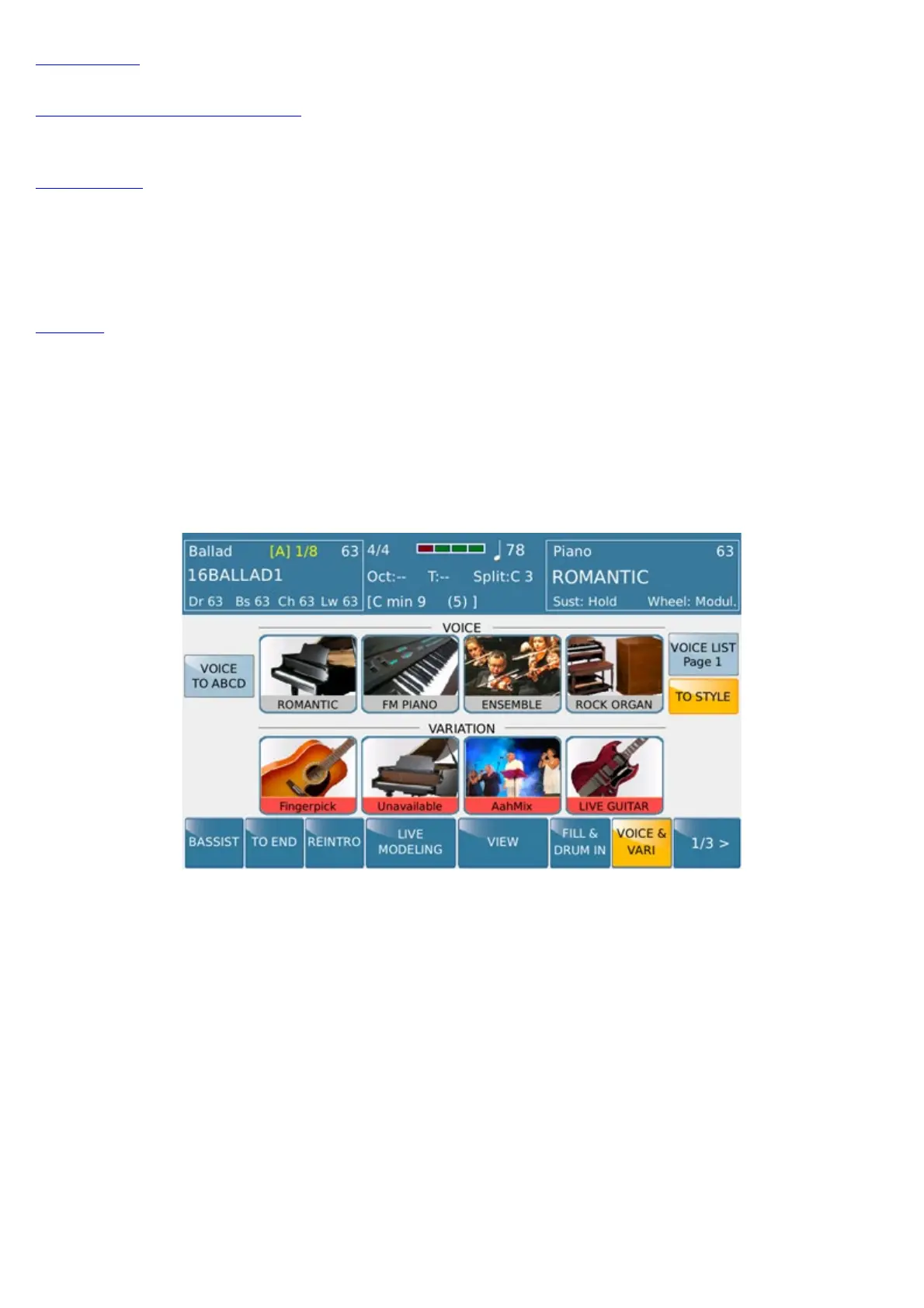
- VOICE & VARI : This tab allows you to access (or exit) from the selection menu sounds (Voice and
Variation) of Arranger Section.
- 1/3 : This command allows you to access the second page (2 of 3) of the Arranger section that looks like this:
Are present in this screen all commands to direct access to the functions of Fill1, Fill2, Fill3, Fill4, Break1,
Break2, Break3, Break4
-
2/3 : This tab allows you to enter the third page of the Arranger section that looks like this:



 To Next Page