Controls
https://www.ketron.it/images/ketron/Manuali_HTML/SD90/english/15_controls.html[13/05/2020 13:43:38]
Controls
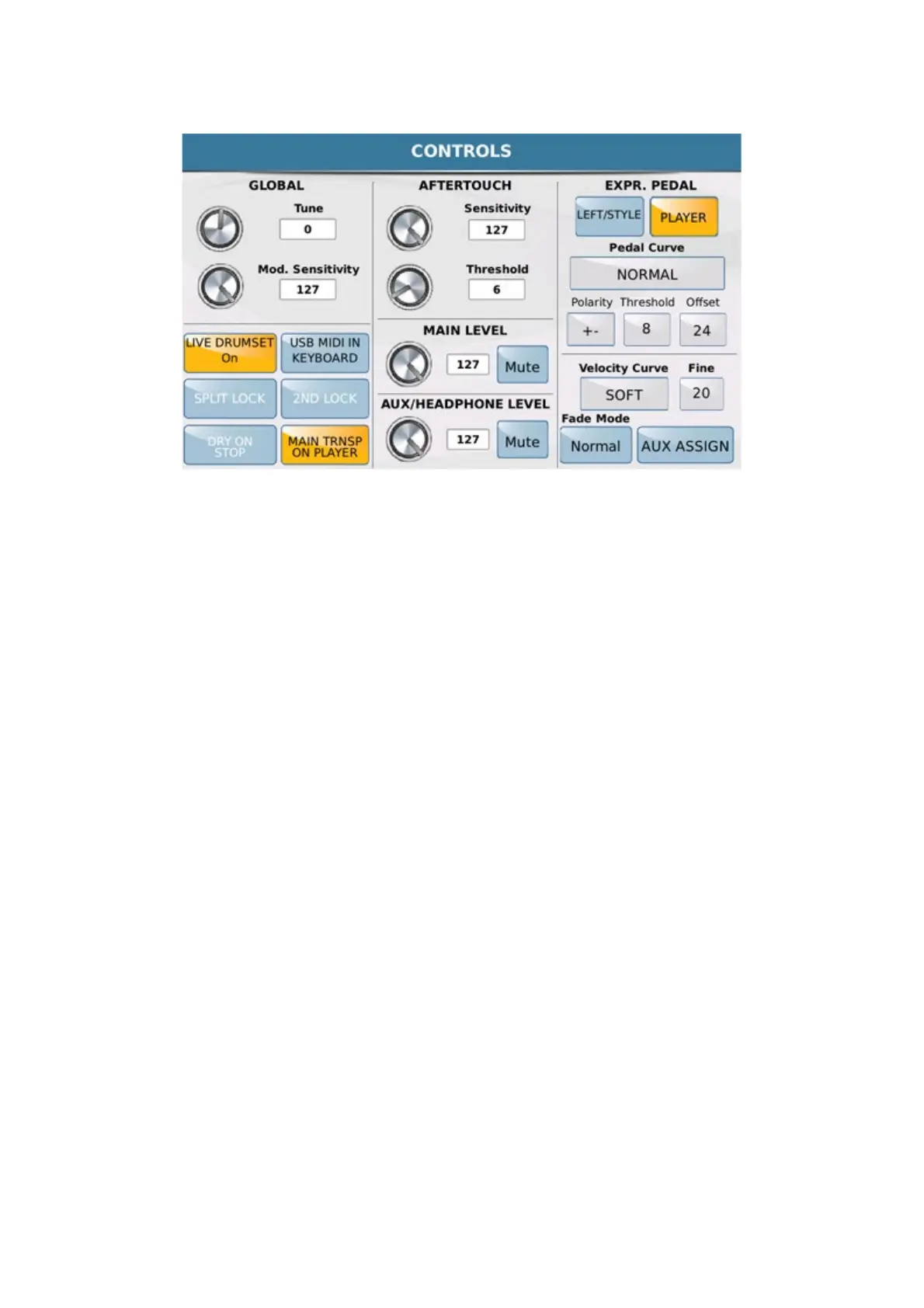
- GLOBAL: Allows you to tune the SD90 and modify Modulation sensitivity. To modify the tone, simply
touch the box TUNE or the corresponding virtual knob and change the numeric value with the Dial. In the same
way, to change modulation sensitivity, touch the box MOD. SENSITIVITY or the corresponding virtual
knob and change the numeric value with the Dial.
- AFTERTOUCH: This is a parameter that many keyboards have today and allows you to modify a sound
by pressing a key on keyboard continuously even after pressing the note. The effect applied to the Aftertouch may be
a modulation, opening of a filter and even the volume. For example, by applying the volume to Aftertouch you can
simulate the sustained effect of a string or wind instrument which may increase the intensity of a note even after the
attack. On this page you may set the sensitivity of the Aftertouch response and the key pressure threshold under
which the Aftertouch effect must not respond. Here again, the modifications are introduced by selecting the box
SENSITIVITY and THRESHOLD or the corresponding virtual knobs and modifying the value
with the Dial.
- EXPR.PEDAL: Enables the Expression pedal for volume control of Left and Style section. The response
curve of the volume pedal may be set by selecting the box PEDAL CURVE and using the Dial.
- POLARITY: Allows you to select the polarity of the pedal controller to be used.(+ / - )
- THRESHOLD: Adjusts the opening threshold of the pedal controller to be used.
- OFFSET: Adjust minimum range (0/32) of pedal controller set value.
- VELOCITY CURVE: Sets the keyboard dynamic response of SD90 (Soft, Medium, Hard, Fixed).
- FIXED: Sets, using the dial, Fixed dynamic level on
- AUX ASSIGN: Allows you to assign to HEADPHONE / SEPARATE OUT one of the
following sections of the SD90 (RIGHT, DRUM, BASS). Internal speakers are automatically excluded when this



 To Next Page