Training
User selection
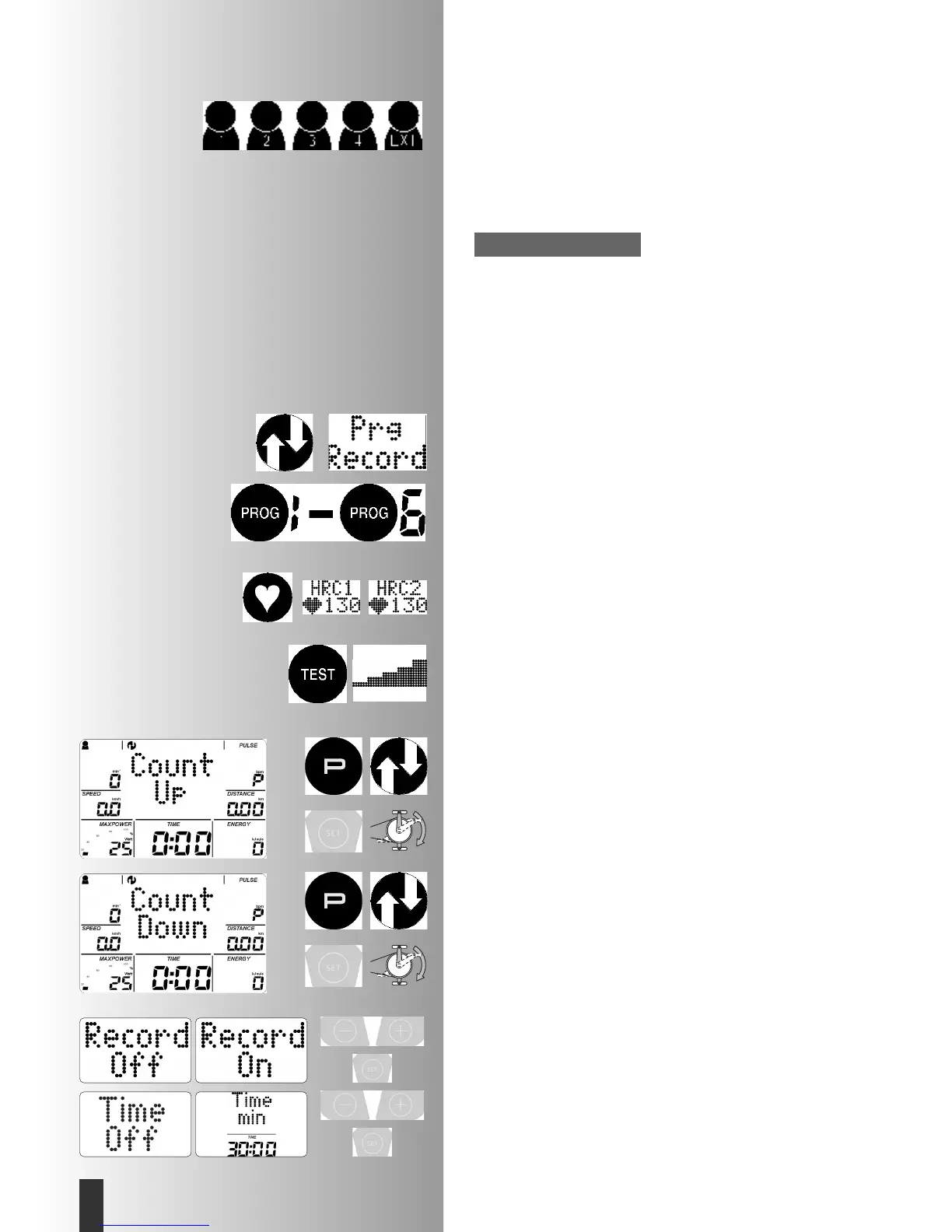
You can select 5 users. The extra person "USBStick" is created by
plugging in a USB stick. The stick must be FAT32 formatted. No
additional users can be selected.
The user "Guest" (no user symbol) has no memory. Targets and set-
tings only remain until the next time the machine is switched on.
If you are training with a USB stick plugged in then the workou-
ts are saved on the USB.
Training selection
The computer is equipped with different training programmes.
1. Training by Power Targets
a)Manual Power Inputs
• (PROGRAMME) “Count-up”
• (PROGRAMME) “Count-down”
Training record (Prg Record)
b)Power Profiles
• (PROGRAMME) “1” – ”6”
• (PROGRAMME) “Prg Record”
2. Training by Heart Rate Targets
Manual Heart Rate Targets
• (PROGRAMME) “HRC1 Count-up”
• (PROGRAMME) “HRC2 Count-down”
3. Training with Instruction (coaching)
You must complete the IPN test. Then you will be graded and
will receive a training programme with 24 workouts.
Then you will take a new fitness test with new workouts
Training by Power Targets
a)Manual power input
Programme “Count-up”
Start training and all values count upwards.
To change power during training:
Pressing "plus" increases the power in intervals of 5
Pressing "minus" reduces the power in intervals of 5
Programme “Count-down”
Press "PROGRAMME" until the display shows "Count-down"
The programme counts from the values entered to > 0.
If there has been no input then training starts in the programme
"count-up".
To start the programme there must be inputs for time, energy or
distance as a minimum.
Press "SET": target area
Training record "record"
In these programmes you can record your workout. These are
then available as "Prg Record". The function must be newly
activated before each recording.
"On" = training record is active. "Off" = deactivated
Confirm with "SET".
Information:
Training and Operating Instructions
10
GB



 To Next Page
 Loading...