EasyManua.ls Logo

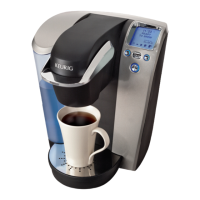
Keurig Platinum Plus B79 - User Manual

Keurig Platinum Plus B79
11 pages
Print Icon
To Next Page IconTo Next Page
Loading...
Owners manual
Platinum Plus B79 Keurig
®
Brewer

Other manuals for Keurig Platinum Plus B79

Questions and Answers

  • T
    Thomas Garcia IIJul 29, 2025
    Why my Keurig Platinum Plus B79 Coffee Maker does not have power?
    • M
      Michael AveryJul 30, 2025
      If your Keurig Coffee Maker doesn't have power, ensure it's plugged into an independent outlet securely. Try a different outlet and reset your home’s circuit breaker if needed. Also, verify that the Power Switch is turned on and the LCD lights are illuminated.
  • T
    Tommy RiceAug 3, 2025
    What to do if my Keurig Platinum Plus B79 will not brew?
    • J
      Jason SchroederAug 3, 2025
      If your Keurig Coffee Maker won't brew, ensure the Handle is pushed down securely after placing the K-Cup® portion pack in the K-Cup® Holder, and the LCD Control Center reads “READY TO BREW” with illuminated Left, Right, and BREW Buttons. Then, press one of these buttons. If the LCD Control Center displays “ADD WATER,” add water to the Water Reservoir or ensure it's correctly seated. The Exit Needle may be clogged.
  • S
    Sarah BlackburnAug 7, 2025
    Why is my Keurig Coffee Maker brewing a partial cup?
    • D
      Dylan StoneAug 7, 2025
      If your Keurig Coffee Maker is brewing a partial cup, the Exit Needle may be clogged. Clean the K-Cup® Holder Assembly if necessary and rinse under the faucet. Ensure the Water Reservoir wasn't removed during brewing; if it was, replace it and perform a water brew without a portion pack. Also, try de-scaling the Brewer.
  • L
    Linda ClaytonAug 11, 2025
    Why is the blue light flashing in my Keurig Coffee Maker water reservoir?
    • T
      Tony FowlerAug 11, 2025
      If the blue light in your Keurig Coffee Maker's Water Reservoir is flashing, it means the water level is low and a full cup cannot be brewed. Add water to the Water Reservoir. If the LCD Control Center indicates “PRIME,” please see the troubleshooting for when the LCD Control Center indicates “PRIME” and the blue light in the Water Reservoir is flashing.
  • B
    Brianna SmithAug 15, 2025
    What to do if the LCD Control Center indicates “PRIME” and the blue light is flashing on my Keurig Coffee Maker?
    • J
      John CamposAug 15, 2025
      If the LCD Control Center on your Keurig Coffee Maker indicates “PRIME” and the blue light in the Water Reservoir is flashing, completely remove the Water Reservoir and thoroughly clean it. Ensure the Water Reservoir is fully filled with water. Return it to the Brewer and ensure it is seated properly.
  • K
    Kelly SimonAug 19, 2025
    How to stop my Keurig Platinum Plus B79 Coffee Maker from turning on/off automatically?
    • M
      Michaela SmithAug 20, 2025
      To stop your Keurig Coffee Maker from turning on or off automatically, check that the Auto Off timer and/or On/Off time features haven't been set. Press the MENU Button below “MENU” and scroll through the programming options. “OFF” should be displayed for Auto Off timer and On/Off.
  • A
    Angela SmithAug 25, 2025
    Why the time is not displayed on the LCD Control Center of my Keurig Platinum Plus B79 Coffee Maker?
    • K
      Kim CurtisAug 26, 2025
      The time will not be displayed on the LCD of your Keurig Coffee Maker unless you have set it. If power is interrupted to the Brewer, you will need to set the clock again.

Summary

Important Safeguards

Set-Up and Features

Helpful Hints

Tips for optimal Keurig Brewer performance and usage.

Unpacking Instructions

Step-by-step guide for safely removing the Keurig Brewer from its packaging.

Brewer Features

Identifies key components and parts of the Keurig Platinum Plus B79 Brewer.

Section 1: Set-Up and First Brew

Setting Up Your Brewer

Detailed steps for the initial setup and preparation of the Keurig Brewer for its first use.

Ready to Brew Your First Cup

Instructions on how to brew your very first cup of coffee, tea, or hot cocoa.

Stopping the Brew Process

Guidance on how to safely interrupt the brewing cycle if necessary.

Adding Water

Instructions for refilling the Water Reservoir when the water level is low.

Dispensing Hot Water

How to use the brewer to dispense hot water for instant foods or drinks.

Rinse Cycle

Performing a rinse cycle to flush out residual flavors from the brewer.

Purging the Brewer

Procedure to purge water from the brewer after periods of non-use.

Section 2: Controls and Indicators

Setting the Clock

Instructions on how to set the brewer's internal clock for accurate timing.

Programming On;Off Features

Setting the brewer to automatically turn on or off at scheduled times.

Programming Brew Temperature

Adjusting the brewing temperature between 187°F and 192°F for desired taste.

Programming Your Brew Size

Customizing the default brew size for your Keurig Brewer.

Section 3: Cleaning and Maintenance

Cleaning External Parts

Routine cleaning procedures for the brewer's exterior components.

Cleaning the K-Cup Holder Assembly

Instructions for cleaning the K-Cup Holder and its related parts.

Cleaning the Funnel

How to remove and clean the Funnel component of the brewer.

Cleaning the Exit Needle

Methods for clearing clogs from the exit needle using a paper clip.

Cleaning the Water Reservoir and Lid

Steps for cleaning the Water Reservoir and its lid to maintain hygiene.

De-Scaling Your Brewer

Process for removing mineral scale buildup to maintain brewer performance.

De-Scaling Instructions

Detailed step-by-step guide for de-scaling the Keurig Brewer.

Service

Information regarding user-unserviceable parts and contacting customer service.

Storage

Recommendations for proper storage of the Keurig Brewer to prevent damage.

Section 4: Troubleshooting

Brewer does not have power

Solutions for when the Keurig Brewer fails to power on.

Brewer will not brew

Troubleshooting steps for when the brewer fails to initiate a brew cycle.

LCD Control Center indicates PRIME

Resolving issues when the brewer displays 'PRIME' with a flashing reservoir light.

The time is not displayed

Guidance on setting the clock if the time is not visible on the display.

Section 5: Warranty

Limited One Year Warranty

Details of the one-year limited warranty covering defects in materials and workmanship.

What is Not Covered by the Limited Warranty?

Exclusions from warranty coverage, including consequential damages and misuse.

Other Limitations

Information on warranty exclusivity, disclaimers of other warranties, and implied warranties.

How to Obtain Warranty Service

Steps and contact information for initiating warranty service requests.

Keurig Platinum Plus B79 Specifications

General IconGeneral
BrandKeurig
ModelPlatinum Plus B79
CategoryCoffee Maker
LanguageEnglish

Related product manuals