5
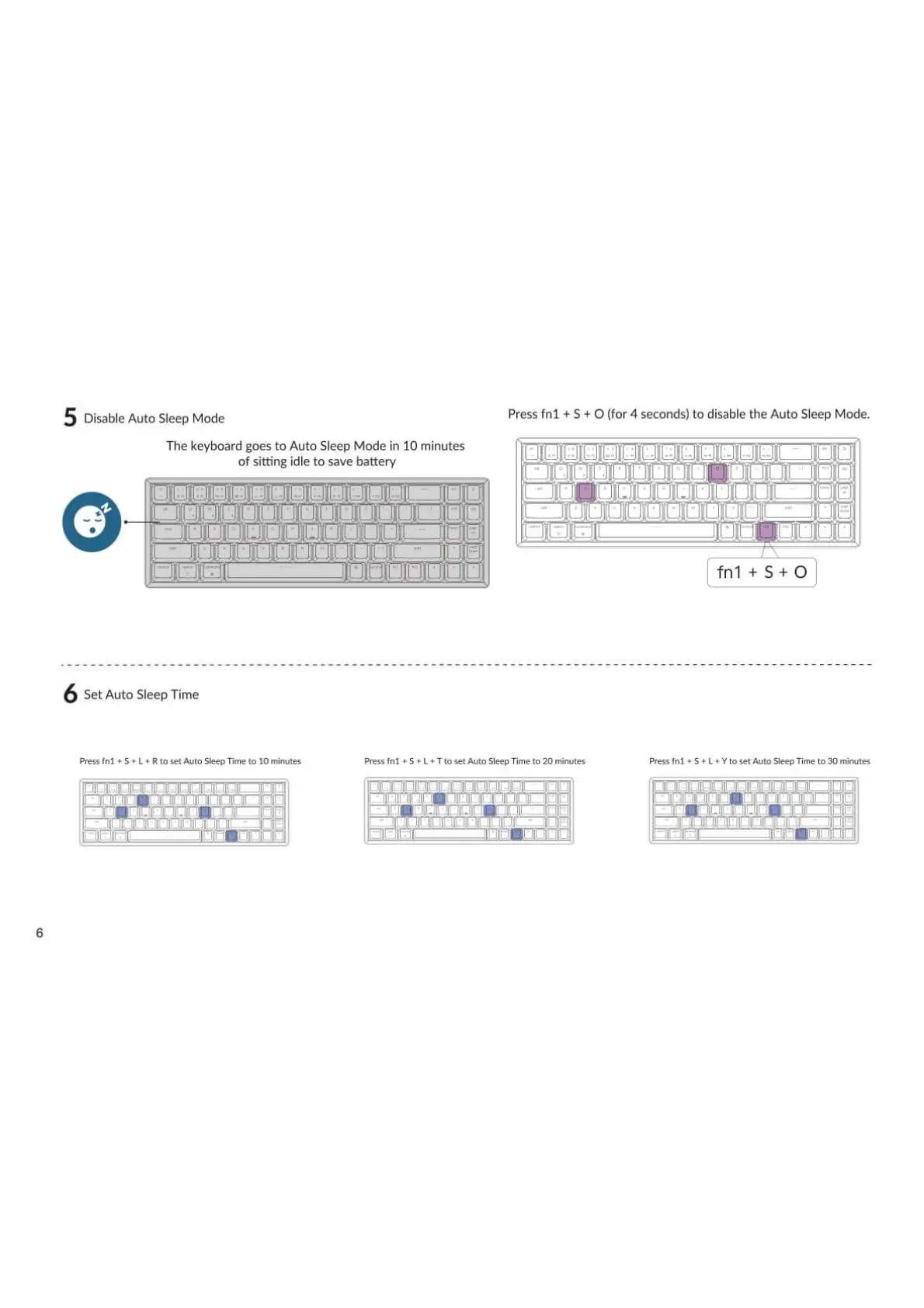
Disable Auto Sleep Mode
The keyboard goes to Auto Sleep Mode in 10 minutes
of sitting idle to save battery
Press fnl + S + O (for 4 seconds) to disable the Auto Sleep Mode.
Set Auto Sleep Time
Pressfn1 S L Rto set Auto SleepTime to 10 minutes
—j' lgfigggge
Pressfnl S L + T to set Auto Sleep Time to 20 minutes
fnl +S+O
Pressfnl S + L Y to set Auto SleepTime to 30 minutes
jggigig


 To Next Page