KS4031(4032) folder/Makecode
Tutorial/Makecode Code/Project
Code/Project 4:Programmable
Buttons-1
Project 4:
Programmable
Buttons-1
Or you could edit code step by step in the editing area.
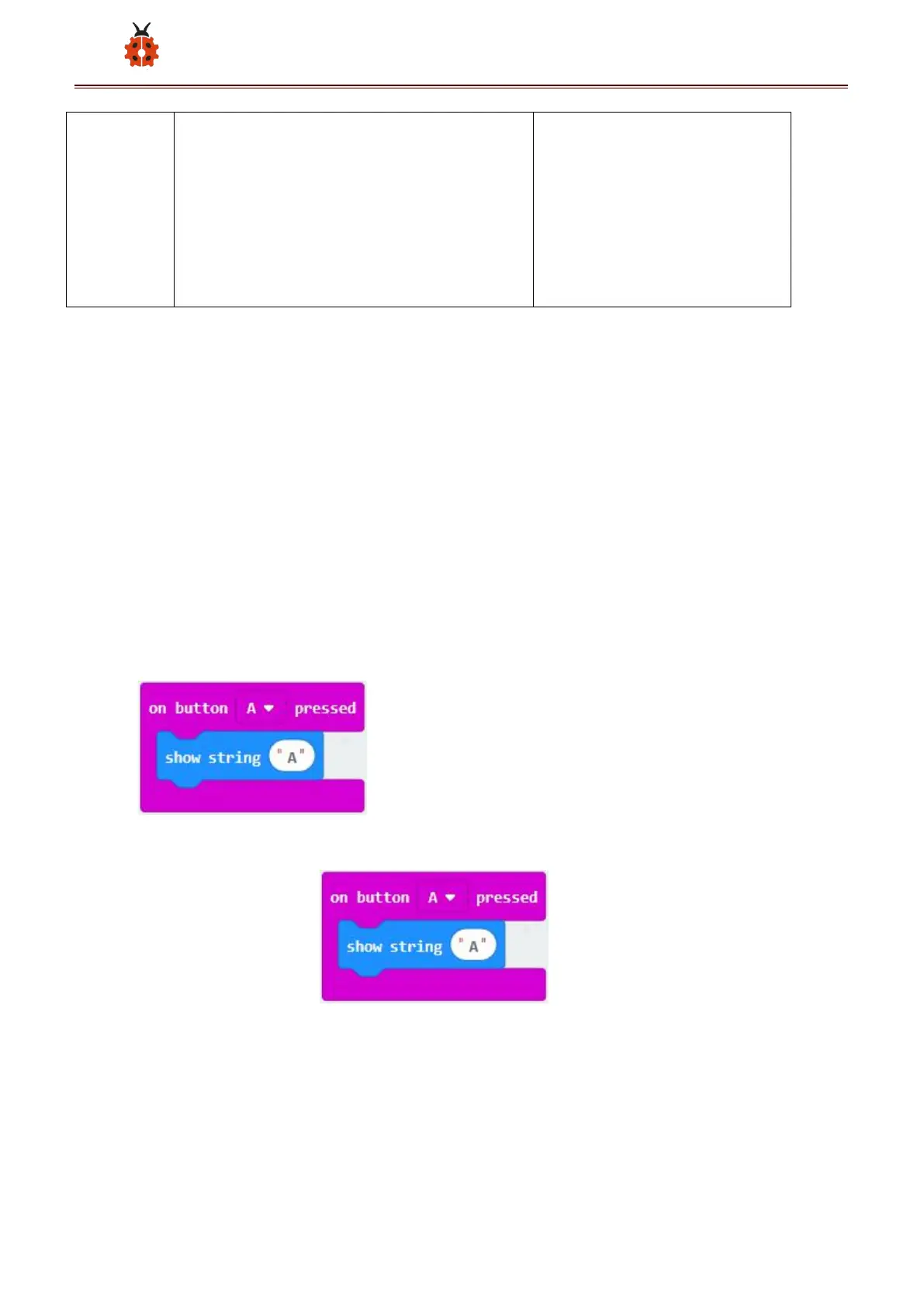
(1) Delete“on start”and“forever”firstly,then click“Input”→“on button
A pressed”
*****************************************************************
(1) A. Click“Basic”→“show string”;
B. Then place it into“on button A pressed”block, change “Hello!”into
“A”.
(2) Copy code string once, tap the drop-down
button “ A ” to select “ B ” and modify character “ A ” into



 To Next Page