KS4031(4032) folder/Makecode
Tutorial/Makecode Code/Project
Code/Project 6:
Geomagnetic Sensor-1
Project 6:
Geomagnetic Sensor-1
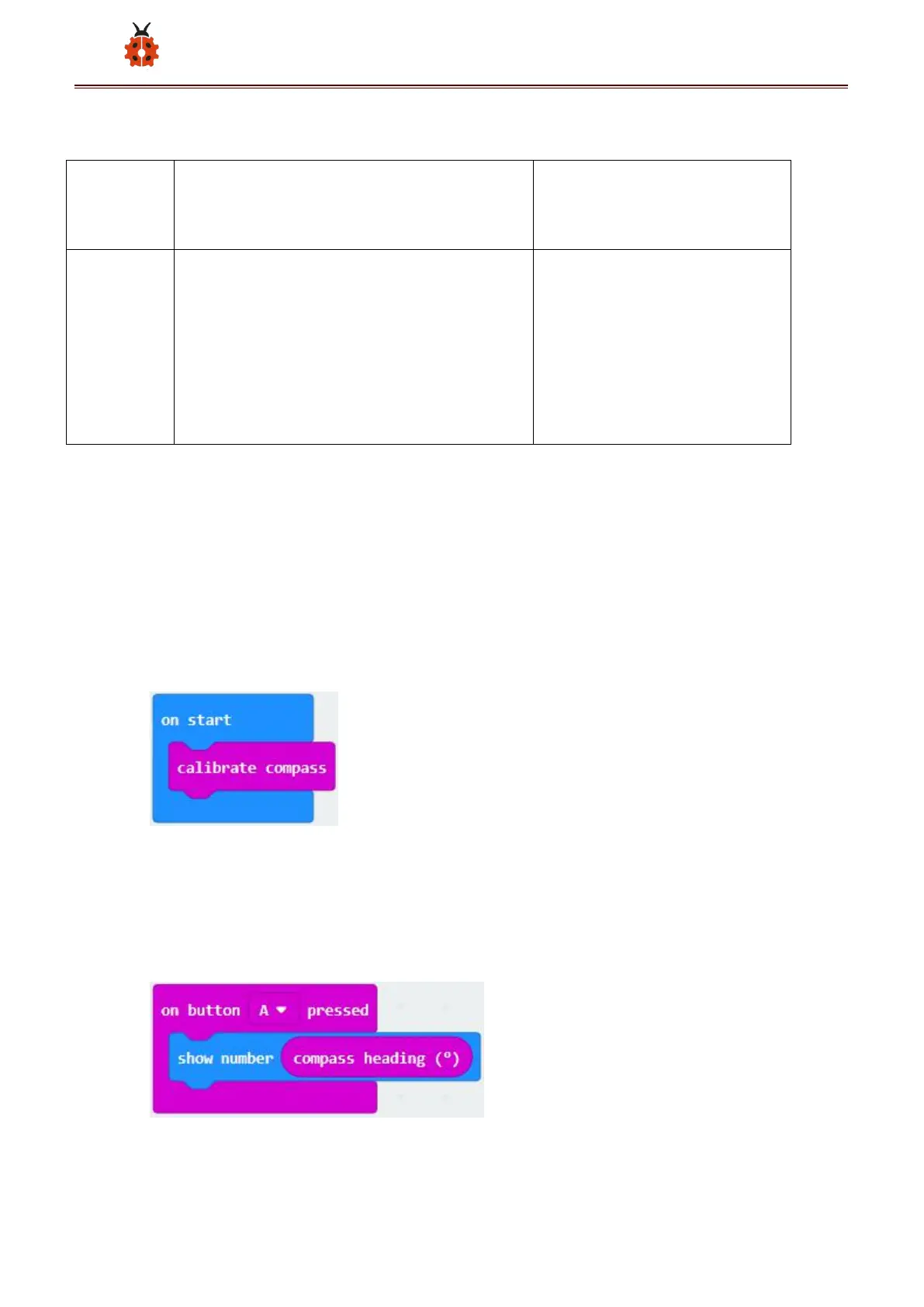
Or you could edit code step by step in the editing area.
A. Click“Input”→“more”→“calibrate compass”
B. Lay down it into block“on start”.
A. Go to“Input”→“on button A pressed”.
B. Enter“Basic”→“show number”, put it into“on button A pressed”block;
C. Tap“Input”→“compass heading(℃)”, and place it into“show number”
*****************************************************************



 To Next Page