Or you could edit code step by step in the editing area.
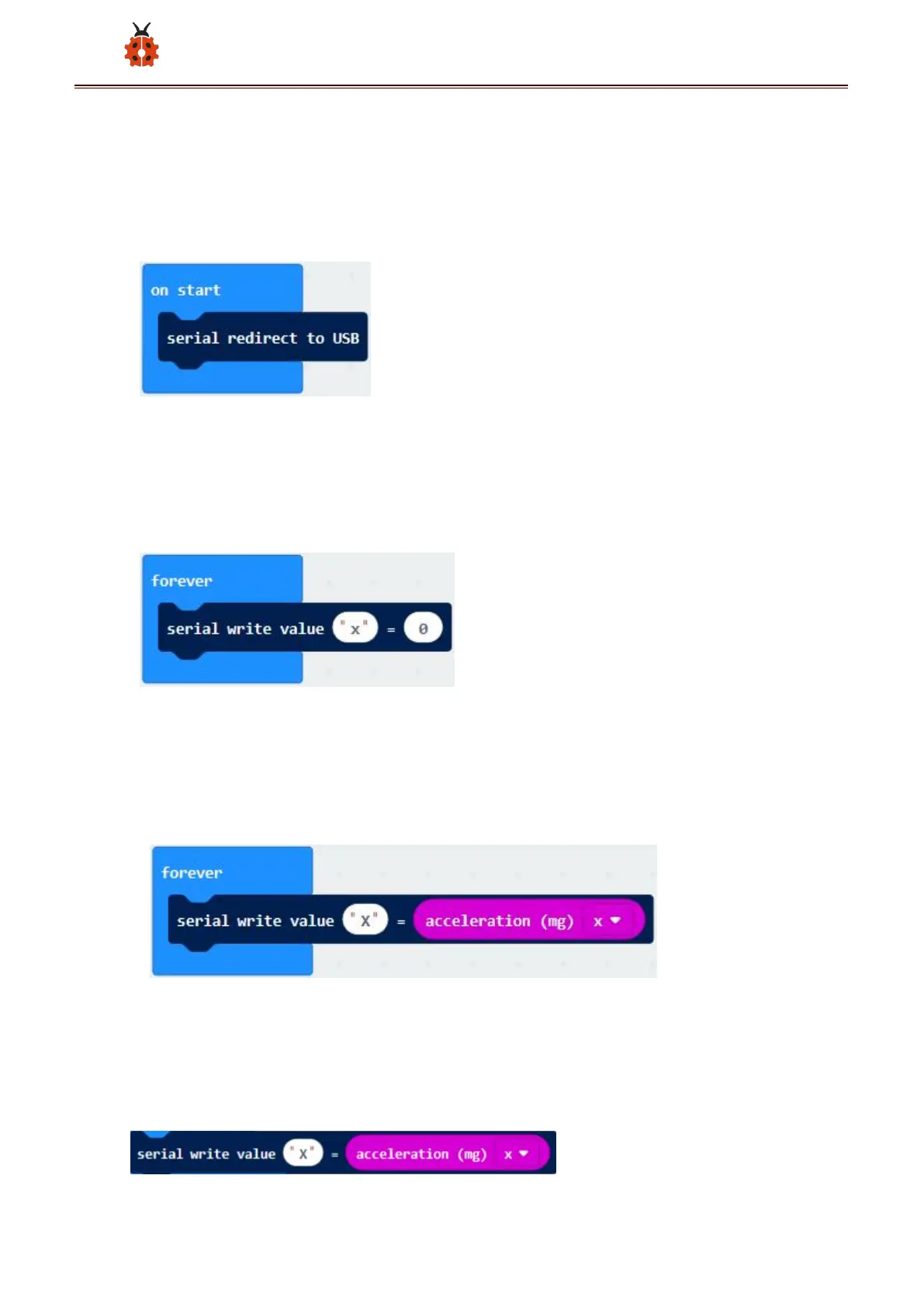
A. Go to“Advanced”→“Serial”→“serial redirect to USB”
B. Drag it into“on start”
******************************************************************************
A. Enter“Serial”→“serial write value x =0”
B. Leave it into“forever”block
**************************************************************************A.
Click“Input”→“acceleration(mg) x”;
B. Keep it into“0”box and capitalize the“x”
*****************************************************************************
Go to“Basic”and move out “ pause (ms) 100 ” below the
block , then set to 100ms.



 To Next Page