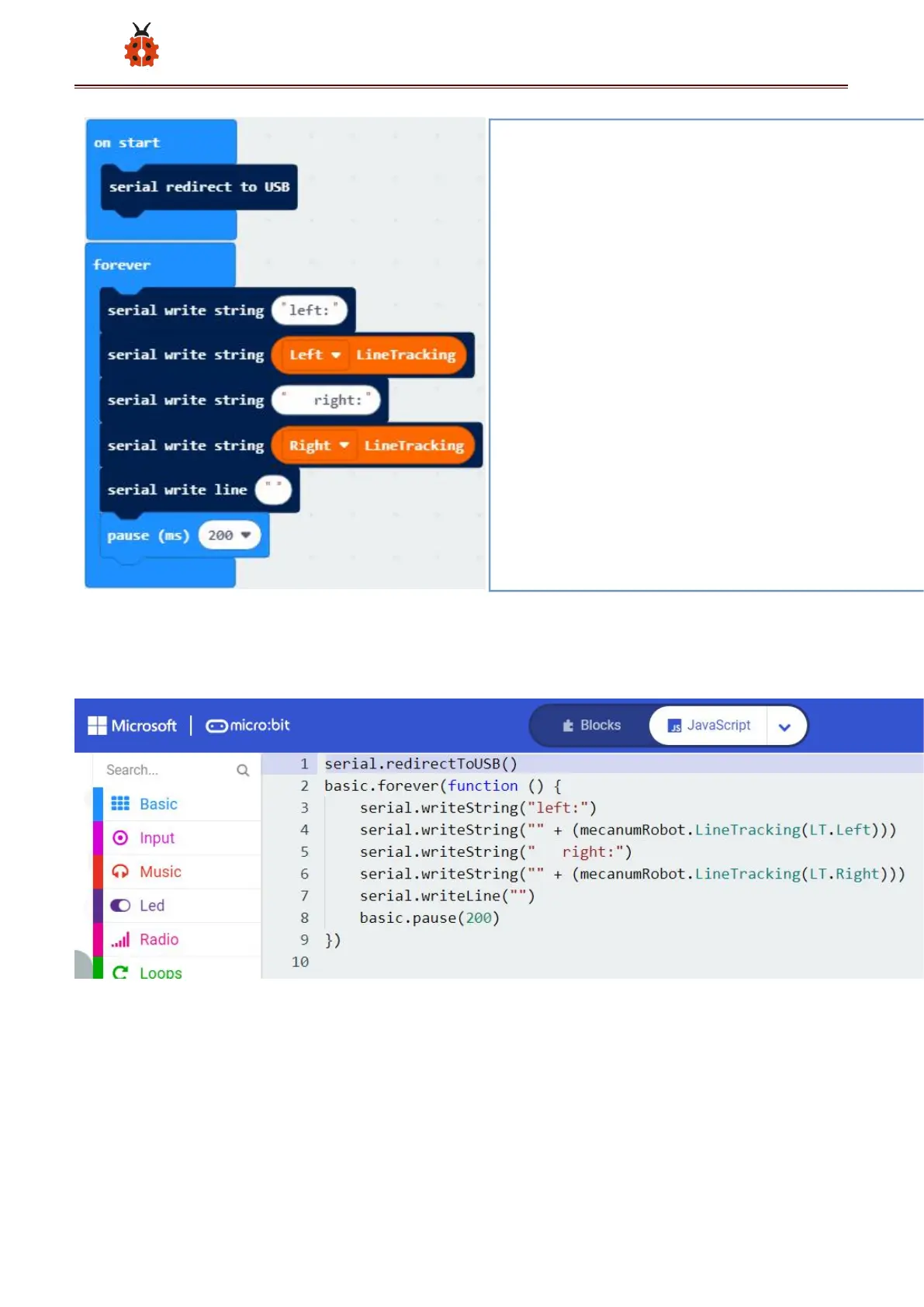
Click“JavaScript" to view the corresponding JavaScript code: :
Open CoolTerm, click Options to select SerialPort. Set COM port and
115200 baud rate. Click“OK”and“Connect”.
The CoolTerm serial monitor displays the digital signals read by right line
tracking sensors.
① The "on start" command block runs only once to start the
program.
②Serial redirection USB.
③In the "forever" instruction block, the program runs cyclically.
④Write string "left:" serially
⑤Serially write the output value of the tracking sensor on the left
⑥Serial write string "right:"
⑦Serially write the output value of the tracking sensor on the right
⑧Writing in line break
⑨ Delay time 200 milliseconds



 To Next Page